
Startpunt
-
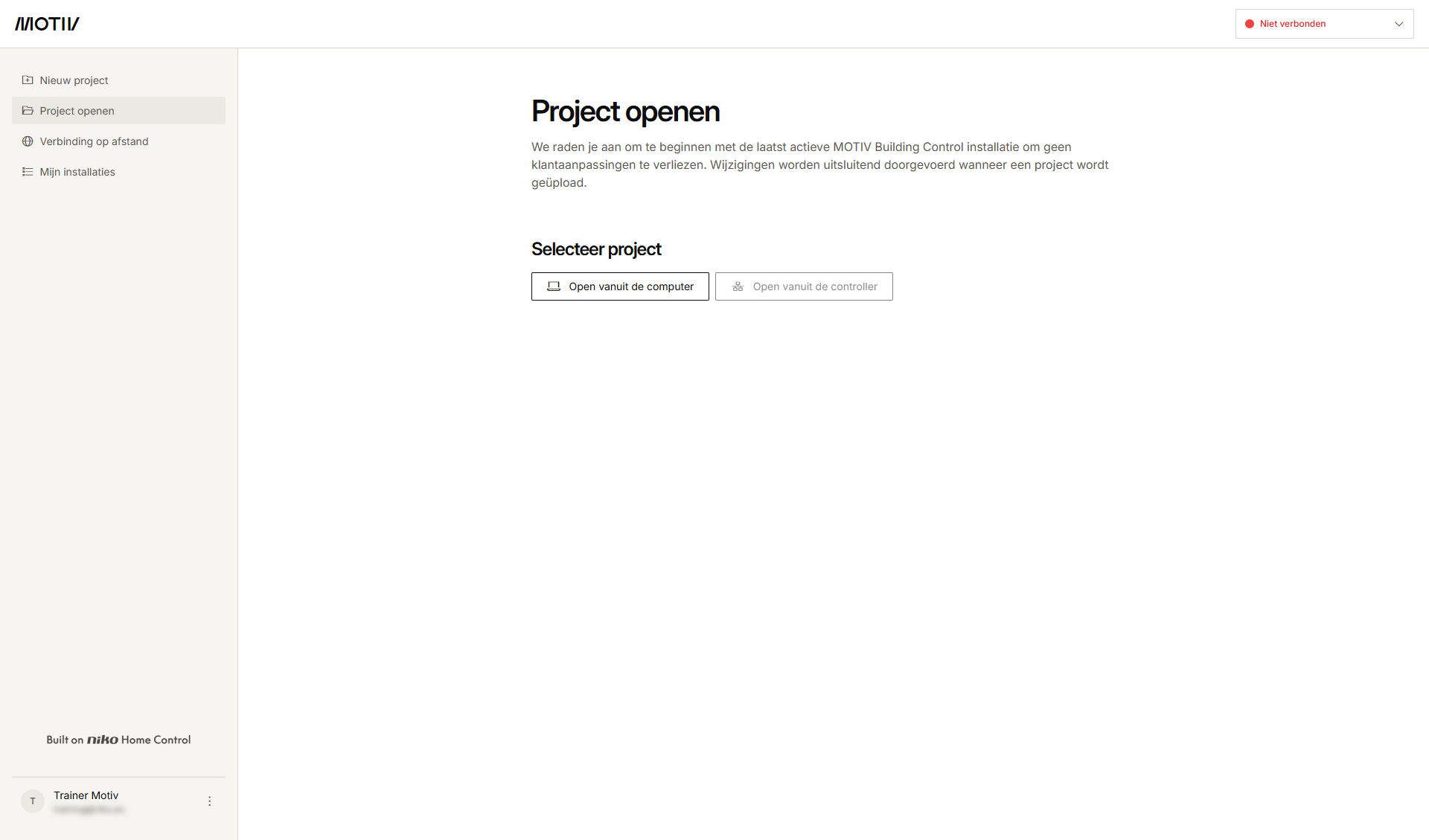
Je bent ingelogd in de MOTIV Building Control programmeersoftware.
-
Je hebt geen project geopend, of je hebt op Home geklikt toen er een project openstond.
Procedure
-
Klik links onderaan het scherm op het menu met de drie puntjes naast je accountnaam/e-mailadres.
-
Selecteer Account beheren.
-
Breng de nodige wijzigingen aan in de tabbladen:
Beschrijving van de tabbladen
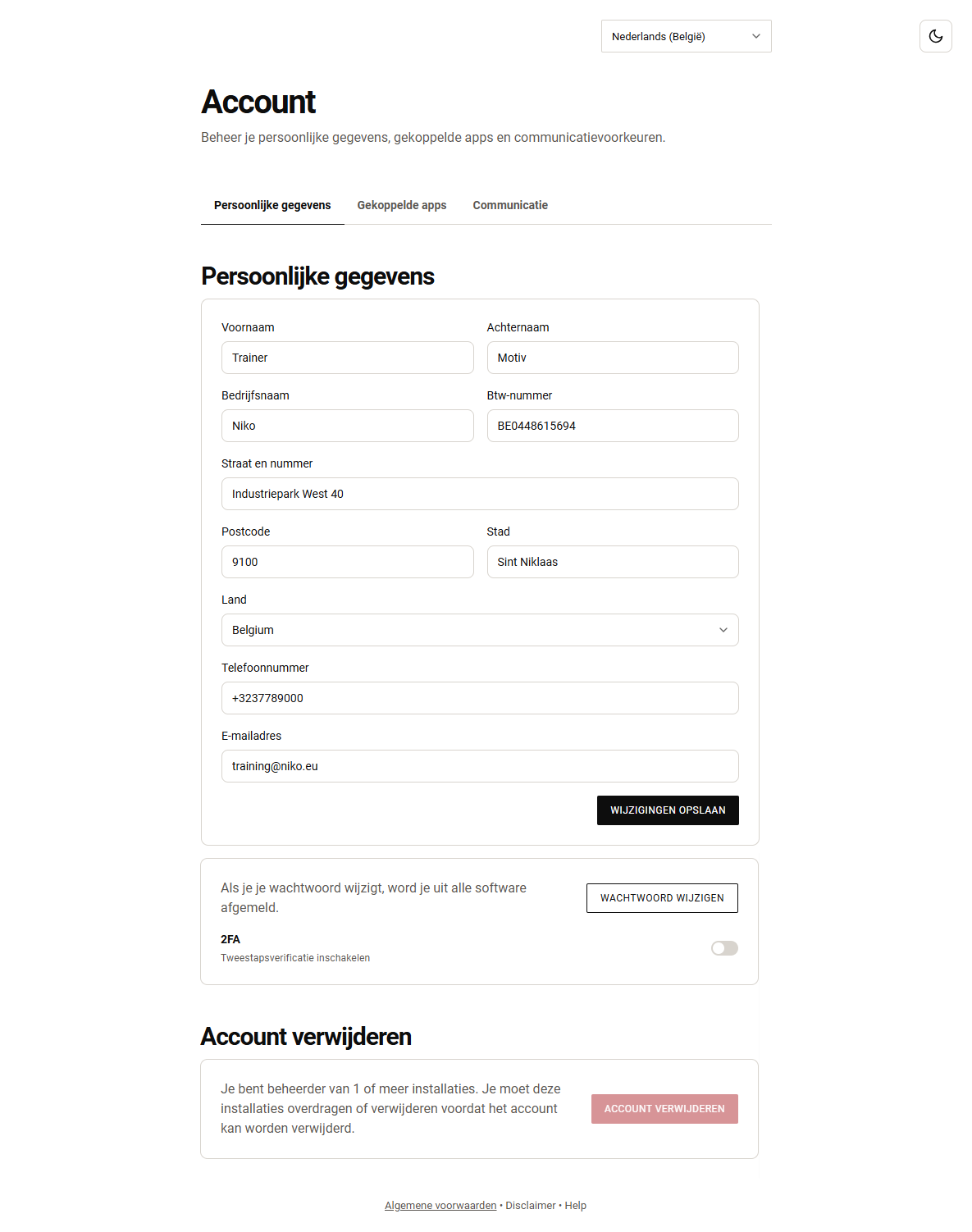
Tabblad Persoonlijke gegevens
In dit tabblad (zie bovenstaande afbeelding) kun je het volgende doen:
-
Je persoonlijke gegevens (bijv. adres, telefoonnummer) bewerken
-
Het paswoord van je MOTIV-account wijzigen
-
Voor tweestapsverificatie (2FA):
-
2FA in-/uitschakelen
-
Reset je authenticatorapp als tweestapsverificatie is ingeschakeld (bijv. als je een nieuwe mobiele telefoon hebt, of als je vermoedt dat je account is gehackt, ...)
-
Genereer nieuwe codes als tweestapsverificatie is ingeschakeld (bijv. je kunt een herstelcode maar één keer gebruiken)
-
-
Verwijder je account. Deze actie is definitief en kan niet ongedaan gemaakt worden. Als je beheerder bent van een of meer installaties, moet je het eigendom overdragen of deze installaties verwijderen voordat je je account kunt verwijderen.
Tabblad Aangesloten apps
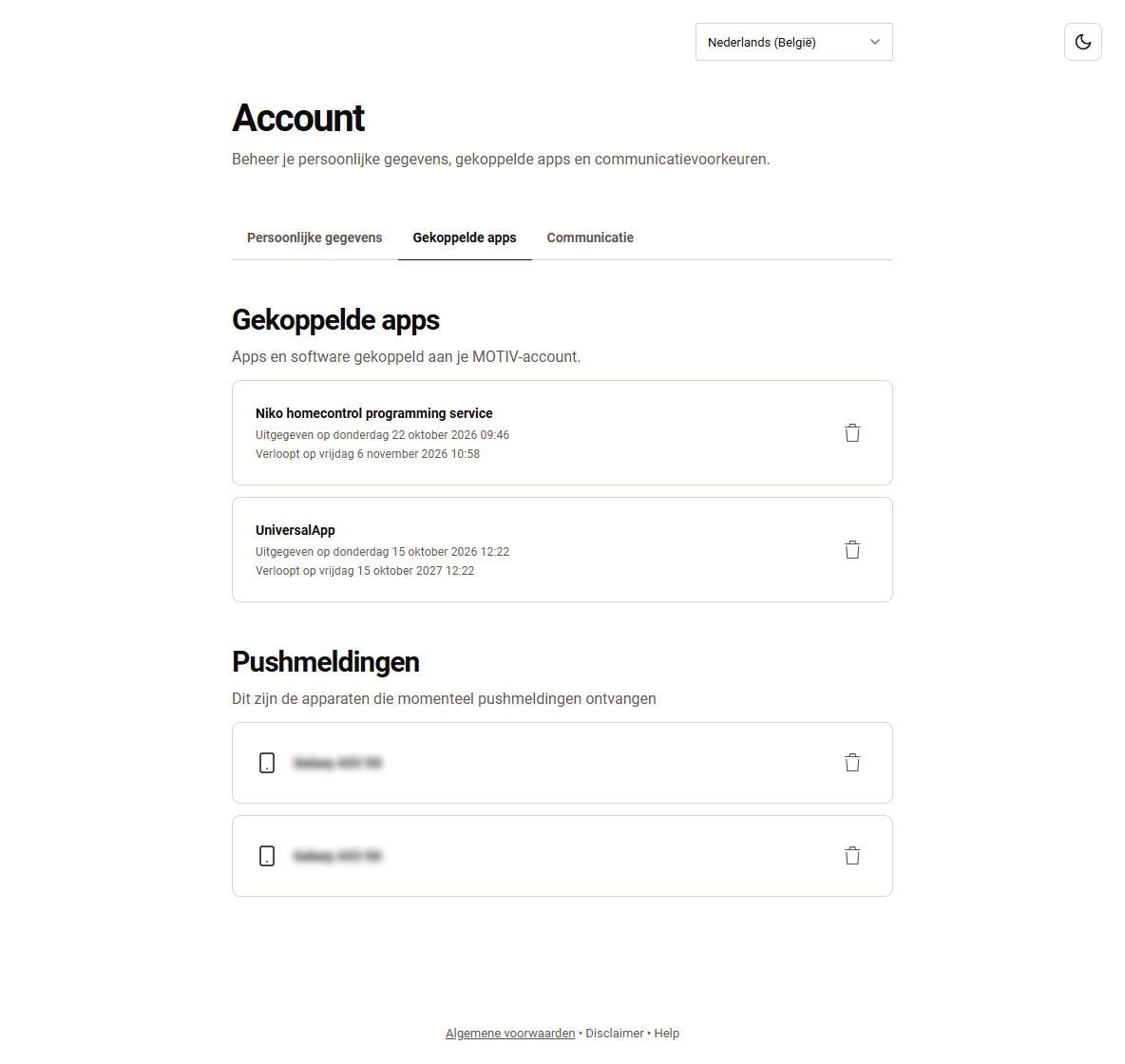
Dit tabblad geeft een overzicht van:
-
Alle apps en software (alle geconnecteerde toestellen) die gekoppeld zijn aan je MOTIV account.
-
Alle toestellen die momenteel pushmeldingen ontvangen.
Klik op het prullenbakpictogram naast een app of een toestel om toegang tot de installatie in te trekken.
Tabblad Communicatie
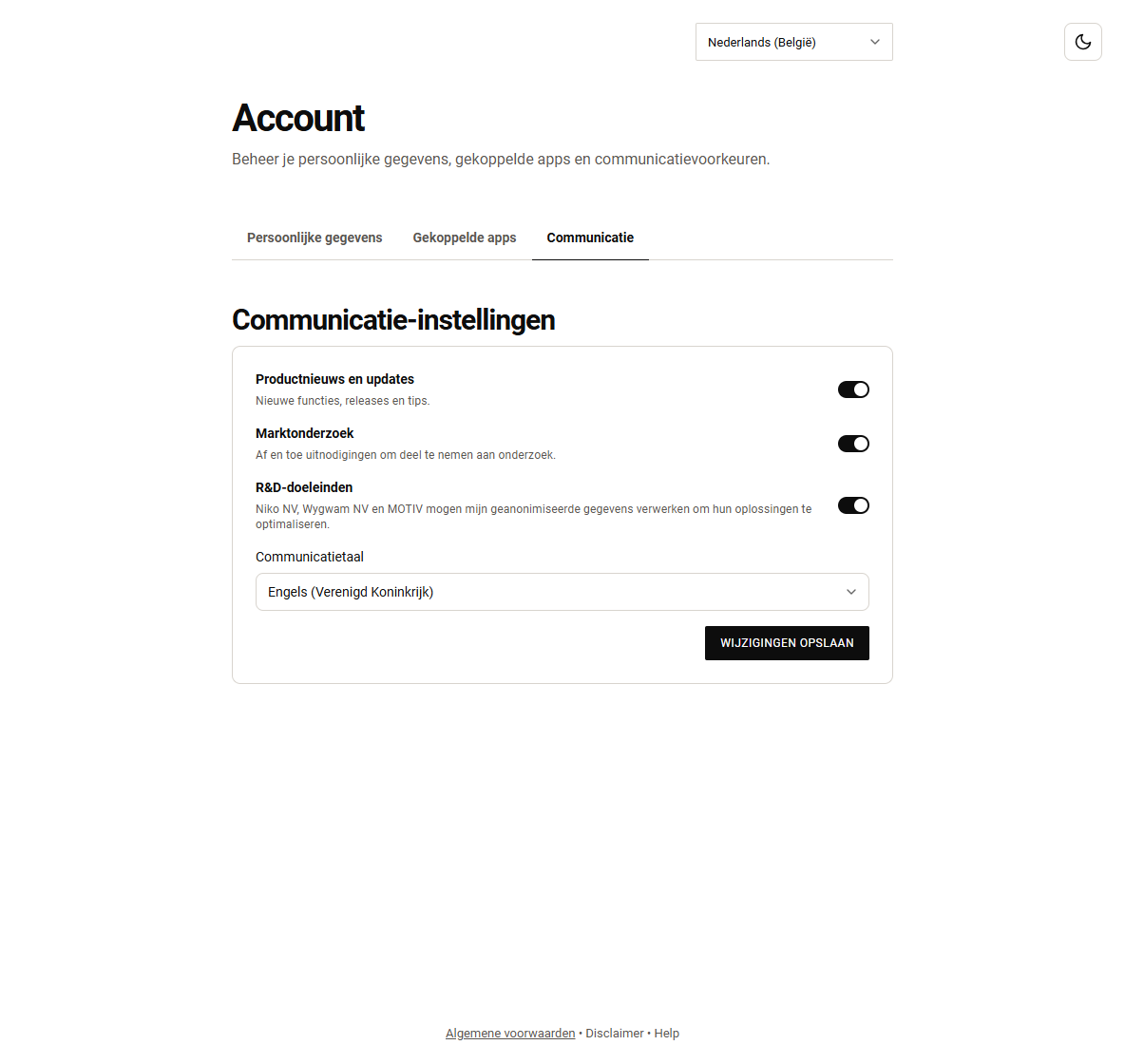
In dit tabblad kun je het volgende instellen:
-
je voorkeuren voor communicatie-instellingen,
-
je gewenste communicatietaal.