
This tool is only available for Niko Home Control installation with a Pro controller. If you want more information, please contact customer services via my.niko.eu.
Why import shared elements?
When you import shared elements from other controllers and hubs, you can use these elements in the current configuration.
Starting point
-
You have registered your controllers with the same Niko Home Control account.
-
The involved controllers are in the same network and connected to the internet.
-
Your Niko Home Control programming software has an active connection with the controller where you want to import shared elements.
-
You have shared the necessary elements from one or more of the controllers.
-
You are in the Create overview window.
Procedure
-
In the right-hand button bar, click on the button Tools.
Result: The Tools pane appears. -
If not opened, click on the arrow next to the tool Import shared elements.
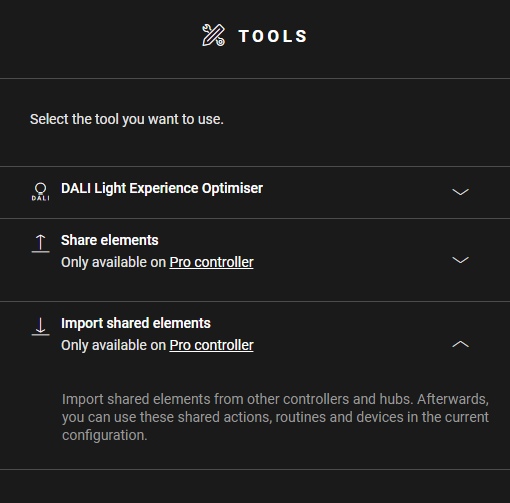
-
Click the arrow next to the controller from which you want to import elements.
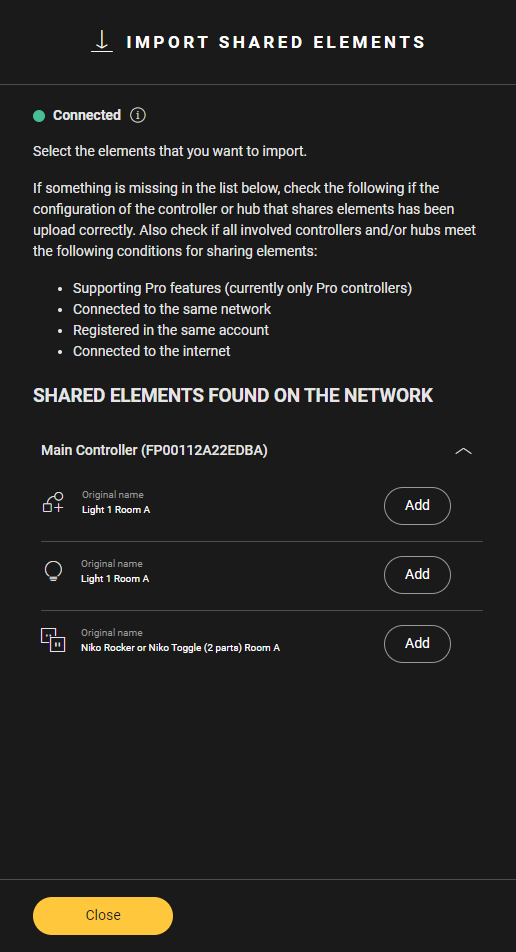
-
Click on the button Add next to the elements you want to import.
Result: The imported elements appear with an 'I' on the drawing area. -
(optional) Use the imported elements in basic actions and routines.
-
Upload the configuration file.