
Applicable products
350-34102 | P34MS KNX® Multisensor Presence Detector, white
350-34112 | P34MS KNX® Multisensor Presence Detector, black
About this product
Product description
This presence detector integrates lighting control with advanced environmental sensing capabilities. Extending the P34 detector family, this sophisticated device accurately detects human occupancy and precisely measures key environmental parameters including:
-
Movement
-
Brightness
-
Temperature,
-
Humidity,
-
eCO2 and
-
TVOC (Total Volatile Organic Compounds).
Compliant with CRA regulations and supporting KNX® Secure, the detector can significantly improve comfort and energy efficiency. As the need for healthier and smarter commercial spaces continues to grow, the multisensor emerges as an indispensable solution for the present and future challenges.
Dimensions
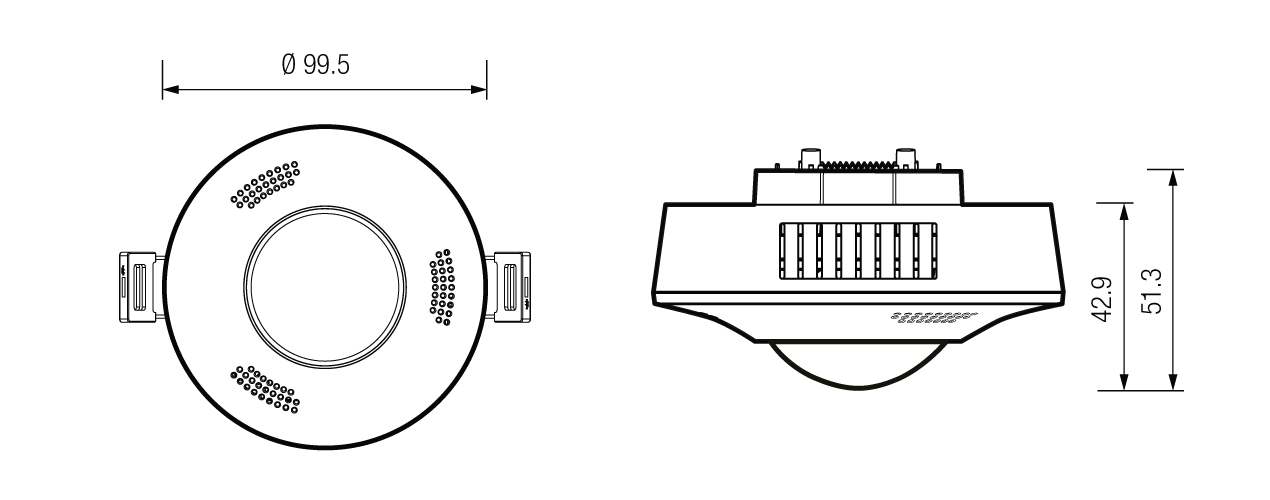
Dimensions when flush mounted:
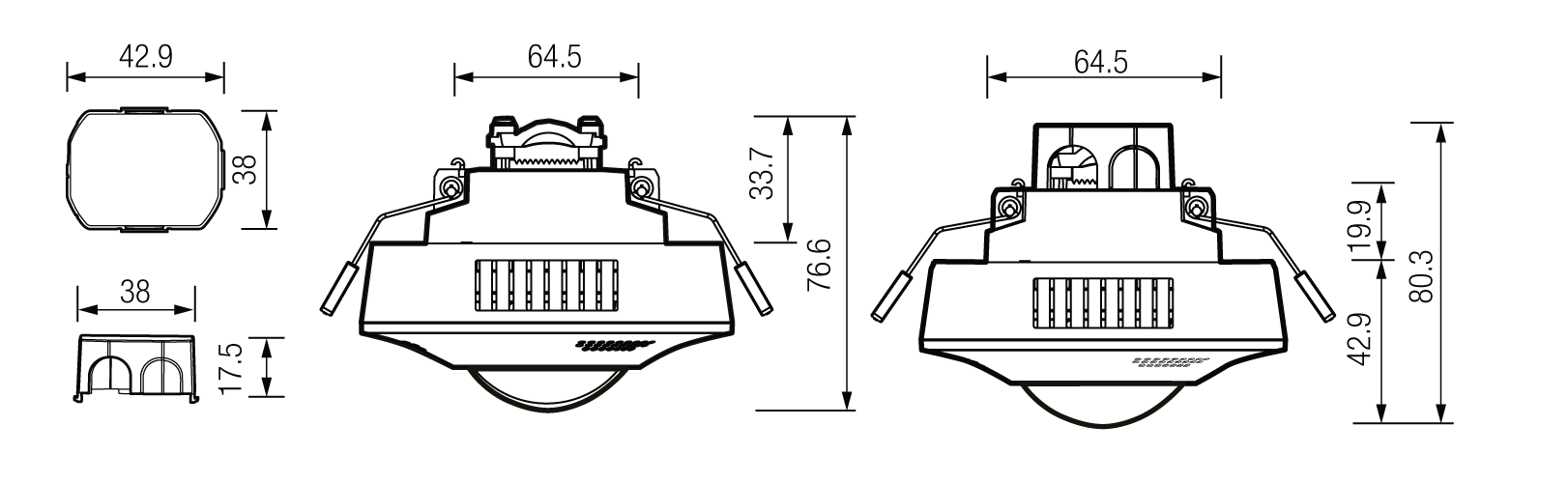
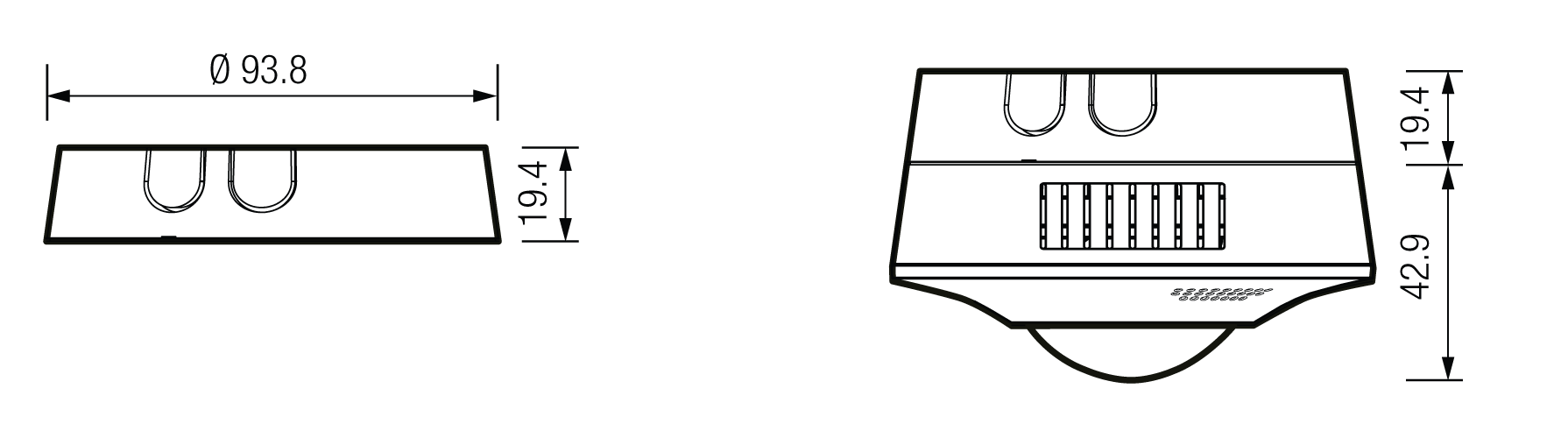
Dimensions when mounted with a surface mounting box:
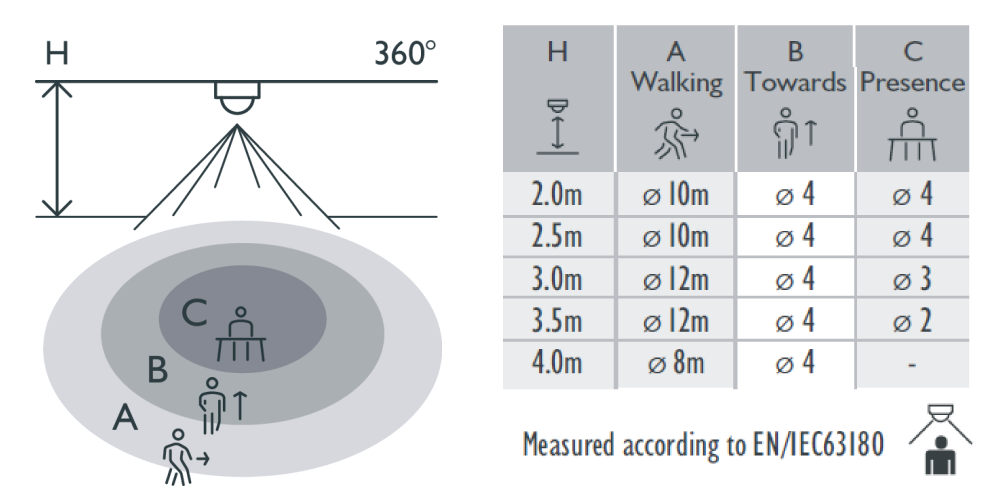
Detection area
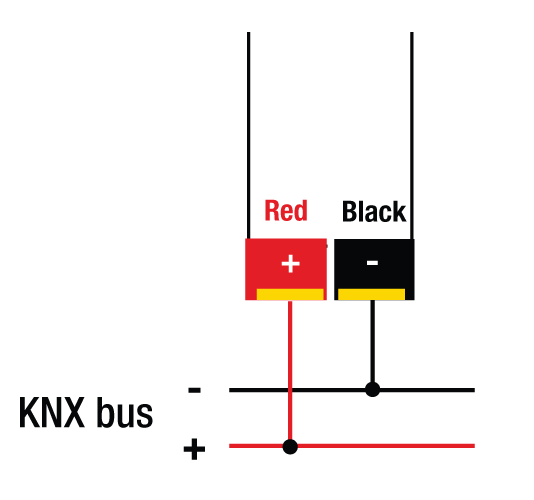
Wiring diagram
Conducting a walk test
Before installation, perform a walk test. The purpose of a walk test is to select a proper location and gain the desired detection coverage. Set the operating mode to “Test” via ETS-Software, then proceed with the following steps:
Step 1: Allow the detector to warm up
After power-up, the detector requires approximately 60 seconds to warm up with the load connected. During this time, the red LED is on. The LED turns off when the warm-up period is complete.
Step 2: Perform the walk test
Walk into the detection area from outside the detection pattern. The red LED should turn on for approximately 2 seconds and then turn off. Allow approximately 2 seconds before triggering the detector again.
Step 3: Adjust the sensitivity
Use ETS to adjust the sensitivity until the desired detection coverage is achieved.
Step 4: Exclude areas if required
Optionally, install a lens shield to prevent detection in specific areas
Installation
Turn off KNX!
Flush-mounting installation
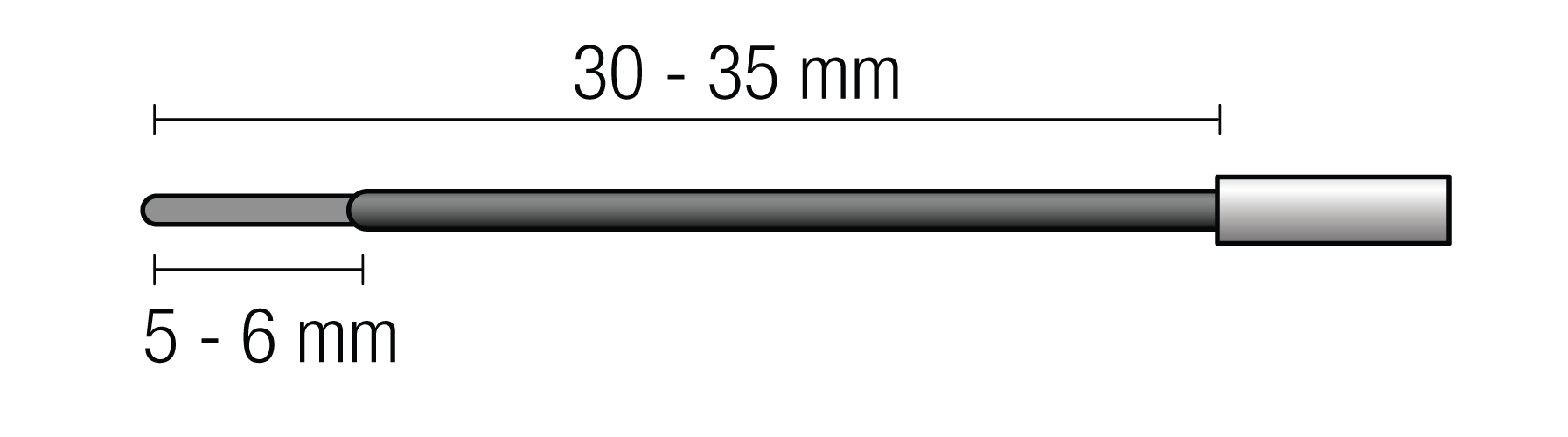
Step 1: Strip the wires connecting to the KNX bus according to the diagram below:
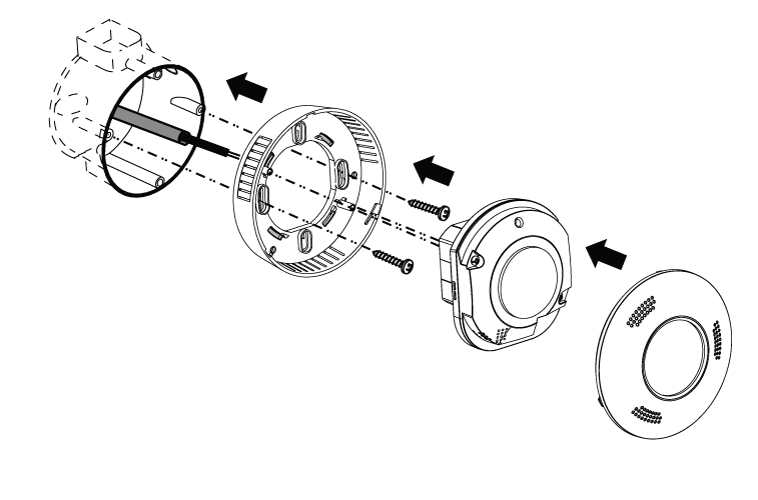
Step 2: Fix the detector housing to the flush mounting box and connect the KNX bus to the detector.
Step 3: Attach the detector to the housing and attach the lid.
Installation with surface mounting box
Step 1: Free the opening for passing through the KNX bus wire and strip the wire according to the diagram below:
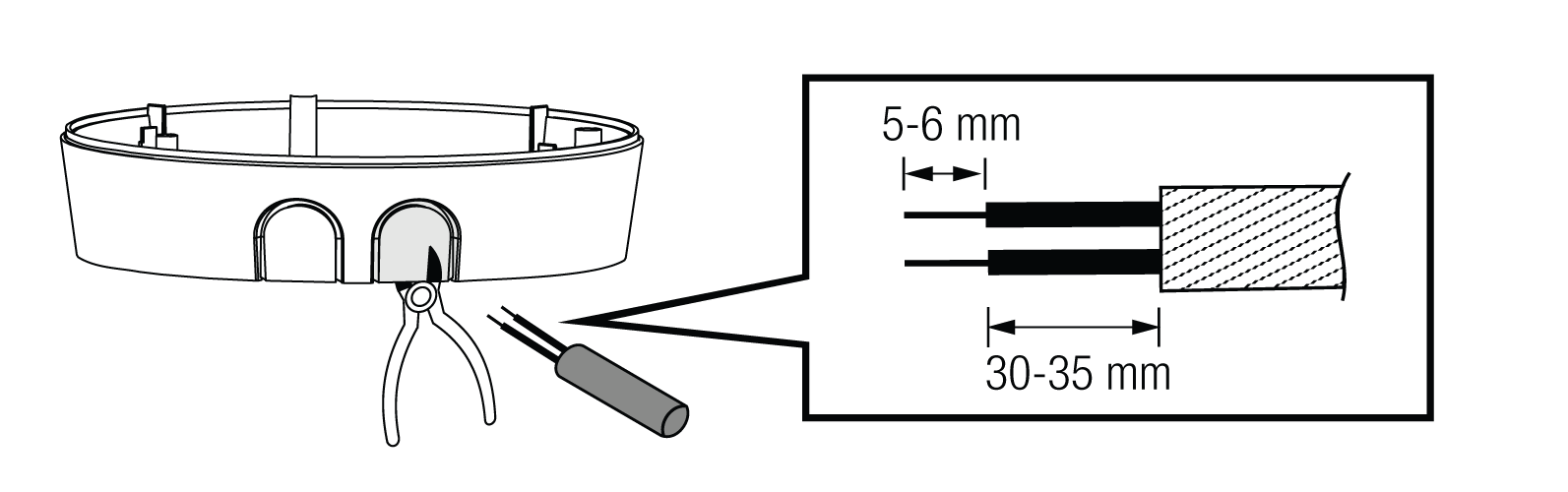
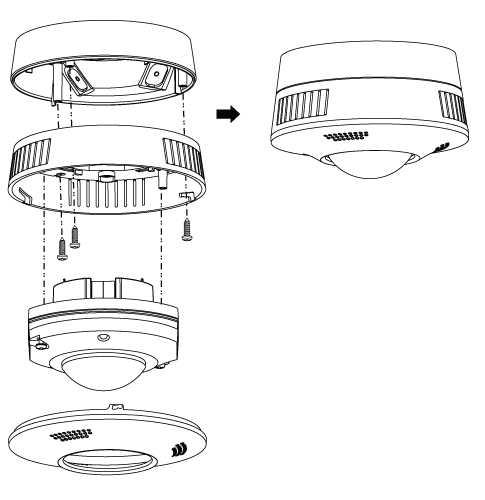
Step 2: Connect the wiring as shown above, and mount the surface mounting box.
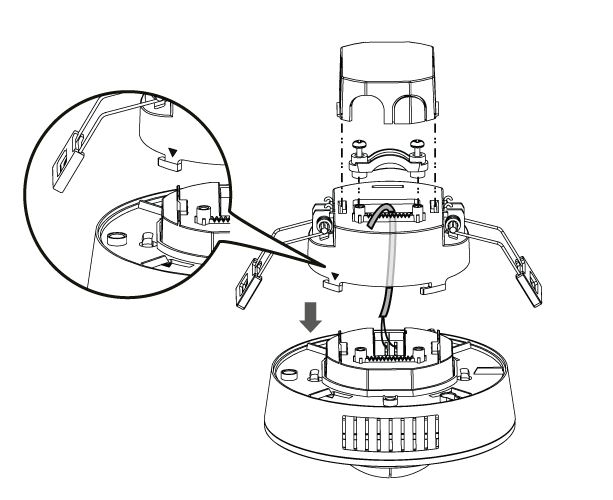
Step 3: Connect the detector and its housing to the surface mounting box. Place the lid.
Lens shield
The set includes two lens shields that can be used to mask a section of the detector and exclude an area from detection.
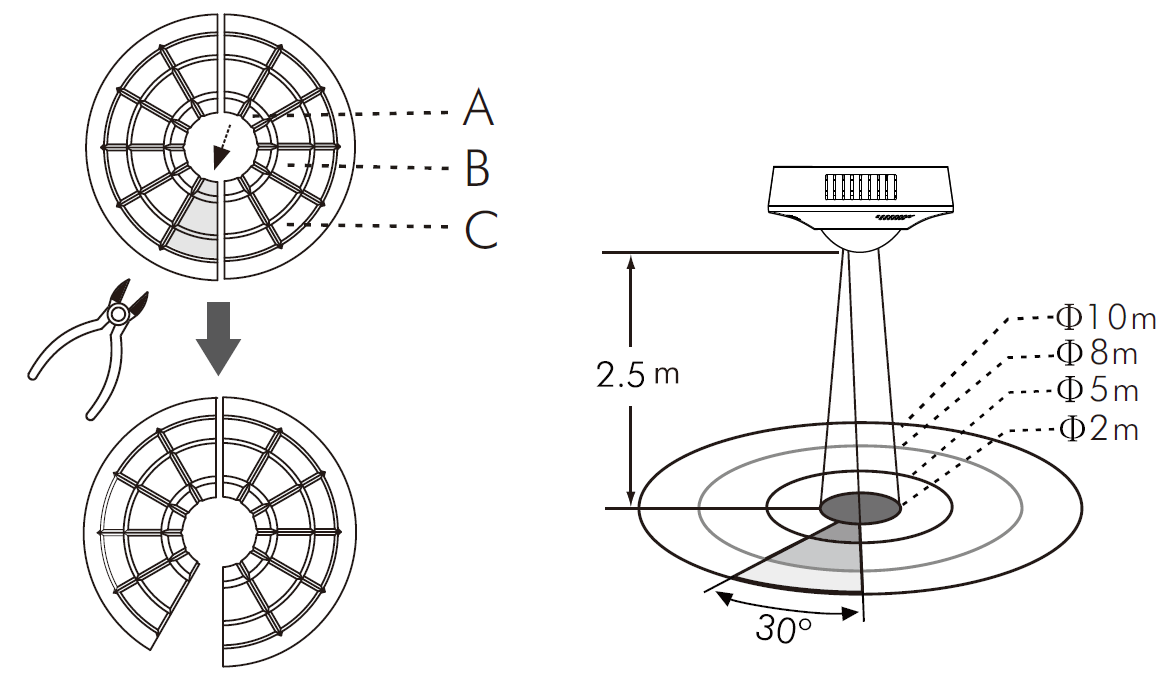
|
Used Lens Shield |
Covered detection range |
|---|---|
|
None |
Ø10m |
|
Small segment |
30° per piece |
|
A+B+C |
Ø2m |
|
B+C |
Ø5m |
|
C |
Ø8m |
When the P34M functions abnormally, check for possible problems and suggested solutions in the following table:
|
Problem |
Possible cause |
Suggested solution |
|---|---|---|
|
The lighting/HVAC device does not turn on |
|
|
|
The lighting/HVAC device does not turn off |
|
|
|
The red LED does not turn on |
|
|
|
Nuisance
|
There are heat sources, highly reflective objects or
|
Avoid aiming the detector towards any heat sources, such as air conditioners, electric fans, heaters or any highly reflective surfaces. Make sure there are no swaying objects within the detection coverage. |