
Installation
DALI power - OFF
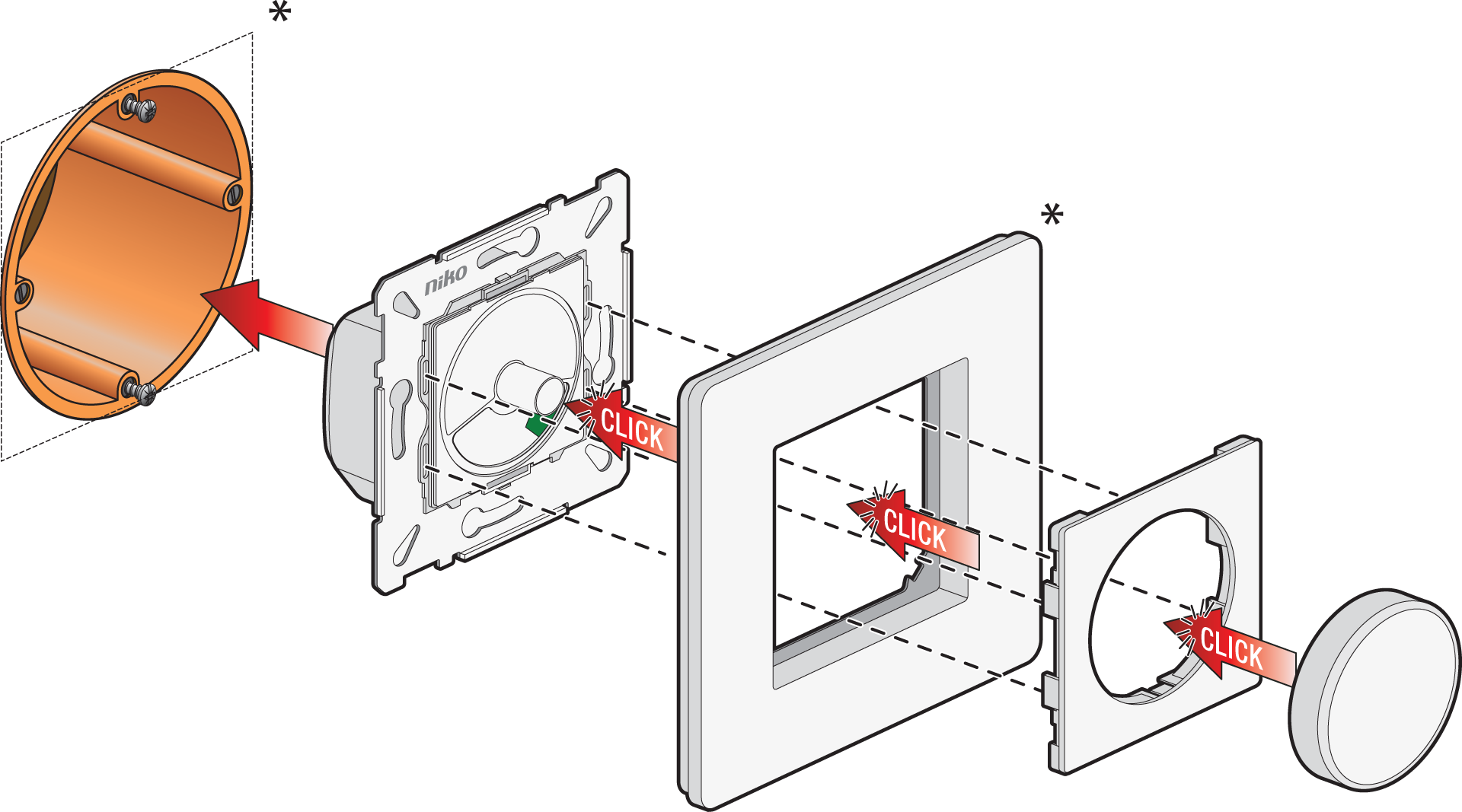
*Not included in delivery
Wiring
230 V – OFF / DALI power – OFF
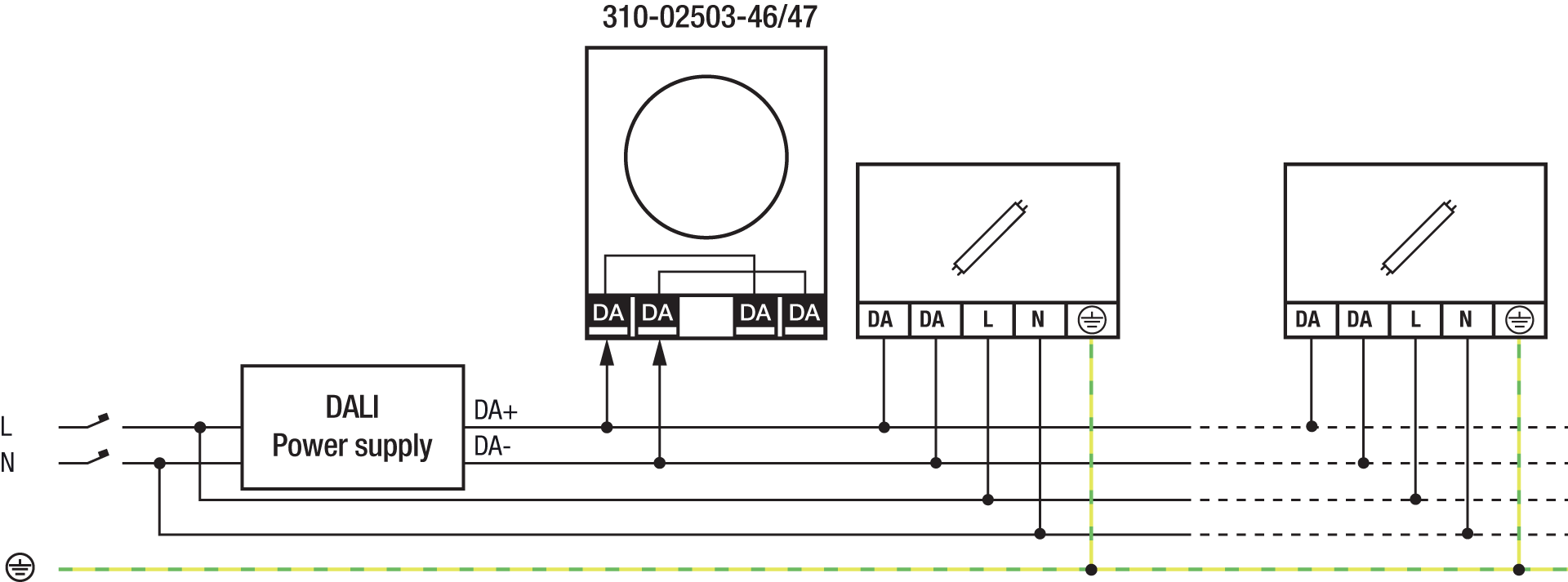
The product can be used as standalone control (broadcast mode) in the following configuration:
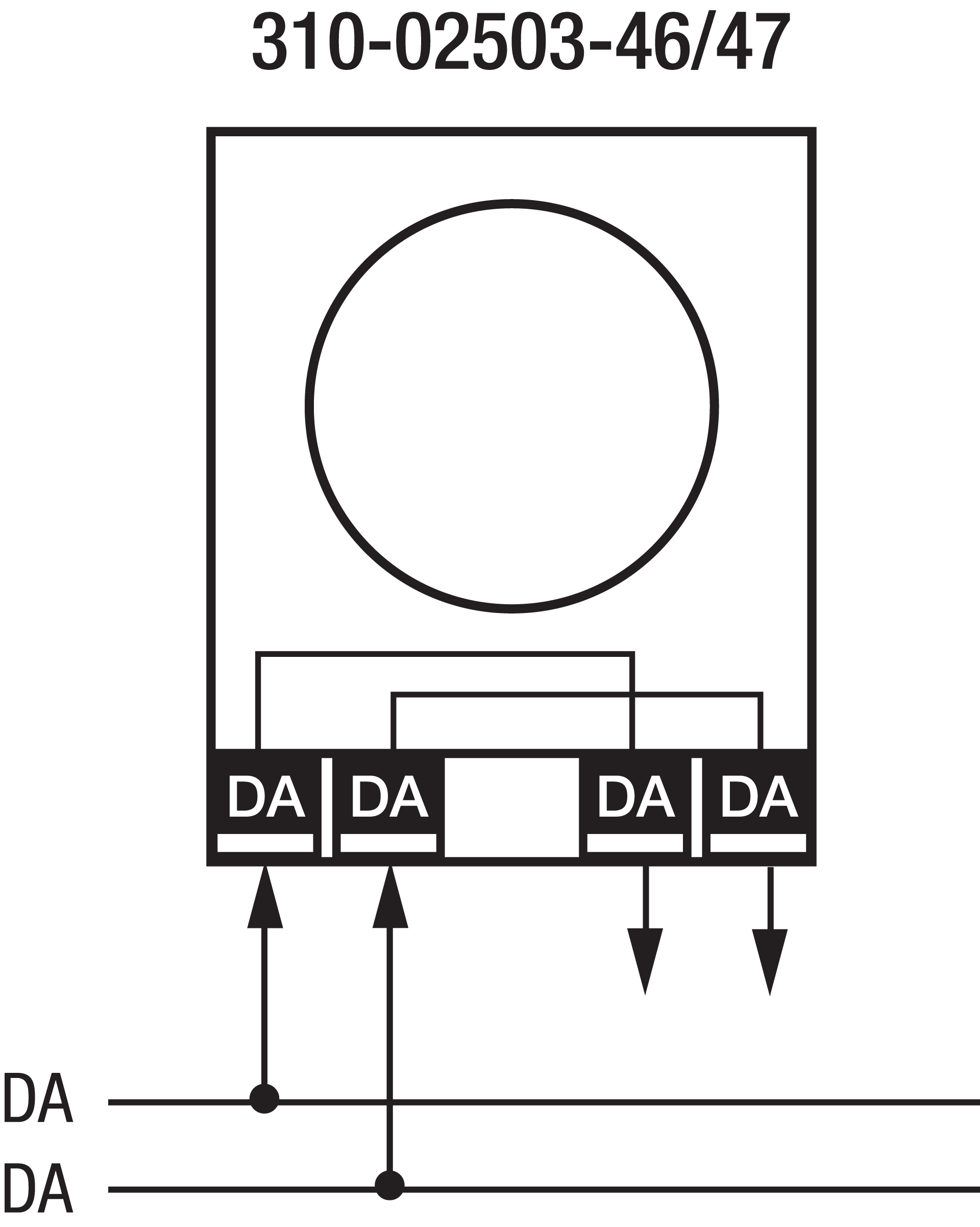
The product can be used in combination with a DALI-2 BMS applications controller in the following configuration:
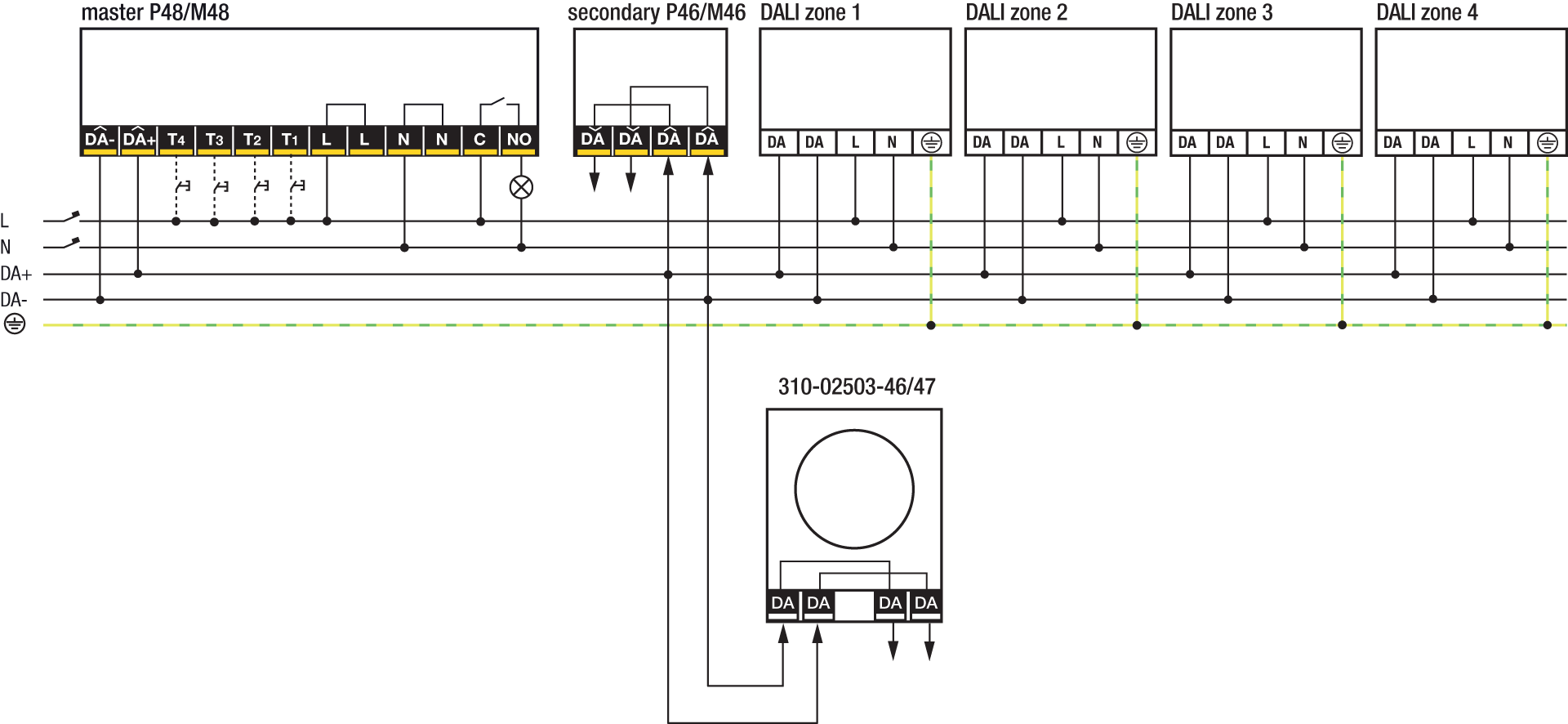
The product can be used in combination with Niko DALI-2 master detectors in the P48/M48 range in the following configuration:
Applicable DALI-2 master detectors
|
Applicable DALI-2 master detectors |
Mounting method |
|---|---|
|
353-652421, 353-752421, 353-852411 |
Surface mounting |
|
353-651421, 353-751421 |
Flush mounting (SnapFit) |
Operation
Basic function
-
Short press the button to switch the light on or off.
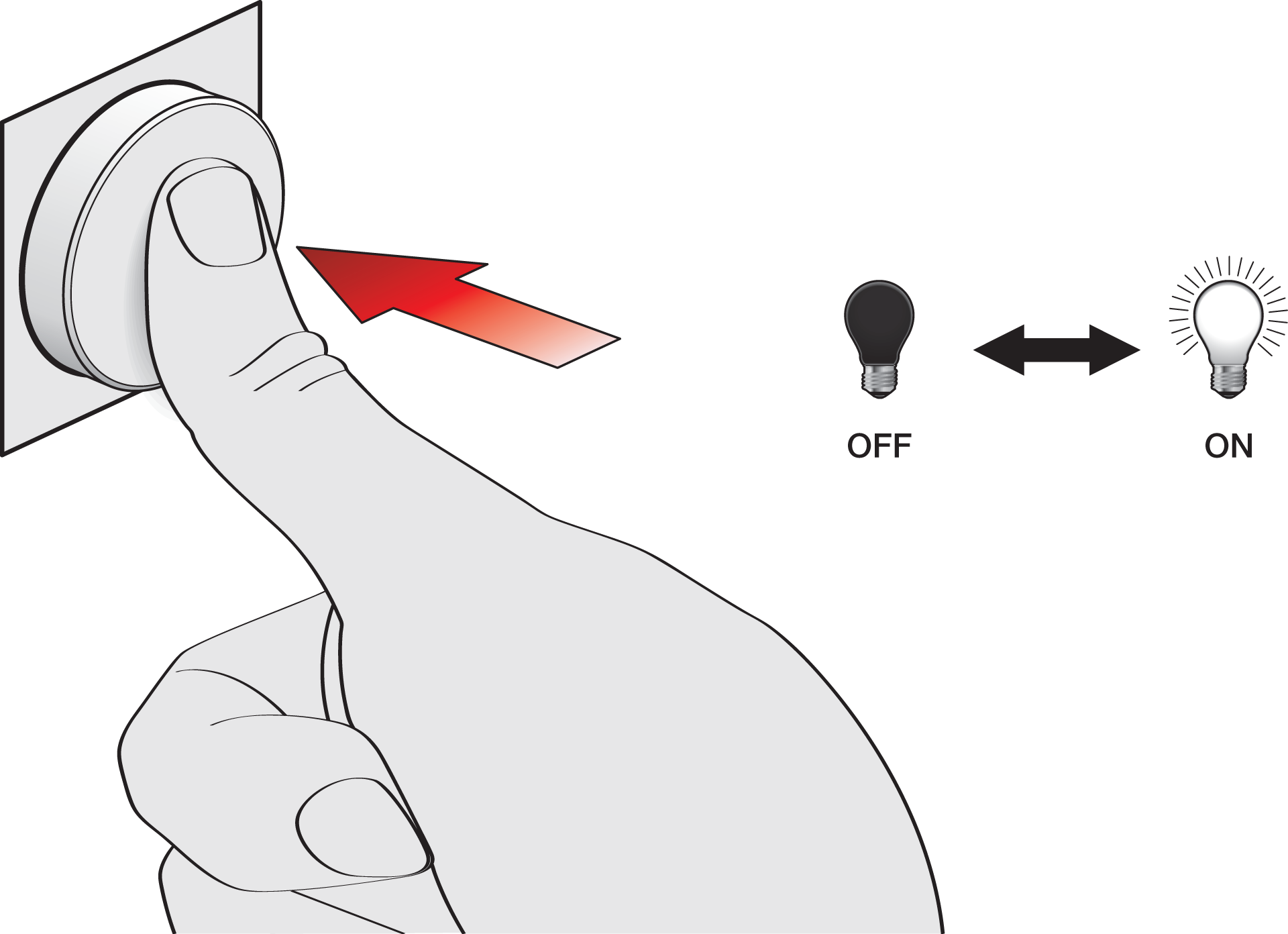
-
Rotate the button to dim the light up/down.
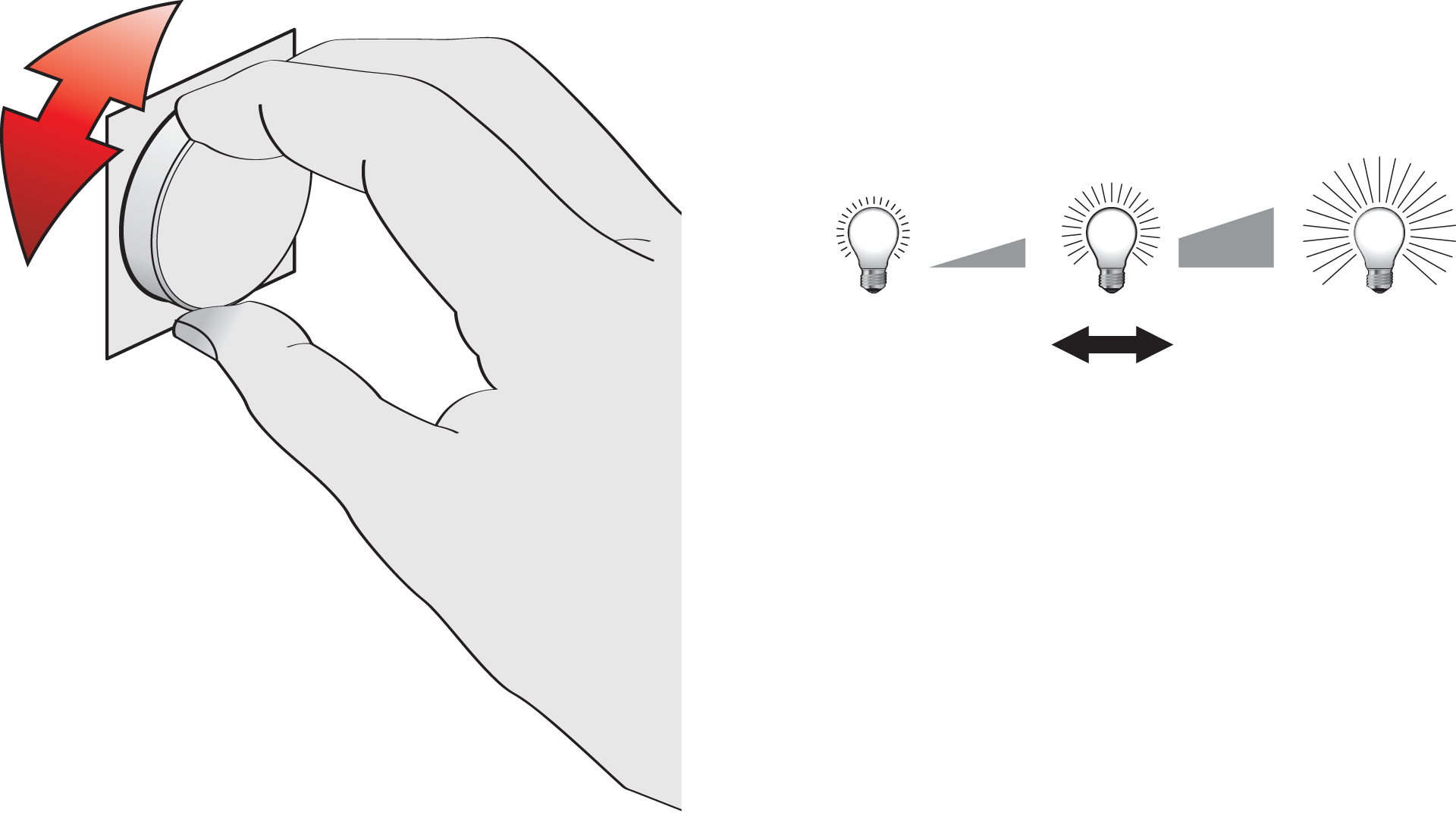
When the lights are switched on with the button, the light behaviour is Daylight control, unless the light behaviour is set to Light Level Memory (available for some detectors).
Advanced function
Activate the advanced function of the DALI-2 rotary control:
-
Press for 1 second until you hear the feedback sound, and then release.
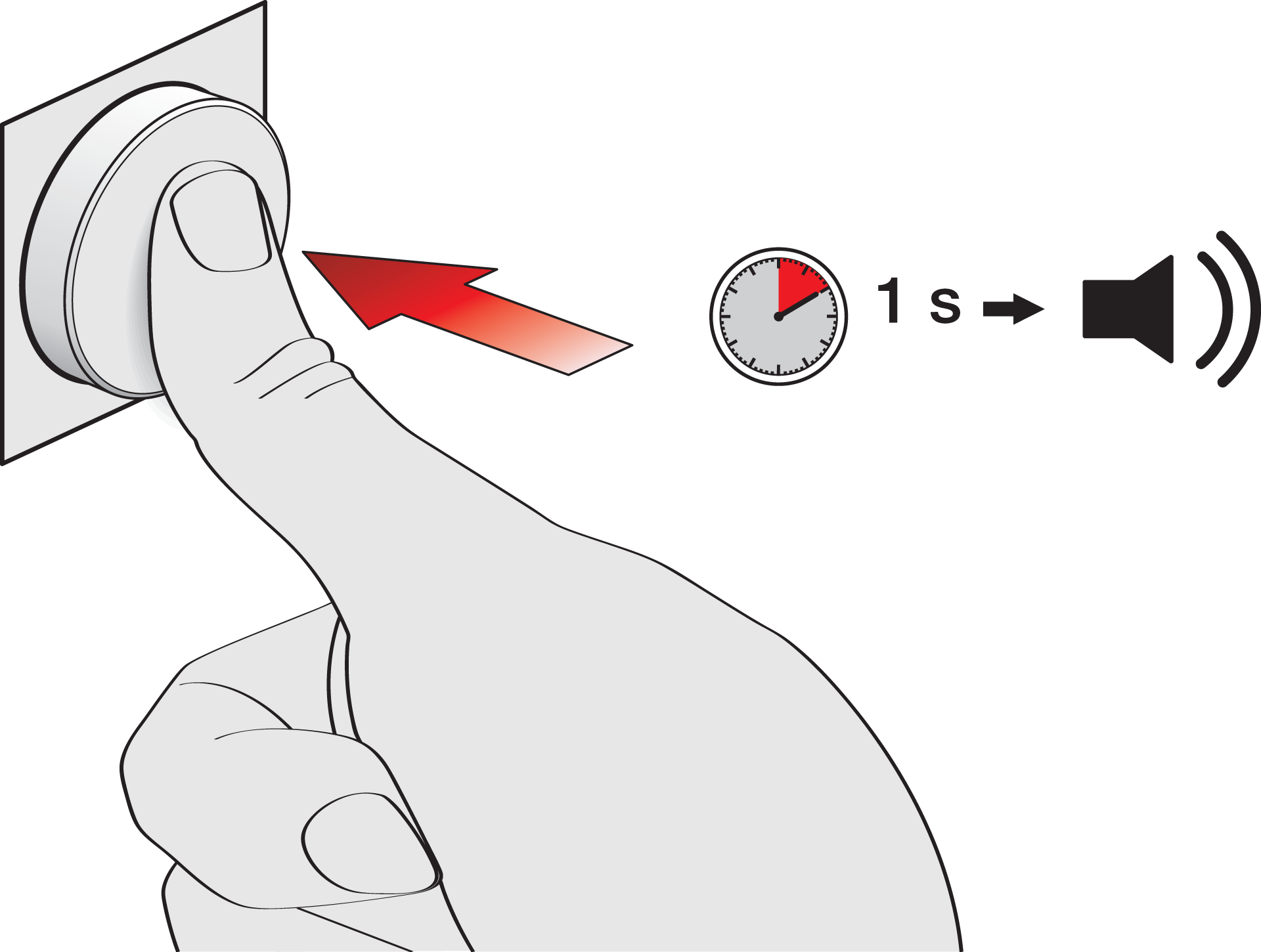
-
Rotate to dim the lights cooler or warmer.
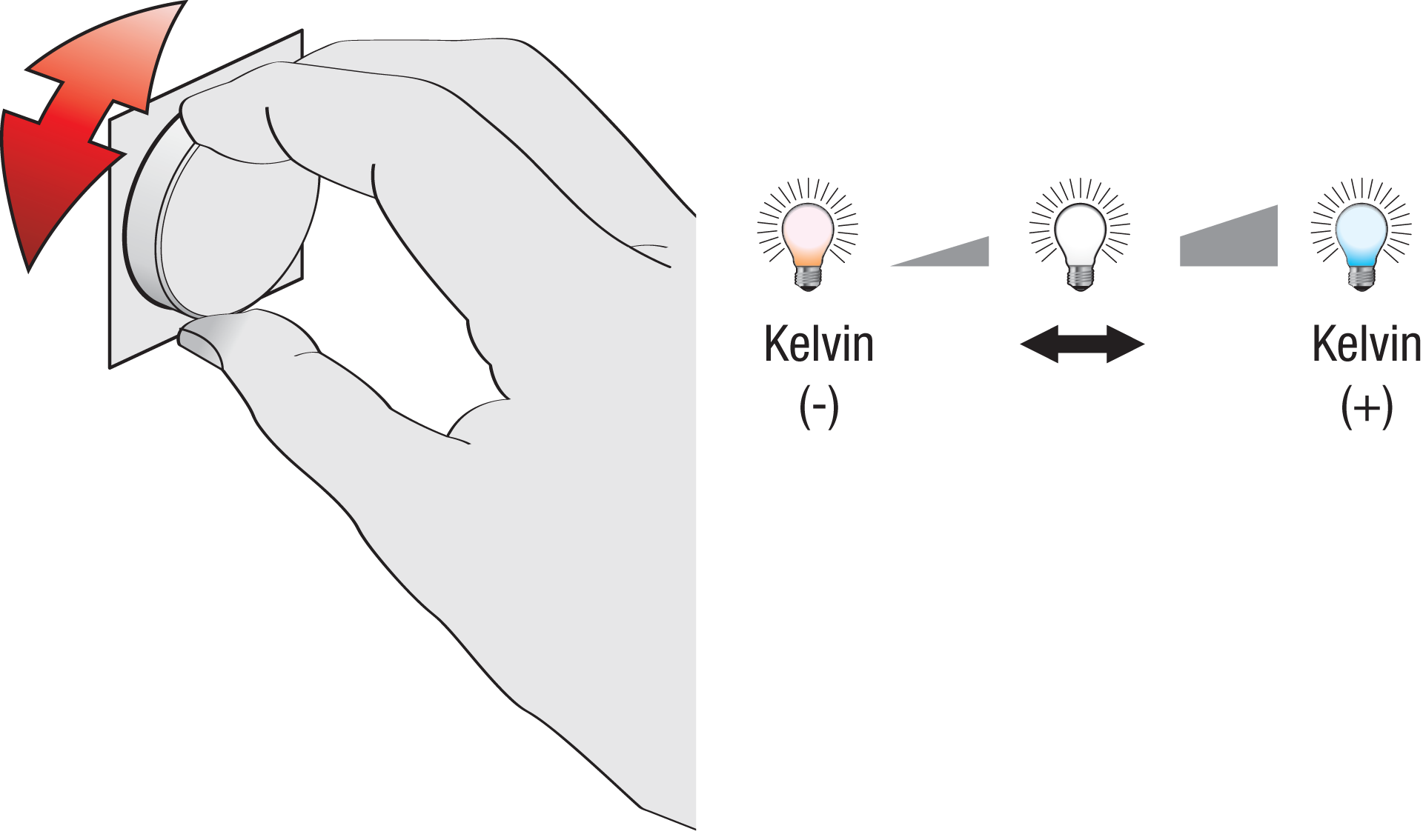
The button returns to the basic function after 10 seconds of inactivity, or when you press the button again for 1 sec.
This function applies to all zones.
The advanced function is not available in a standalone configuration (broadcast mode).
Return to default Daylight control
-
Press for 12 seconds until you hear the feedback sound twice, and then release.
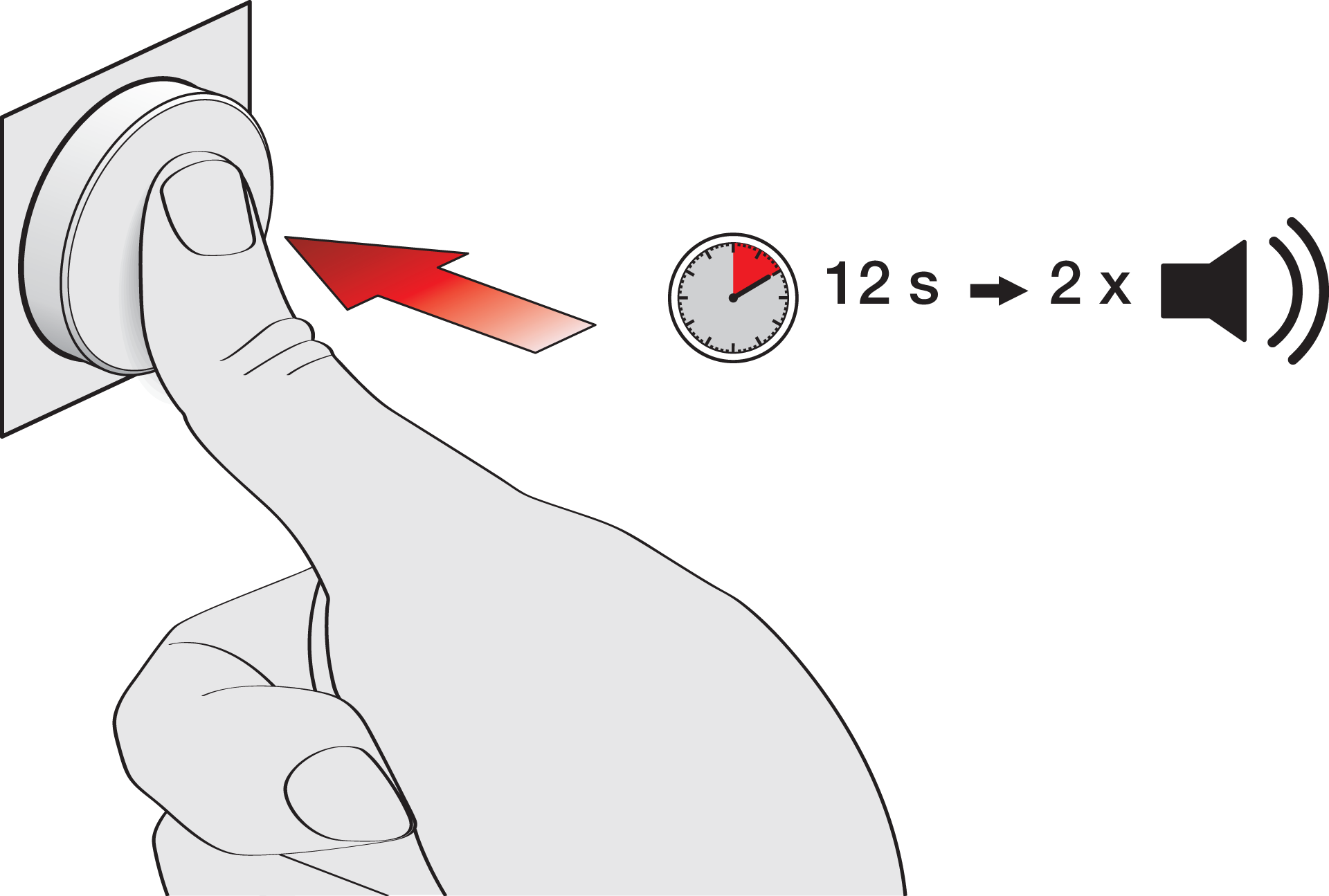
The light returns to the default Daylight control.
This function is often used when a light scene or multizone is enabled.
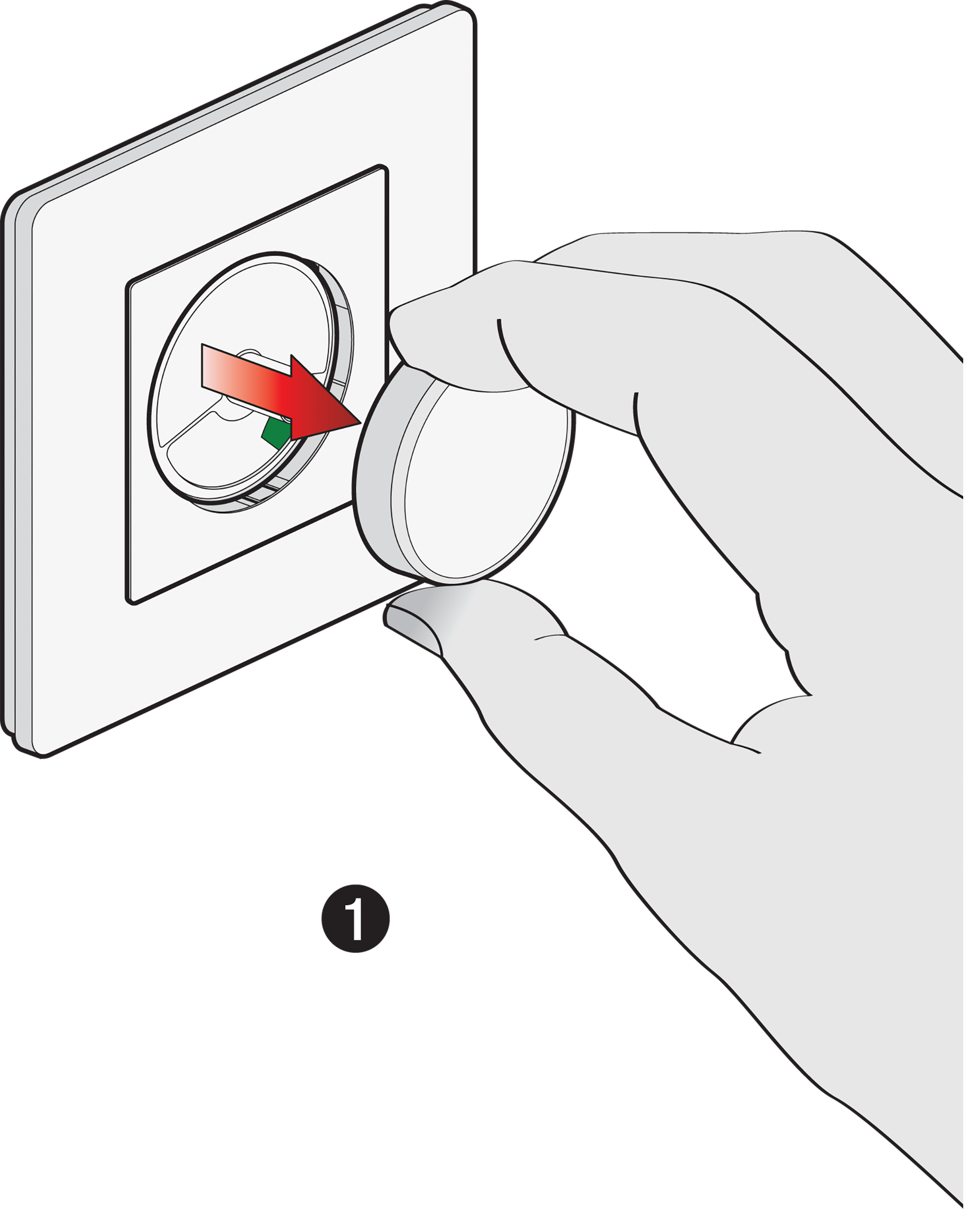
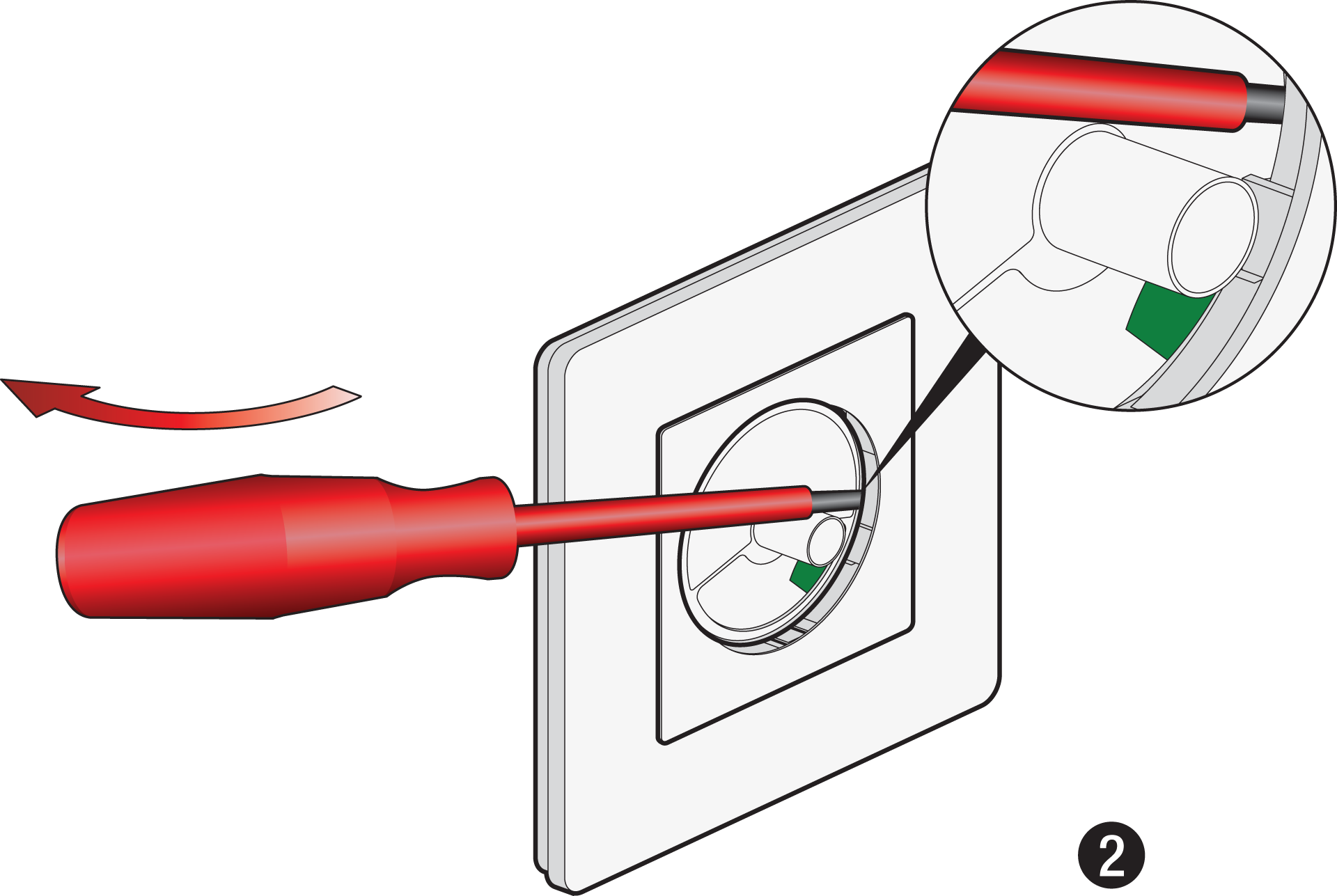
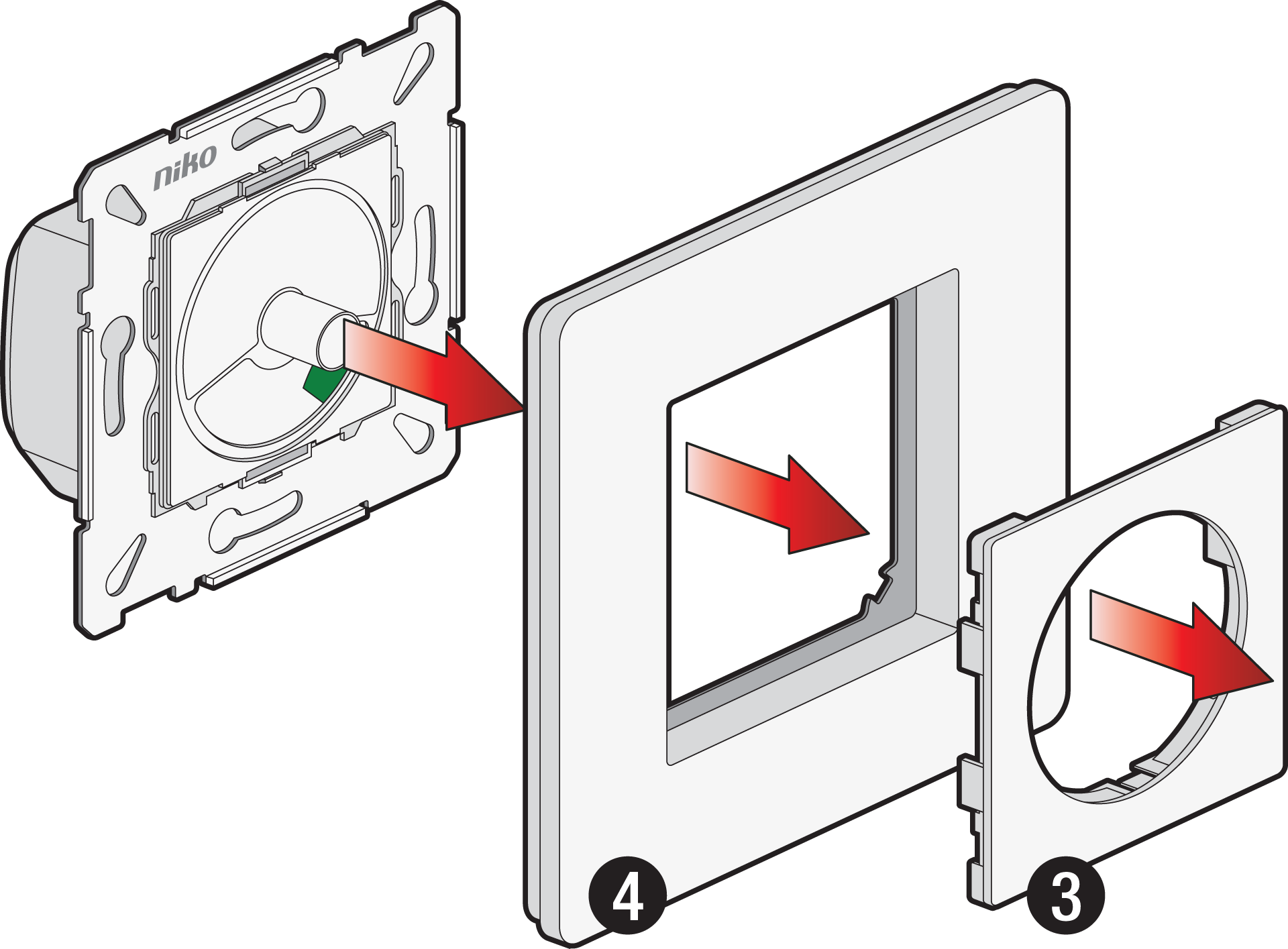
Disassembly
DALI power - OFF
App settings
230 V – ON / DALI power – ON
Use one of the following configuration methods:
-
Via the DALI configuration software, when used in a building management system (BMS)
-
Via the Niko detector tool app, when used in combination with Niko detectors in the P48/M48 range)
You can also use the DALI-2 rotary control as a stand-alone device to switch on/off and dim up/down with the default settings (broadcast mode). In that case, no configuration is needed.
Niko detector tool app
-
Download the app on Google Play (Android) or in the App Store (iOS)
-
Enable Bluetooth® on your mobile device.
-
Open the app “Niko detector tool” on your mobile device.
-
Change the settings to your liking.


|

|


|
Troubleshooting
|
Problem |
Possible cause |
Proposed solution |
|---|---|---|
|
Light does not switch on |
The wiring is not correct |
Check the wiring scheme |
|
The DALI-2 rotary control is not commissioned in the Niko detector tool app |
Check or recommission the DALI-2 rotary control |
|
|
Colour temperature cannot be changed |
The DALI-2 rotary control has not been pressed for 1 second |
Activate the advanced function of the DALI-2 rotary control:
|
|
The luminary is not a DT8 device according to IEC 62386/209 |
Change the luminary |
Product information
This link takes you to the product page. There, you will find detailed specifications, all compatible articles, certificates of CE-marking, etc.
This online manual is applicable to the following product(s):
-
310-02503-46 | DALI-2 rotary control, Exxact finishing, secondary, white
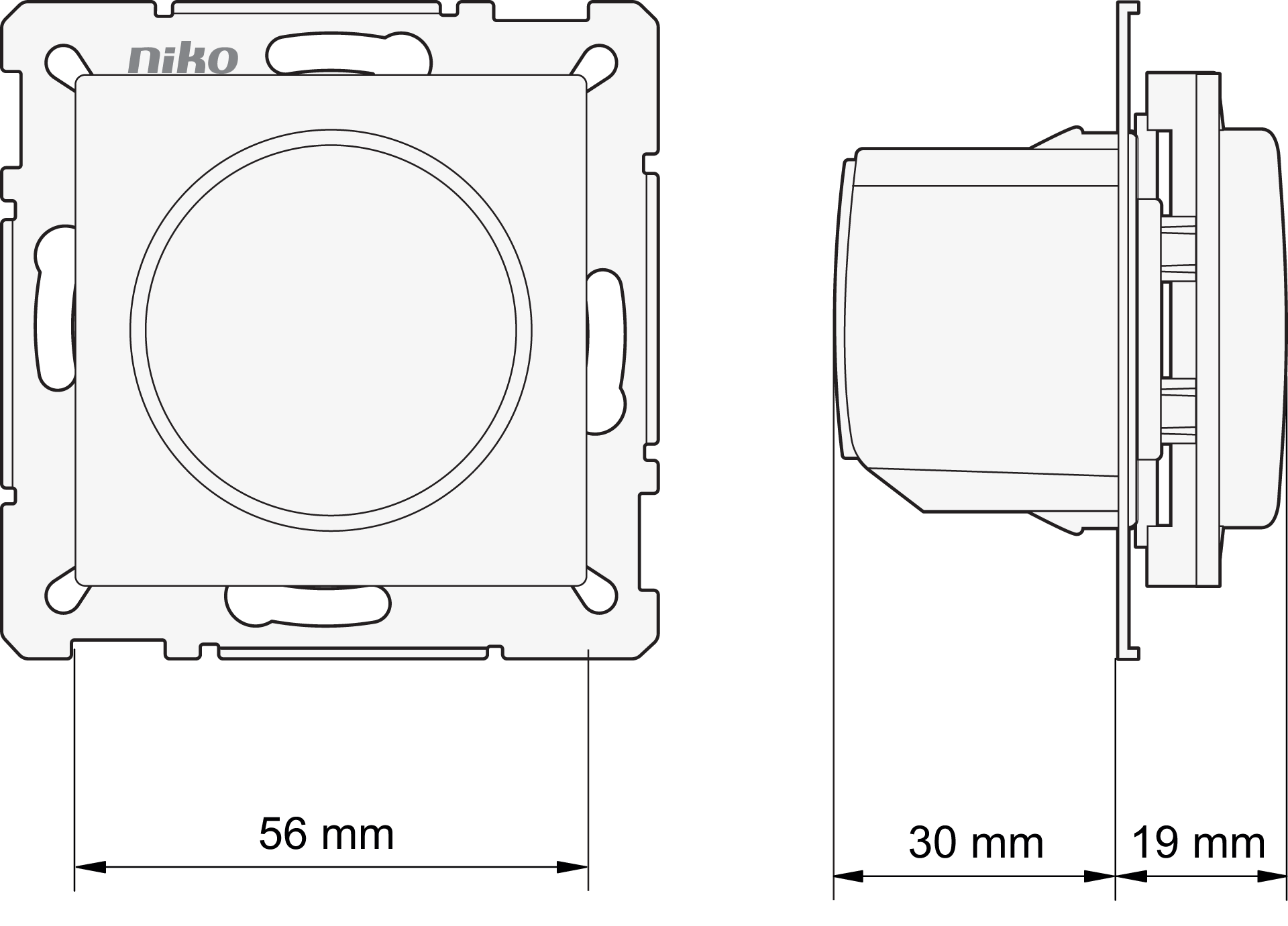
Dimensions
Disclaimer
Read the manual completely before installing and activating the system.
Niko prepares its manuals with the greatest care and strives to make them as complete, correct and up to date as possible. Nevertheless, some deficiencies may subsist. Niko cannot be held responsible for this, other than within the legal limits. Please inform us of any deficiencies in the manuals by contacting Niko customer services at support@niko.eu.
Legal information
Support & Contact
nv Niko sa
Industriepark West 40
9100 Sint-Niklaas, Belgium
+32 3 778 90 80
support@niko.eu
Warnings regarding installation
The installation of products that will permanently be part of the electrical installation and which include dangerous voltages, should be carried out by a qualified installer and in accordance with the applicable regulations. This user manual must be presented to the user. It should be included in the electrical installation file and it should be passed on to any new owners. Additional copies are available on the Niko website or via Niko customer services.
CE marking
This product complies with all of the relevant European guidelines and regulations. For radio equipment Niko llc declares that the radio equipment in this manual conforms with the 2014/53/EU directive. The full text of the EU declaration of conformity is available at https://www.niko.eu under the product reference, if applicable.
Environment
This product and/or the batteries provided cannot be disposed of in non-recyclable waste. Take your discarded product to a recognised collection point. Just like producers and importers, you too play an important role in the promotion of sorting, recycling and reuse of discarded electrical and electronic equipment. To finance the rubbish collection and waste treatment, the government levies recycling charges in certain cases (included in the price of this product).