Installation
Adapter frame + dual USB-A mechanism
|
|
|
Step |
Instruction |
|---|---|
|
1 (optional) |
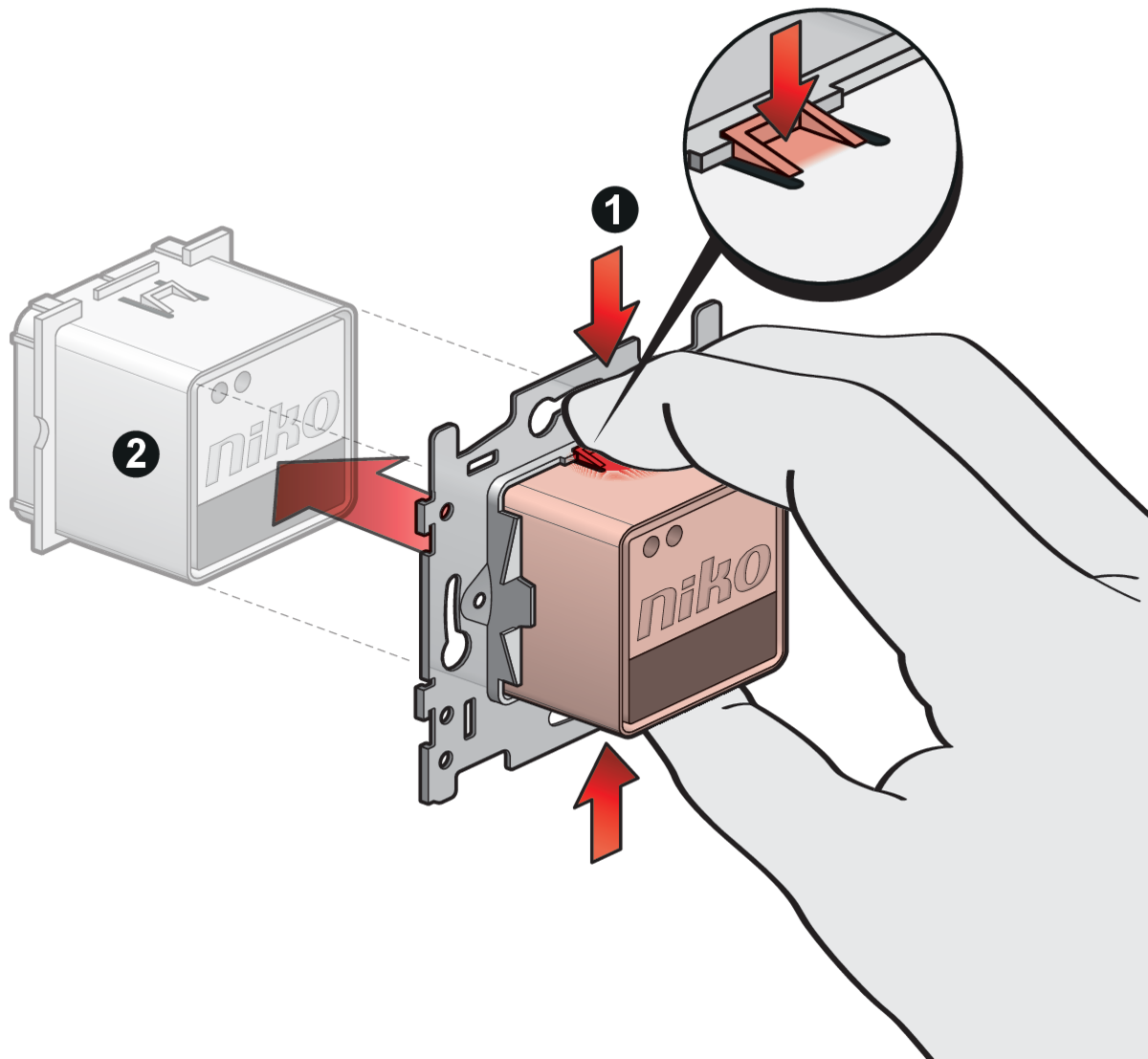
Remove the metal base of the function you want to install in the adapter frame (in this example, a dual USB-A charger). To do so, press on the two clips on the rear side of the function with your thumb and forefinger, or use a screwdriver. |
|
2 (optional) |
Push the function through the metal base to remove it. |
|
3 |
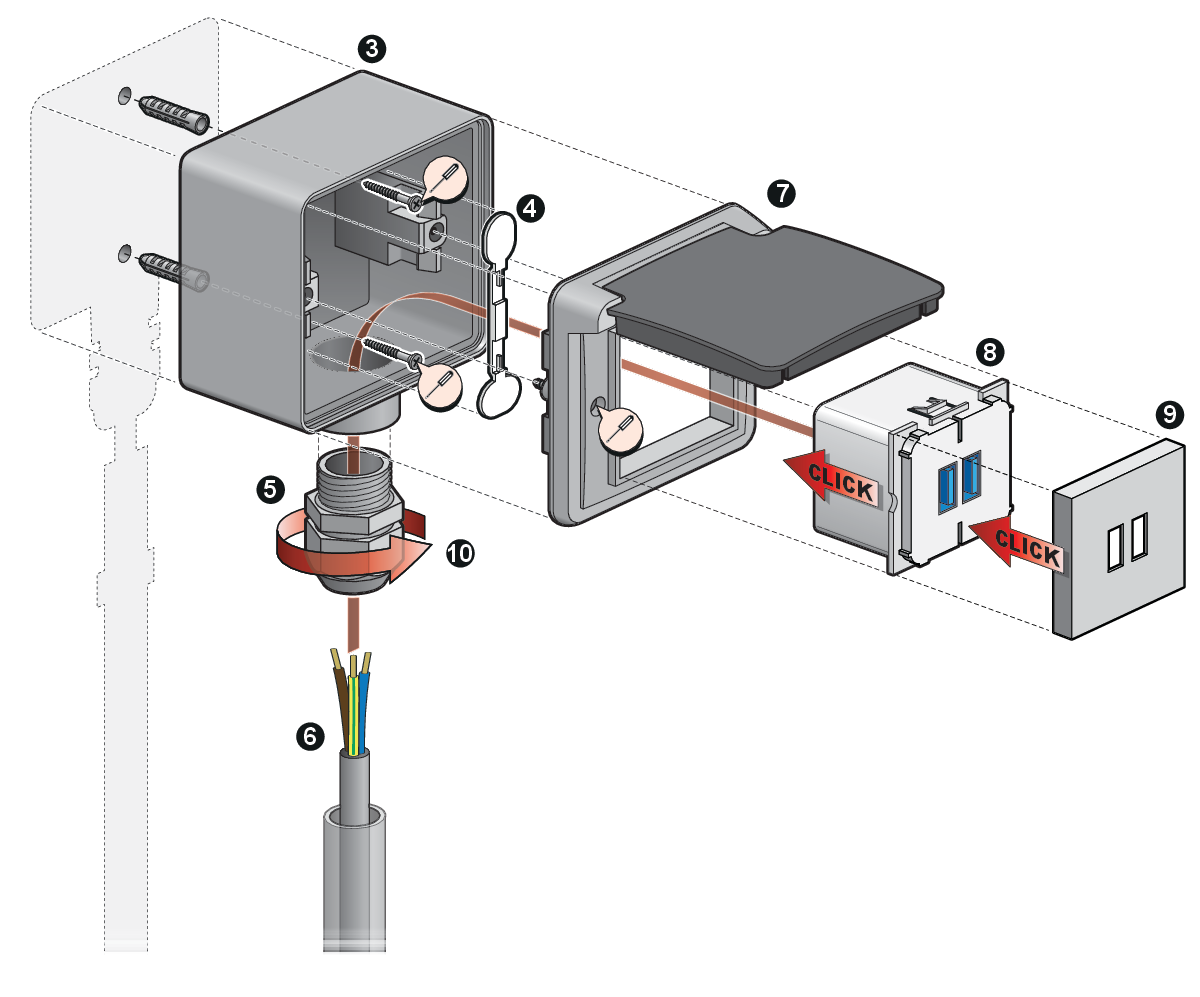
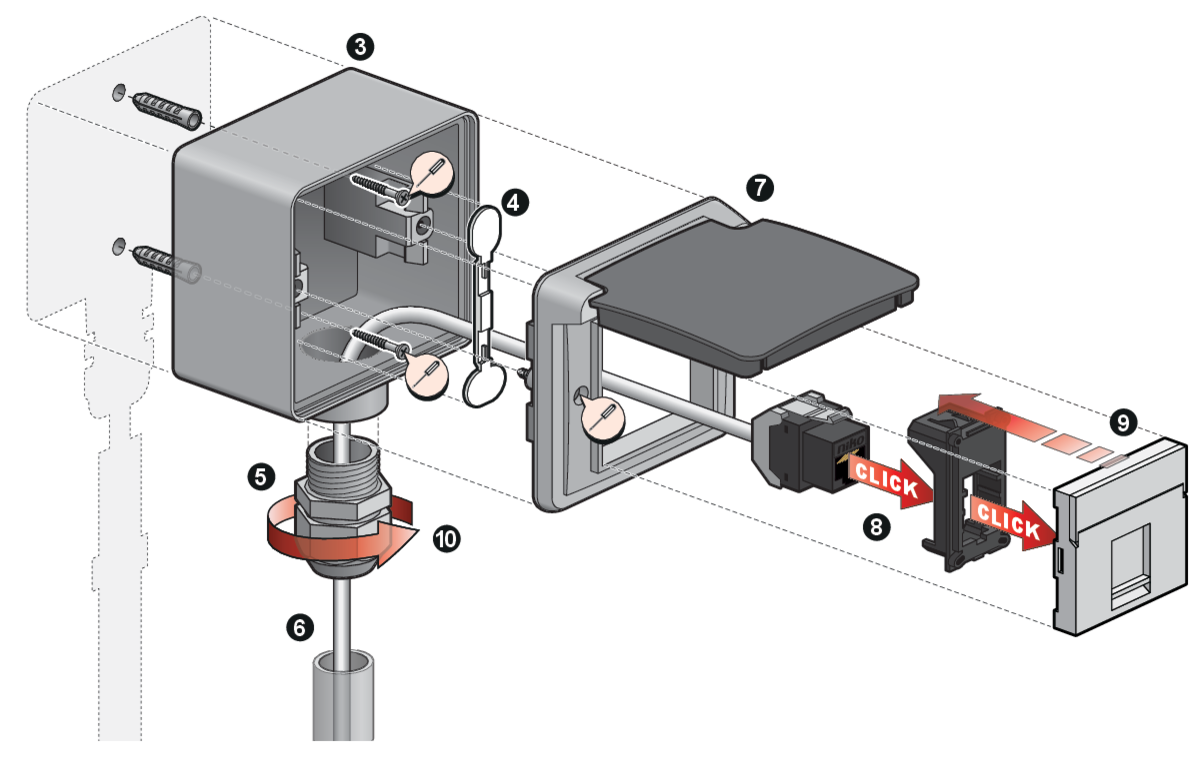
Affix the Niko Hydro surface-mounting box** to the wall using two screws and two plugs (not supplied). |
|
4 |
Close off the two screw apertures at the rear of the surface-mounting box** with the included plastic spoon. |
|
5 *** |
Twist a cable gland onto the M20 input. |
|
6 |
Feed the wires through the cable gland (or flexible input) and into the surface-mounting box**. Provide enough wire to be able to connect the function easily |
|
7 |
Screw the adapter frame onto the surface-mounting box**. |
|
8 |
Connect the wires to the function and click the function into the adapter frame. |
|
9 |
Click the central plate onto the function. |
|
10 *** |
Tighten the cable gland so that the wires are tightly clasped and no water can enter. |
|
* |
Cable glands available separately. Cable glands are not necessary if you are using a surface-mounting box with flexible inputs. |
|
** |
Surface-mounting box available separately. You can also use a flush-mounting frame (7xx-73000) instead of a surface-mounting box. |
|
*** |
This step is not necessary if you are using a surface-mounting box with flexible inputs. |
Adapter frame + UTP mechanism
Product information
This online manual applies to the product(s) listed below.
Look up the article numbers on products.niko.eu to find detailed specifications, compatible articles, certificates, CE-marking, availability information, etc.
Please note that some of the products may not be available in your region.
Read the manual completely before installing and activating the system.
Niko prepares its manuals with the greatest care and strives to make them as complete, correct and up to date as possible. Nevertheless, some deficiencies may subsist. Niko cannot be held responsible for this, other than within the legal limits. Please inform us of any deficiencies in the manuals by contacting Niko customer services at support@niko.eu.
Legal information
This product complies with all of the relevant European guidelines and regulations. For radio equipment Niko llc declares that the radio equipment in this manual conforms with the 2014/53/EU directive. The full text of the EU declaration of conformity is available at https://www.niko.eu under the product reference, if applicable.
This product and/or the batteries provided cannot be disposed of in non-recyclable waste. Take your discarded product to a recognised collection point. Just like producers and importers, you too play an important role in the promotion of sorting, recycling and reuse of discarded electrical and electronic equipment. To finance the rubbish collection and waste treatment, the government levies recycling charges in certain cases (included in the price of this product).