
Description
This surface-mounted receiver allows controlling low-voltage devices using a wireless Easywave button or a wired button. This receiver has two potential-free changeover relay contacts, only suitable for switching devices with safety extra low voltage (SELV).
It can receive signals from a Niko Easywave hand-held transmitter and/or wireless switch. For local operation, up to two external wired buttons can be connected.
Up to 32 transmission codes can be programmed into the receiver. The receiver is equipped with either 1-button operation (PULSE, DEAD MAN), 2-button operation (ON/OFF, UP/DOWN), 3-button operation (UP/STOP/DOWN) or 4-button operation (UP/STOP/DOWN/STOP).
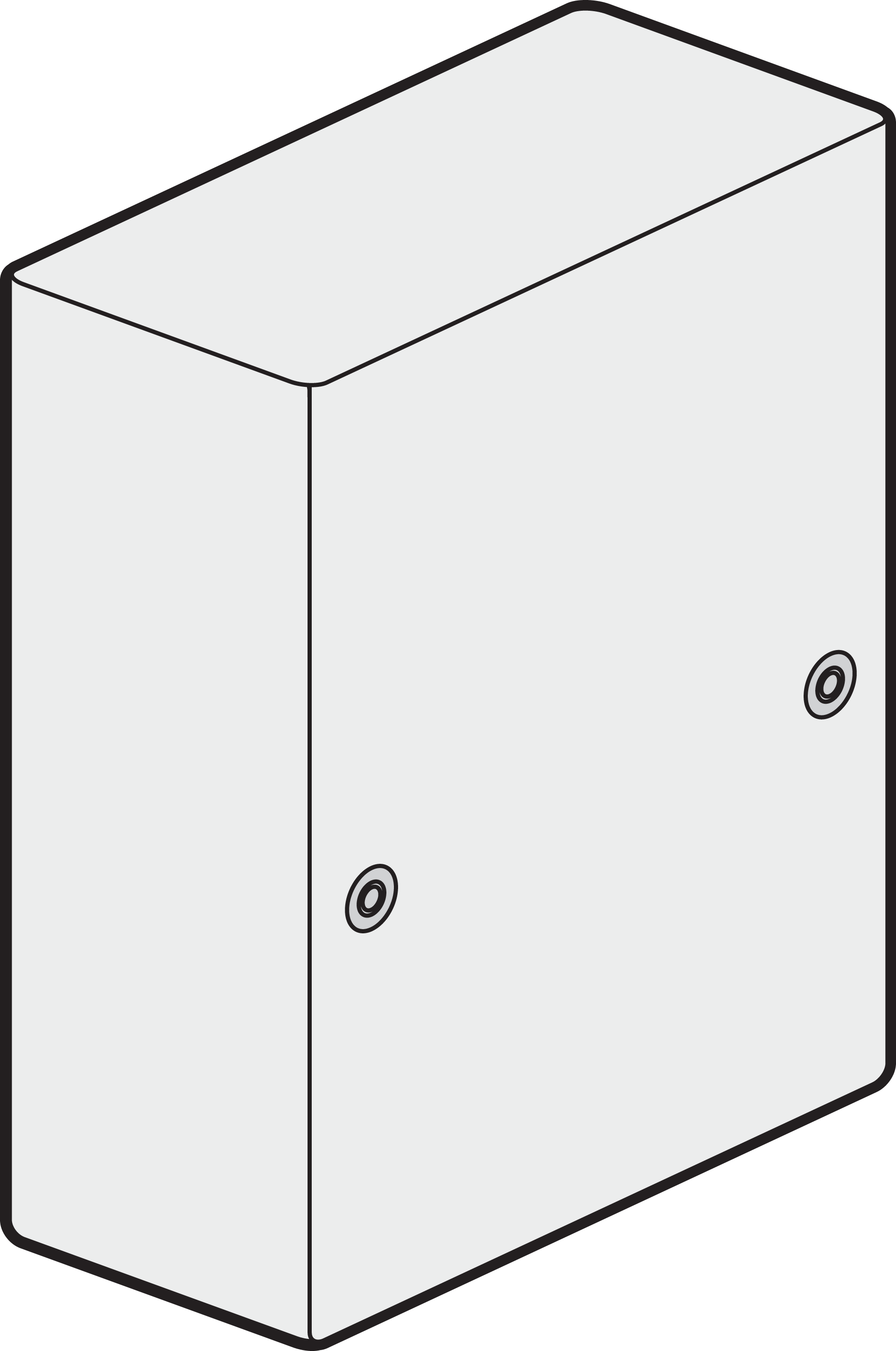
Compatible products
-
This product can be wirelessly controlled from a Niko Easywave hand-held transmitter (05-31X) and/or wireless push button (410-0000X). For local operation, external buttons can be connected.
-
This product can be installed behind a Niko blind plate (XXX-76900) or external wired push button (e.g. 170-0000X) in the colour of your choice.
-
This product is NOT compatible with Niko Home Control (550-XXXXX, 551-XXXXX, 552-XXXXX).
Installation
Power - OFF
-
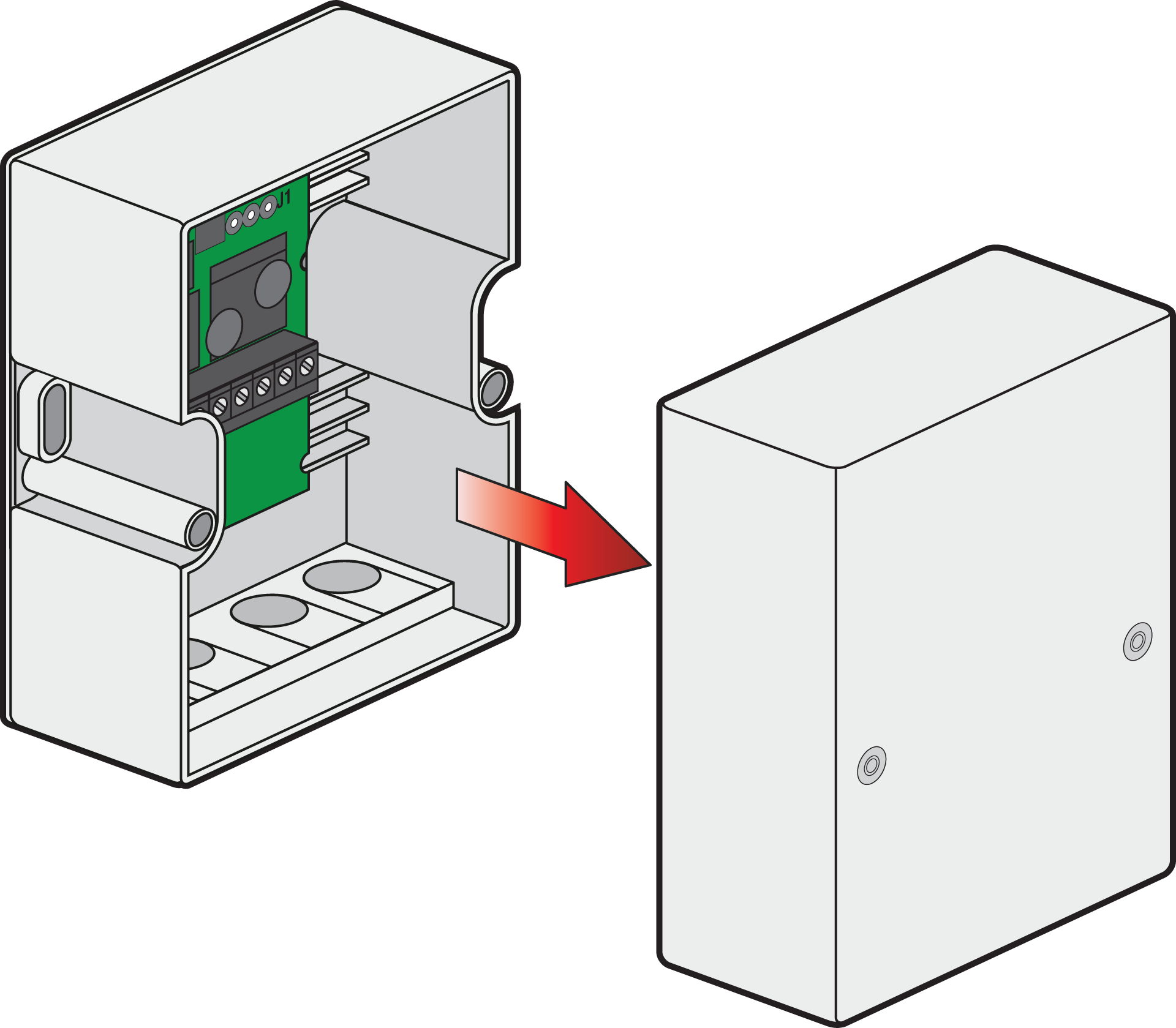
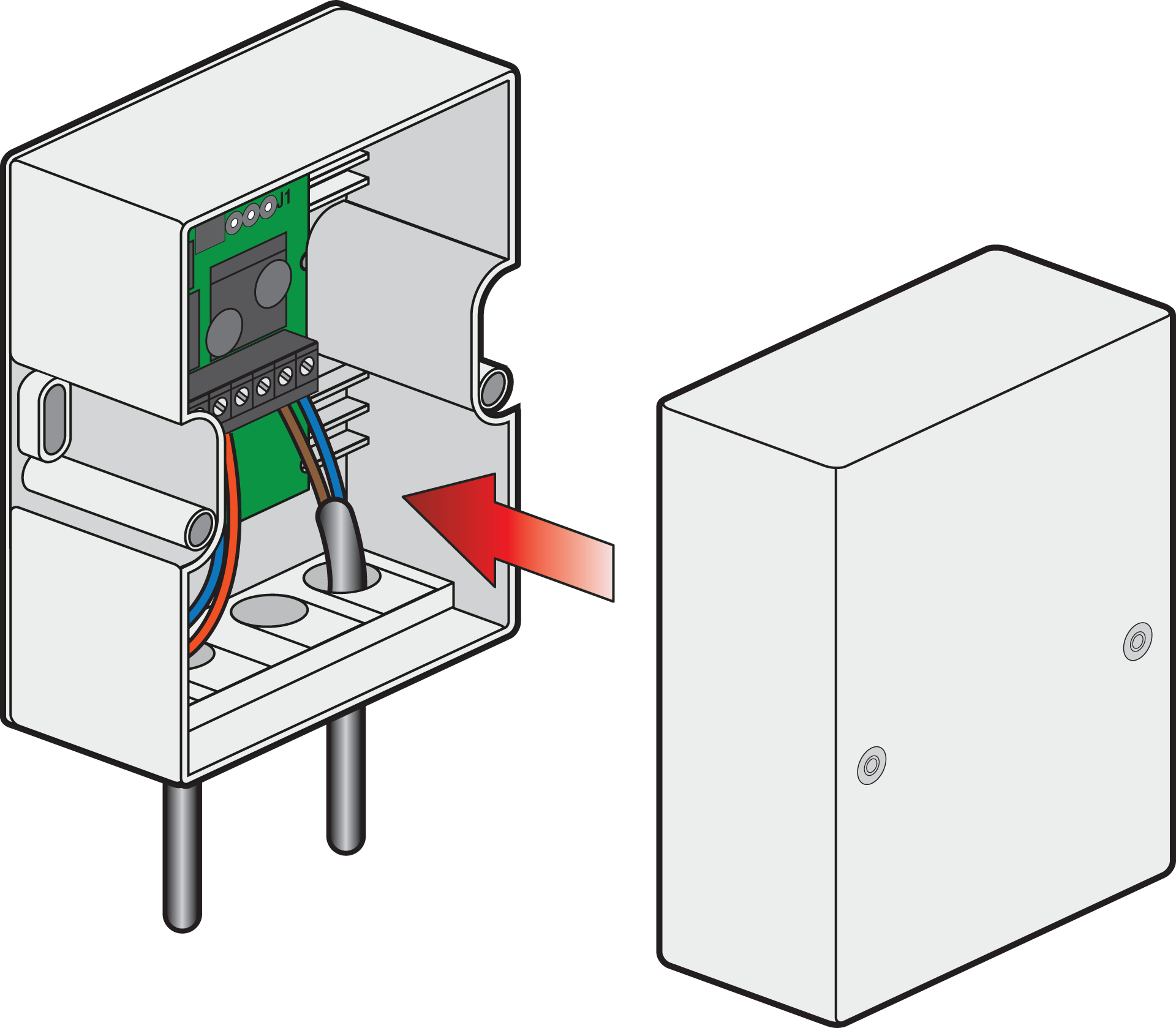
Remove the housing cover.
-
Mount the receiver on a suitable location, using the supplied mounting accessories.
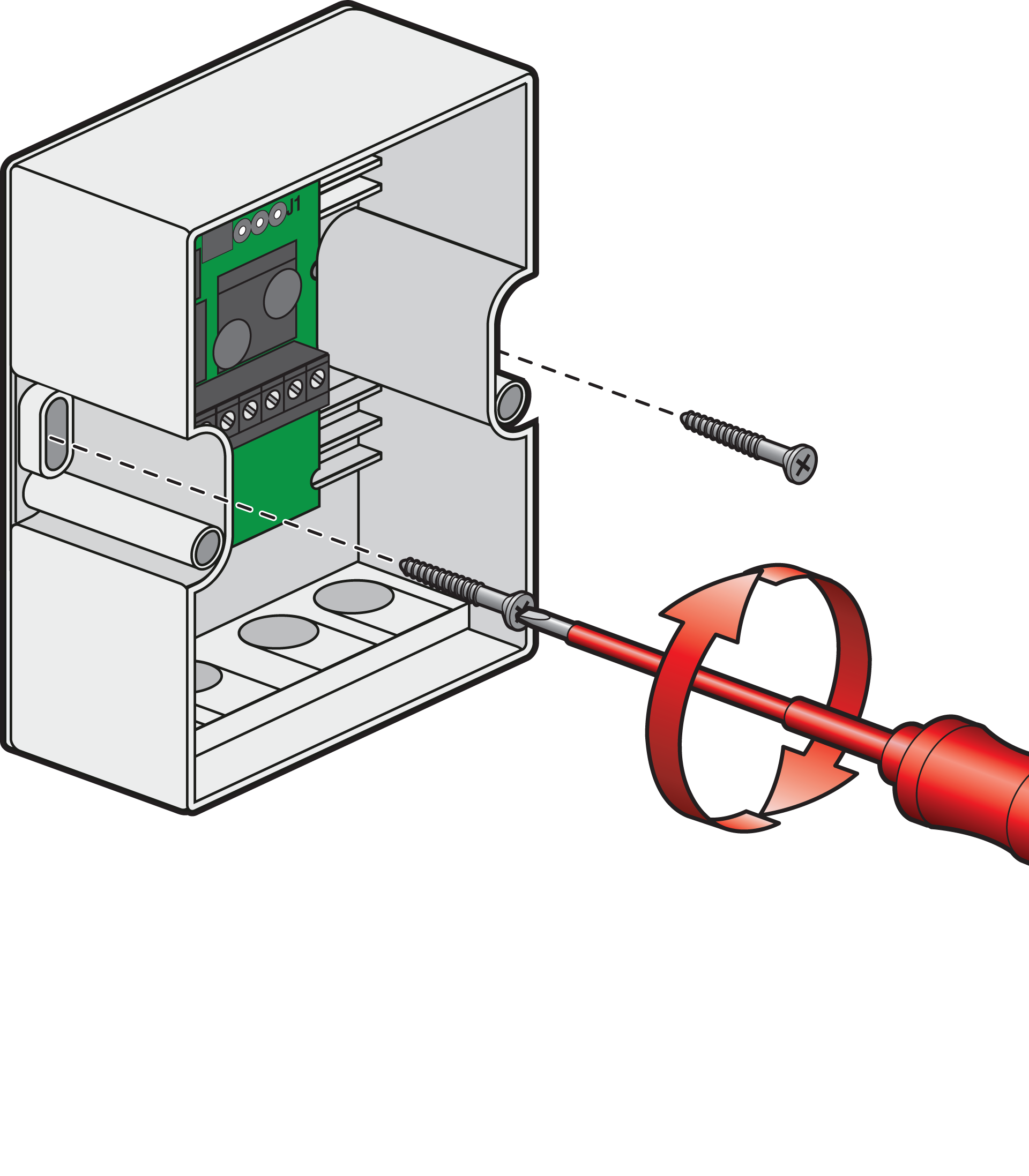
Make sure there is no interference with the wireless connection. Do not mount the device in a distribution box, in metal casings, in direct proximity to large metal objects, on the floor or close to it.
-
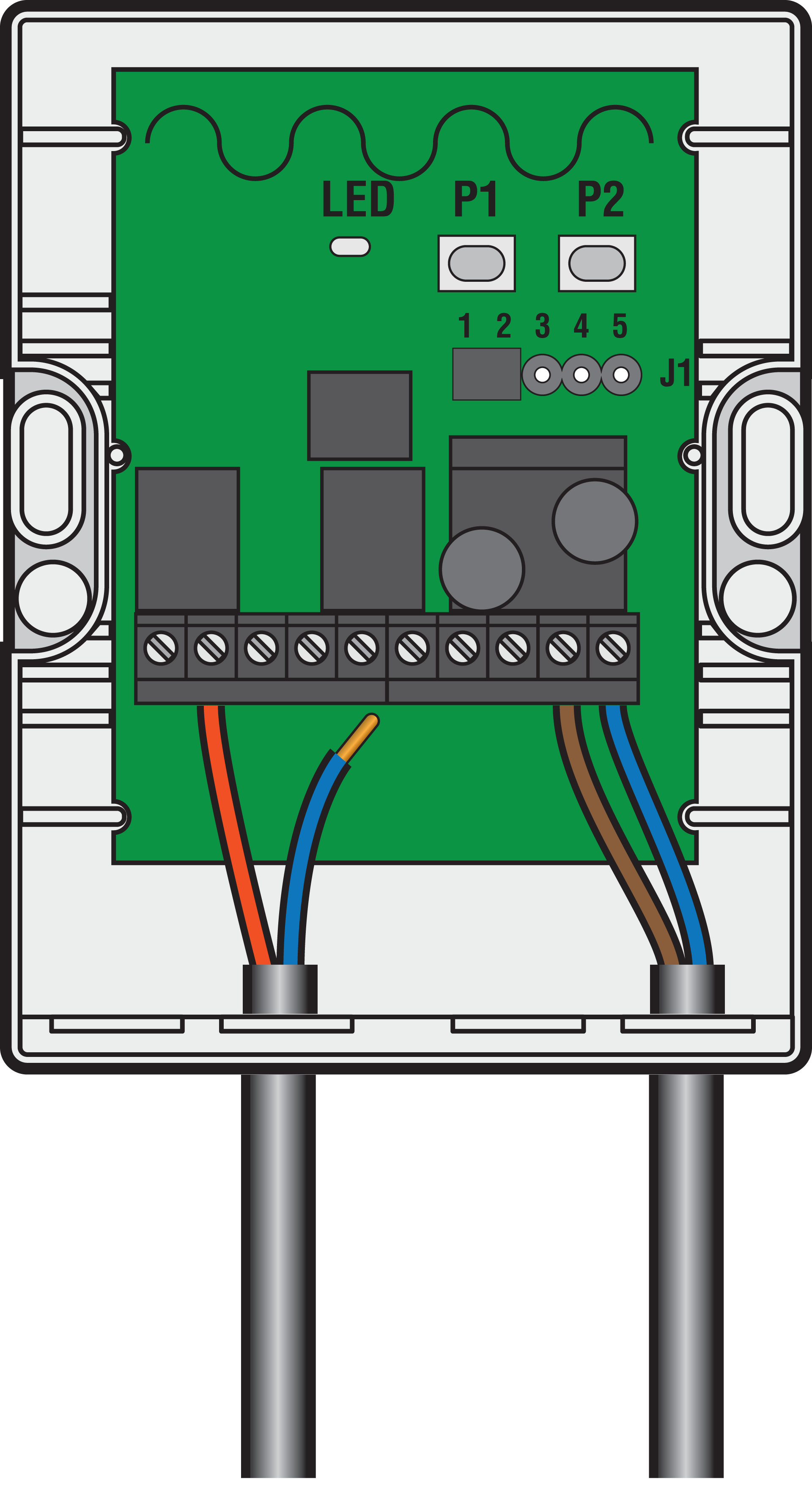
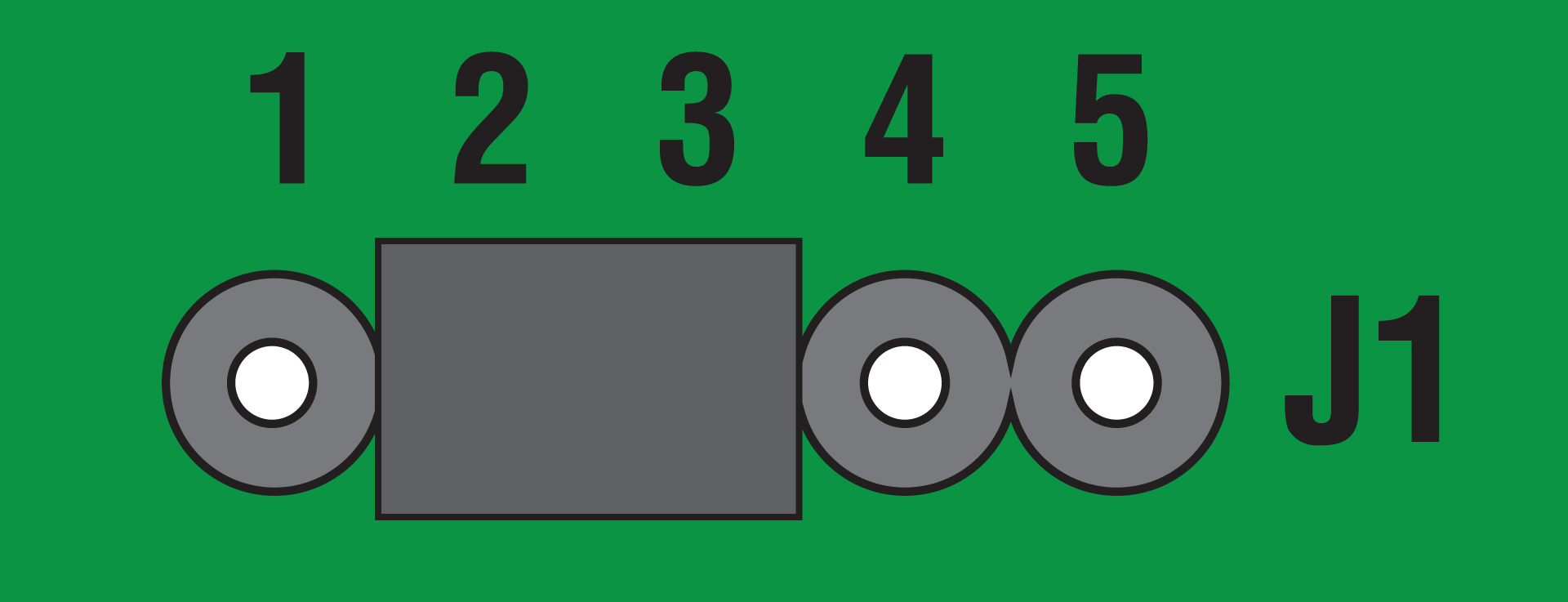
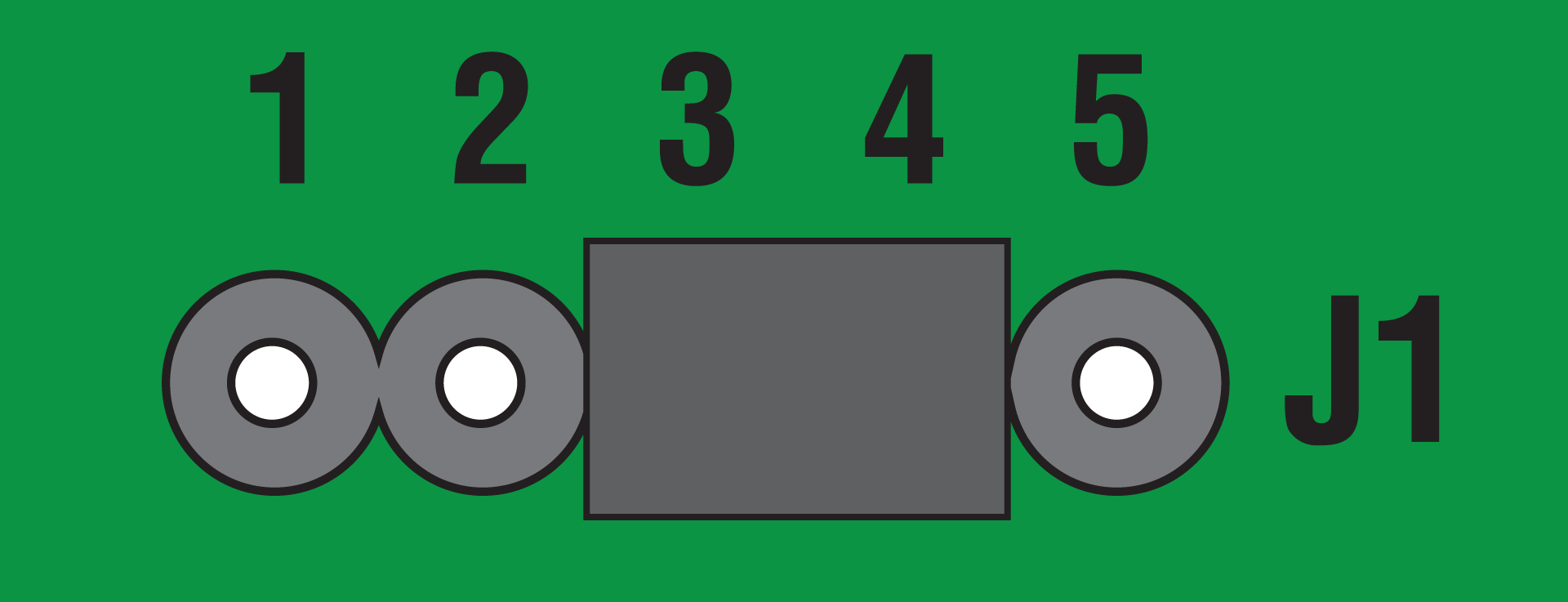
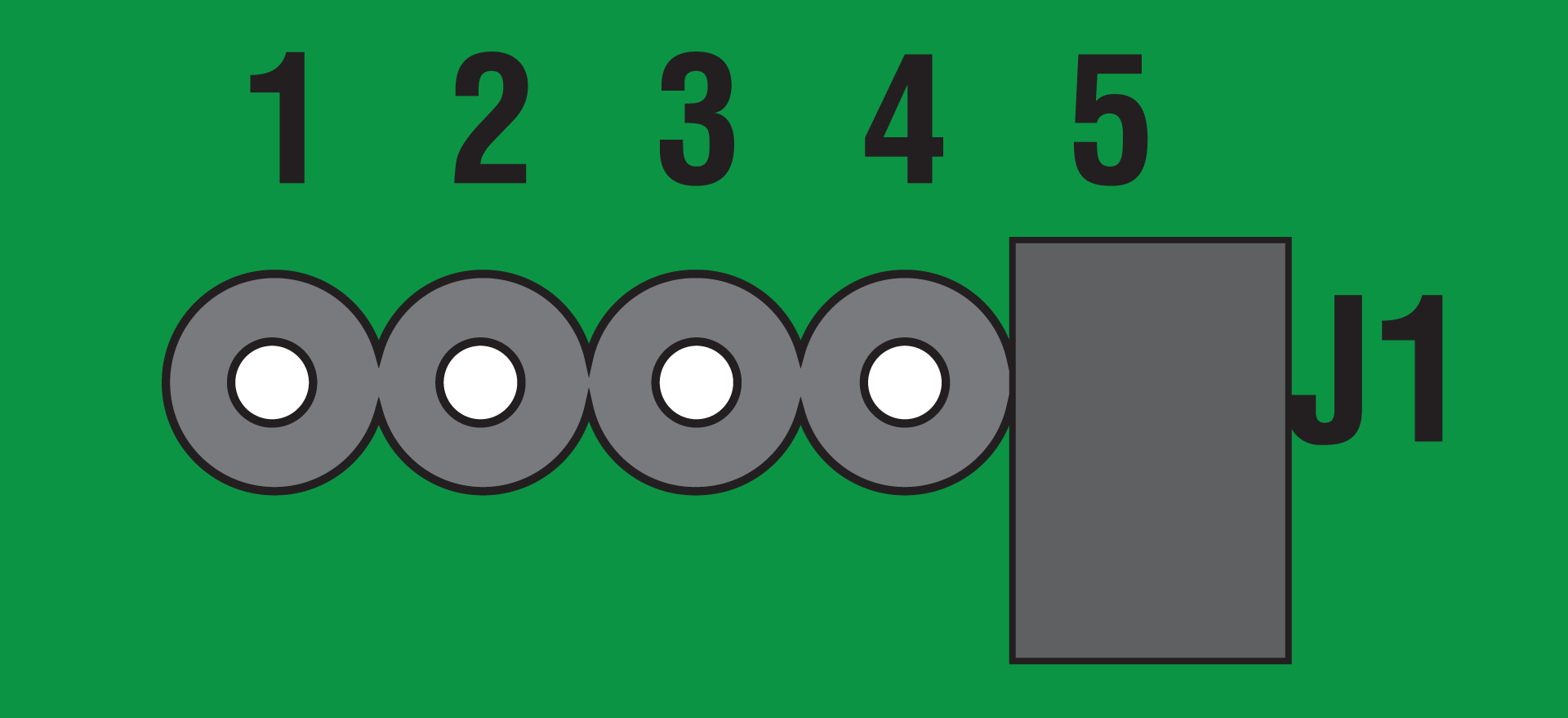
Select the desired operation mode with the jumper J1.
-
Either:
-
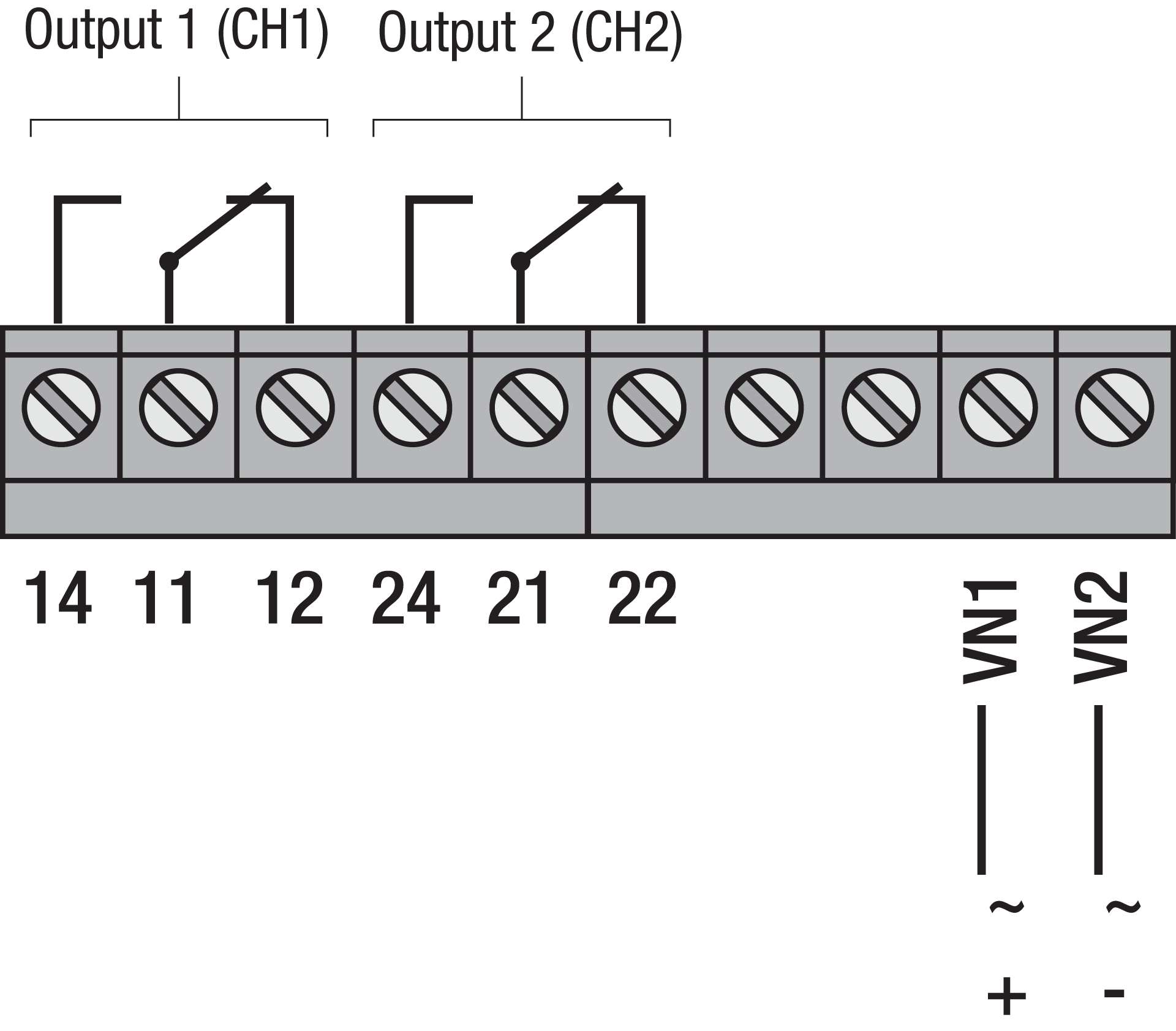
Connect the supply voltage and the safety extra-low voltage devices according to the wiring diagram
or -
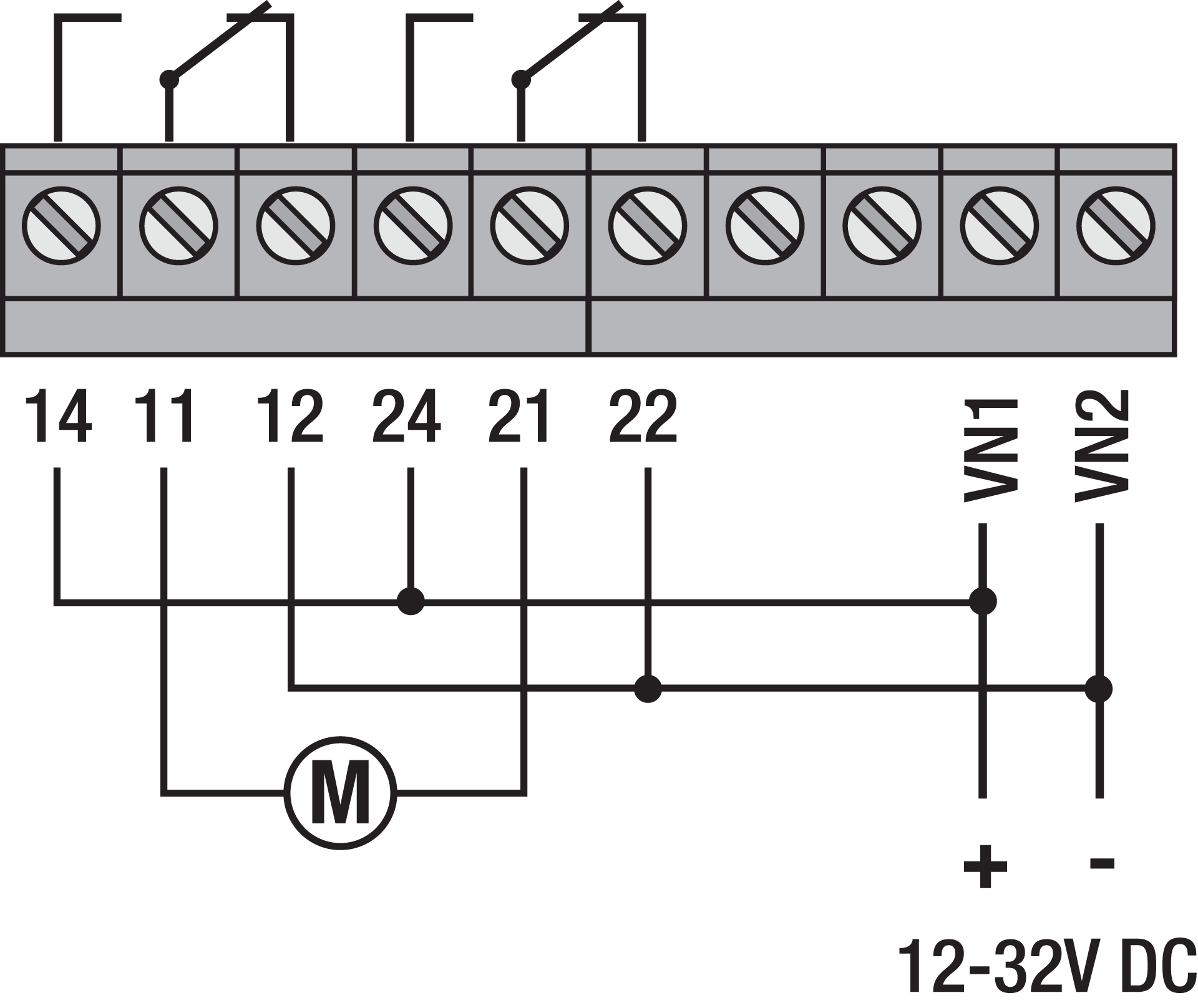
Connect the supply voltage and the devices to be switched for the motor control according to the wiring diagram.
-
The maximum length of all connecting cables may not exceed 3 m.
In the operation mode MOTOR, the receiver may only be operated with 12 – 32 V DC.
-
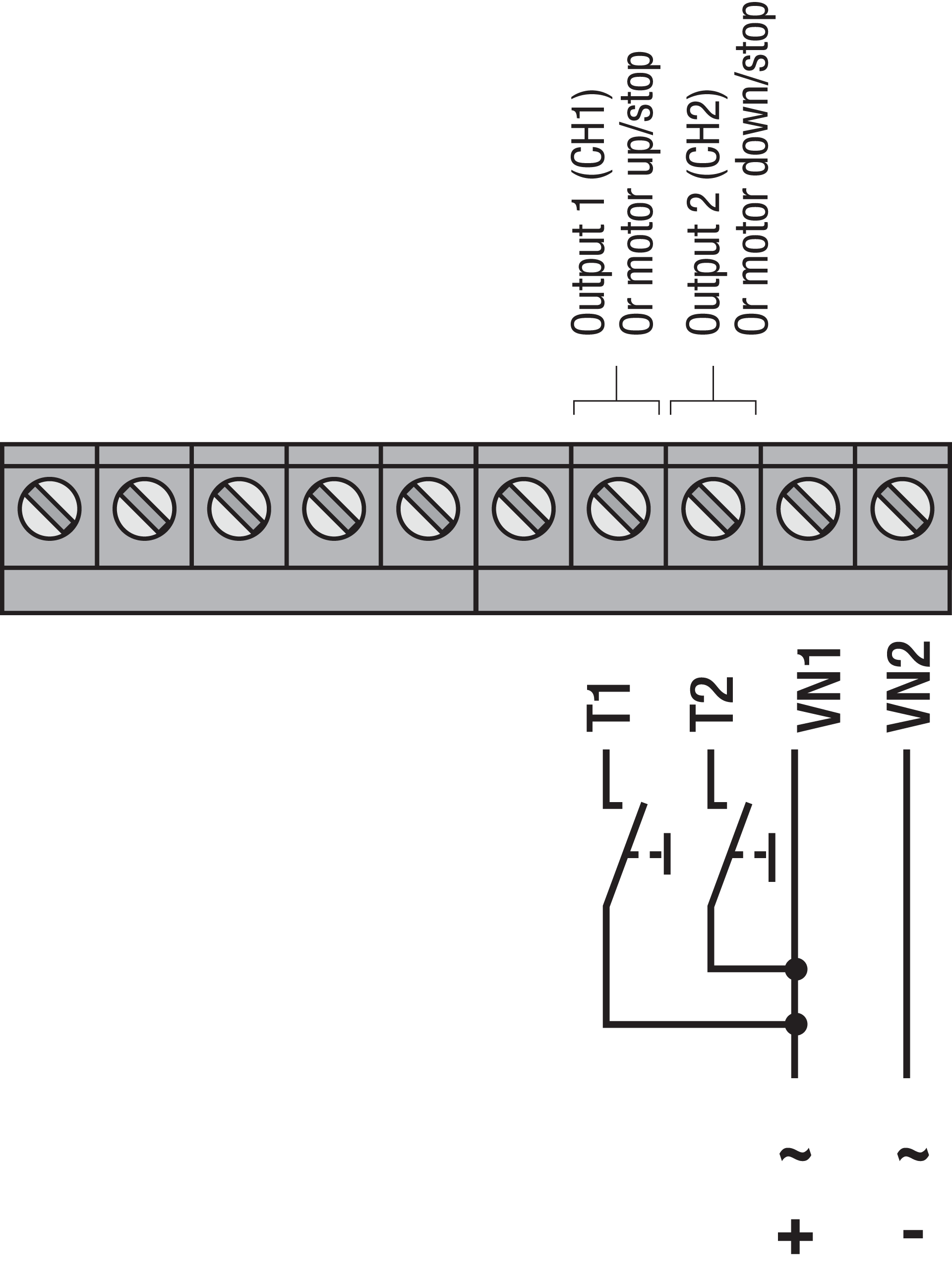
If necessary, connect the external buttons to the terminal T1 and T2 according to the wiring diagram.
-
Program the codes of the transmitters to the receiver. For more information, see Programming transmitters.
-
Put the housing cover back on.
Power - ON
Wiring
DEAD MAN, ON/OFF and PULSE
|
Supply voltage (12 – 24 V AC / 12 – 32 V DC) |
VIN1, VIN2 |
|---|---|
|
Output 1 (CH1)
|
|
|
Output 2 (CH2)
|
|
Motor control
External buttons
|
External button 1 (for output 1 / CH1) |
terminals VIN1 + T1 |
|---|---|
|
External button 2 (for output 2 / CH2) |
terminals VIN1 + T2 |
Operation and use
Power - ON
Controlling via wireless controls
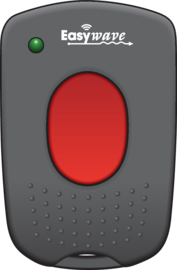
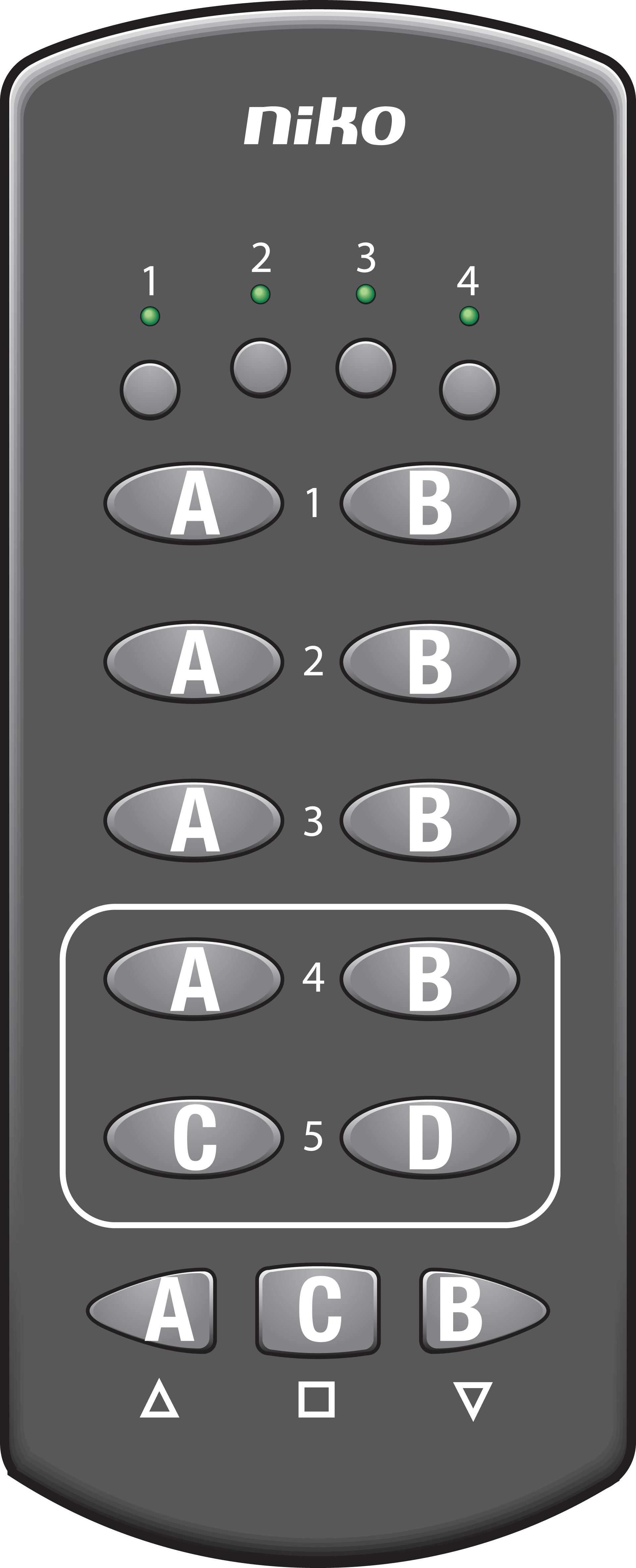
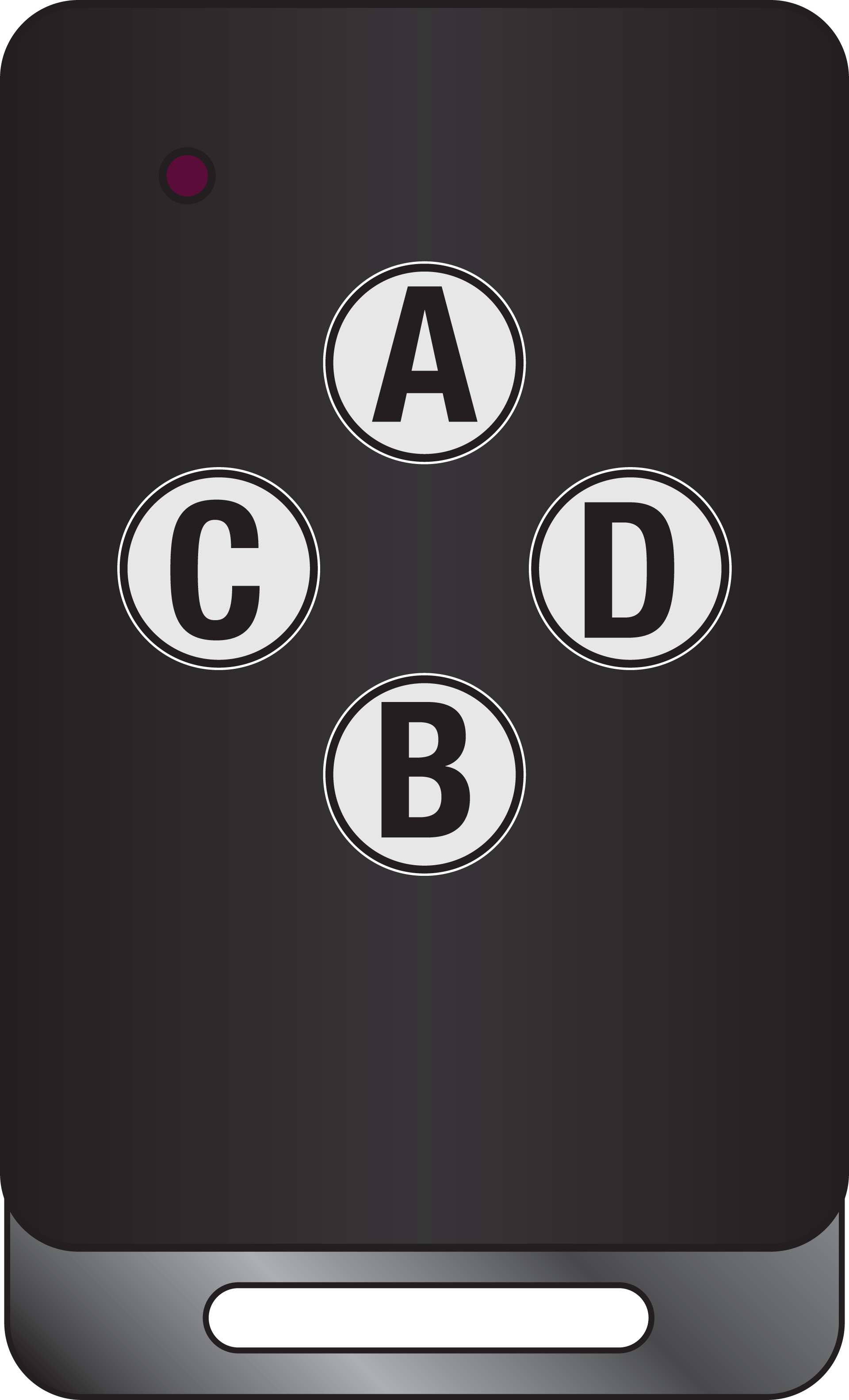
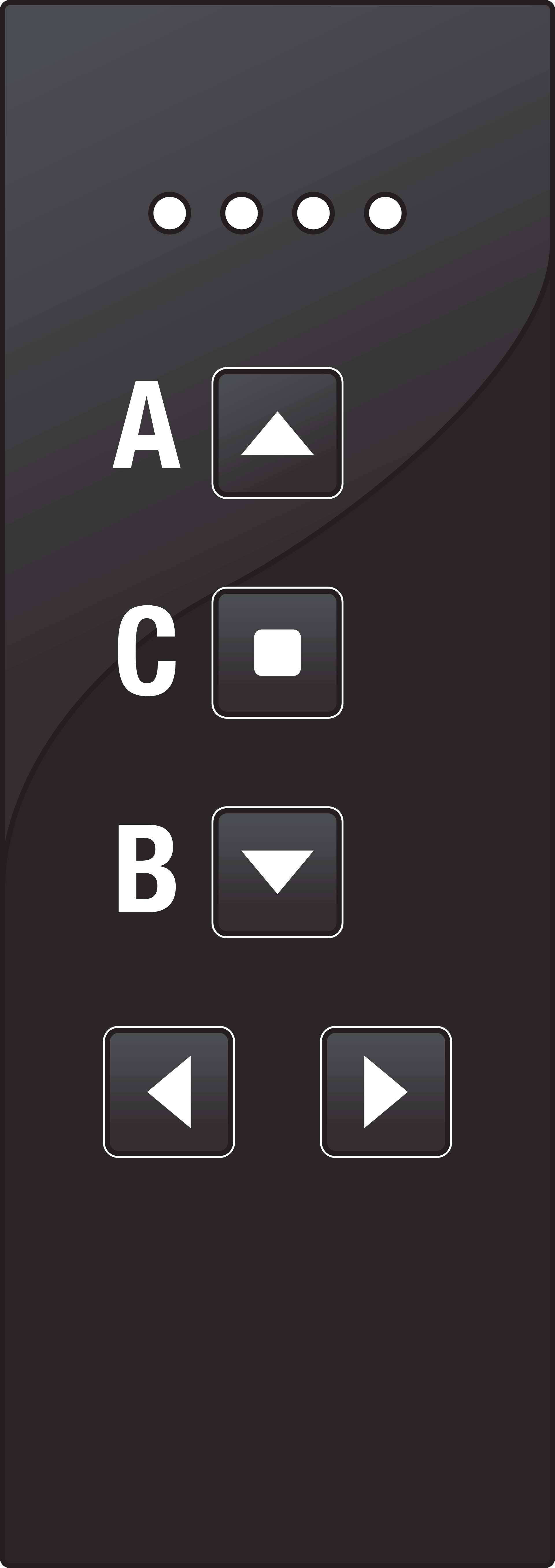
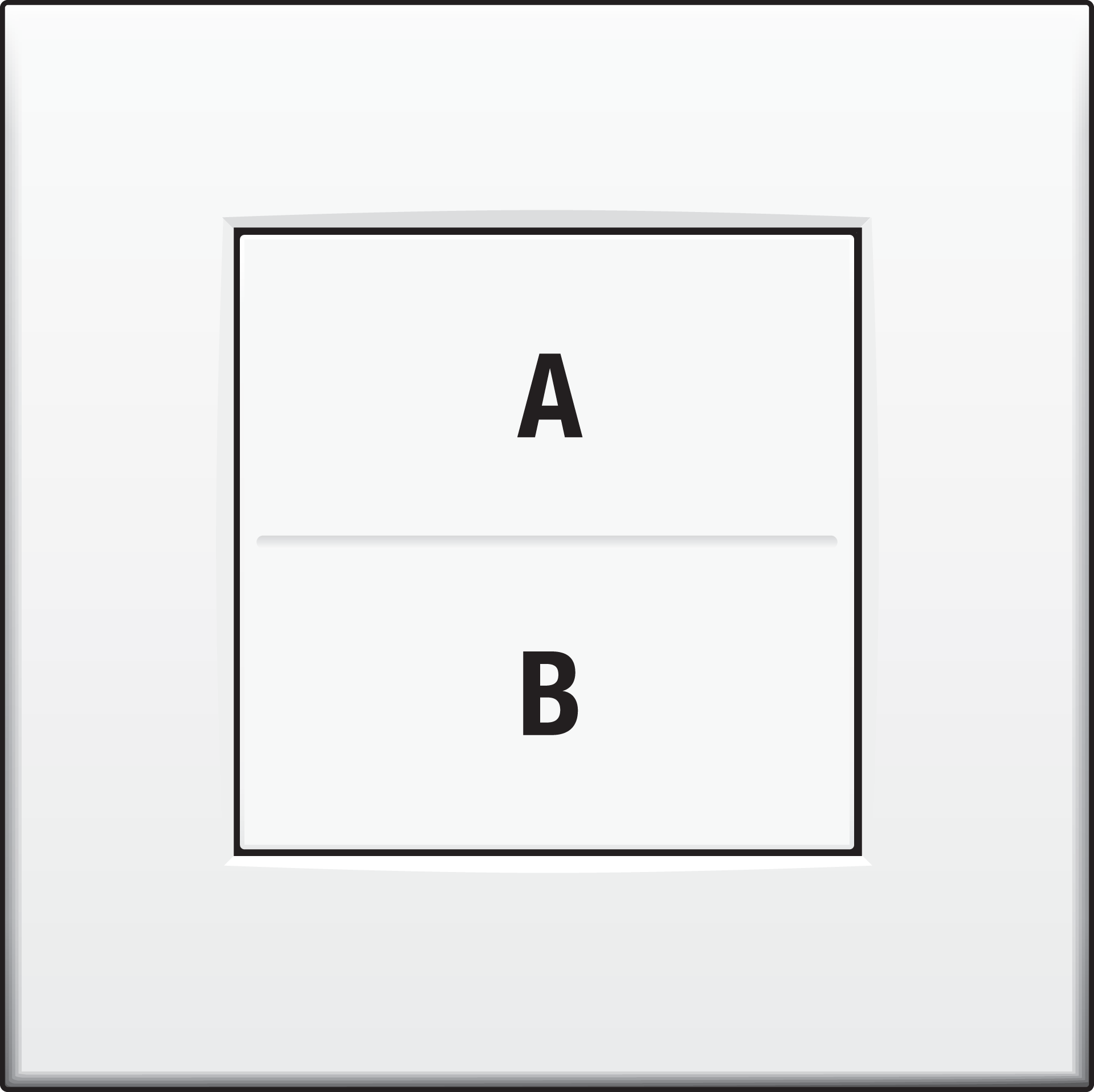
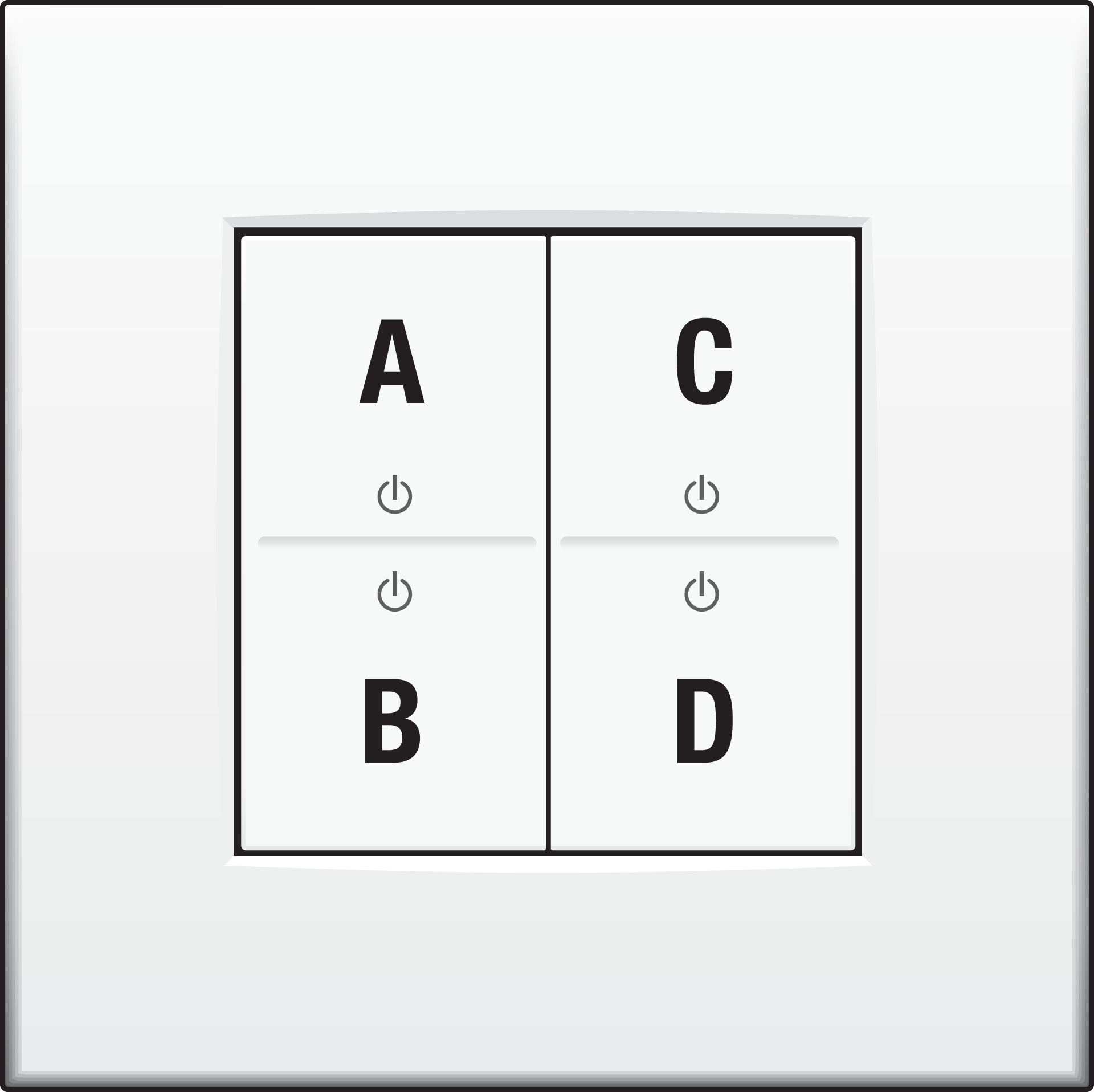
Each wireless push button, hand-held transmitter or external wired button can be assigned its own operation mode. You can use the following buttons:
|
05-311 |
05-312 |
05-317 |
05-318 |
410-00001 |
410-00002 |
|---|---|---|---|---|---|
|
|
|
|
|
|
Operation modes
The radio control can be operated in five different operation modes with Easywave transmitters for 1-button, 2-button or 3-button operation. The operation mode can be selected with jumper J1.
1-button operation
|
Operation mode |
Jumper J1 |
Transmission code |
Command |
Extra information |
|---|---|---|---|---|
|
PULSE |
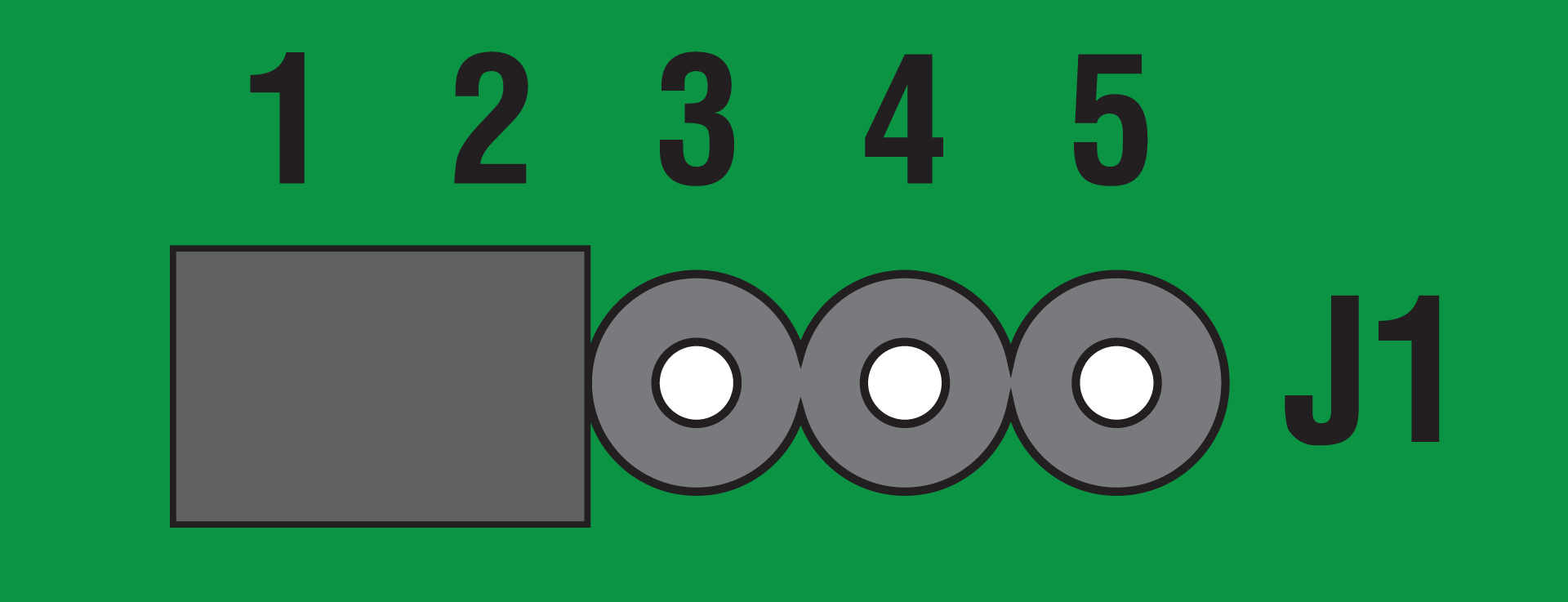
|
A or B or C or D |
The corresponding relay is triggered for 1 second. |
|
|
DEAD MAN |
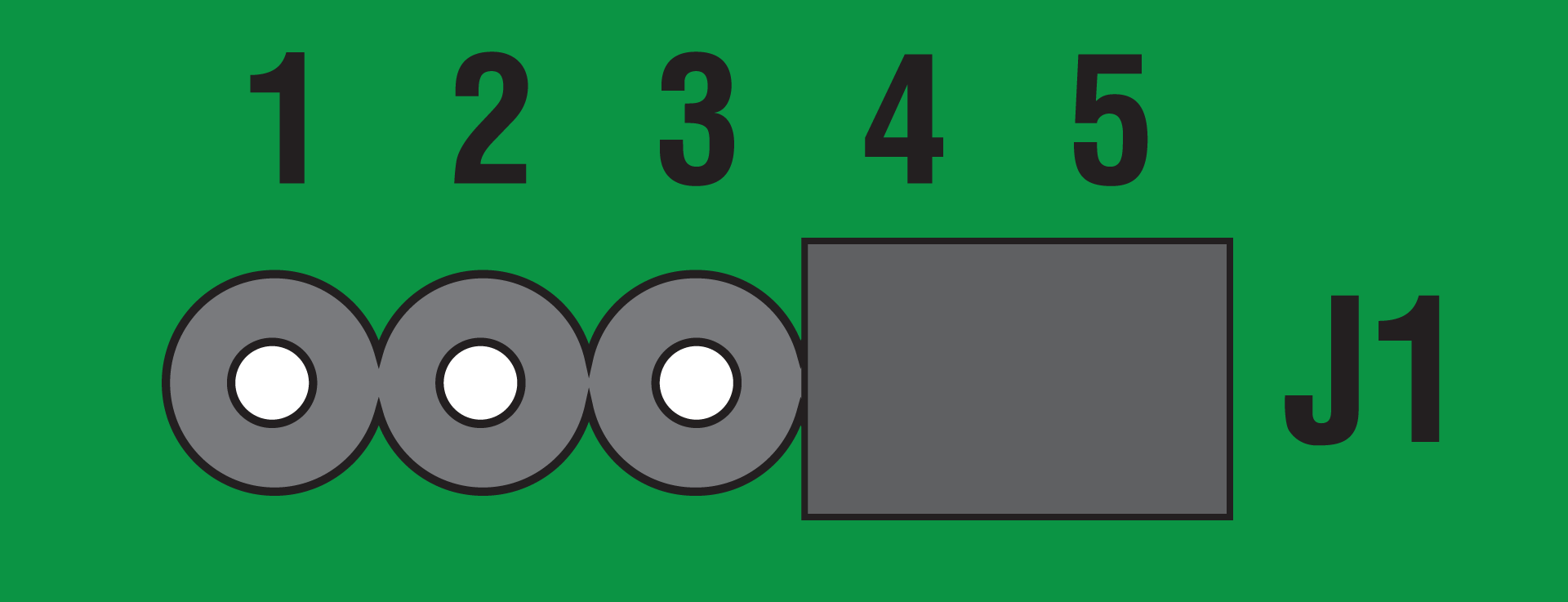
|
A or B or C or D External button T1 or T2 |
The corresponding relay is triggered as long as the button is pressed |
The maximum runtime is 36 seconds |
2-button operation
|
Operation mode |
Jumper J1 |
Transmission code |
Command |
Extra information |
|---|---|---|---|---|
|
ON/OFF |
|
A or C |
Switch ON |
Each relay can be separately switched ON and OFF
|
|
B or D |
Switch OFF |
|||
|
MOTOR CONTROL (UP/DOWN) |
|
A or C External button T1 |
UP STOP (for DOWN direction) |
The relays are controlled in combination and are interlocked STOP with opposite direction The maximum runtime is 90 seconds |
|
B or D External button T2 |
DOWN STOP (for UP direction) |
3- or 4-button operation
|
Operation mode |
Jumper J1 |
Transmission code |
Command |
Extra information |
|---|---|---|---|---|
|
MOTOR CONTROL (UP/STOP/DOWN) |
|
A |
UP |
The relays are controlled in combination and are interlocked The external buttons behave as if they are in 2-button operation mode The maximum runtime is 90 seconds |
|
B |
DOWN
|
|||
|
C |
STOP |
|||
|
D |
STOP |
Programming
Power - ON
Programming mode
In the programming mode you can transfer the codes of your transmitter buttons to the receiver.
The operation mode set with the jumper J1 at this point in time is adopted with the programming process and is valid for the transmission code currently programmed. A total of 32 transmission codes can be programmed.
In the 2- or 3-button operation modes, only one transmitter button has to be programmed. The code of the associated button is assigned automatically.
The programming settings of the receiver are saved, even in case of extended power failures.
If the LED flashes rapidly for approximately 4 seconds, all memory locations are occupied. A transmitter can only be programmed again if another one has been deleted first.
Entering programming mode
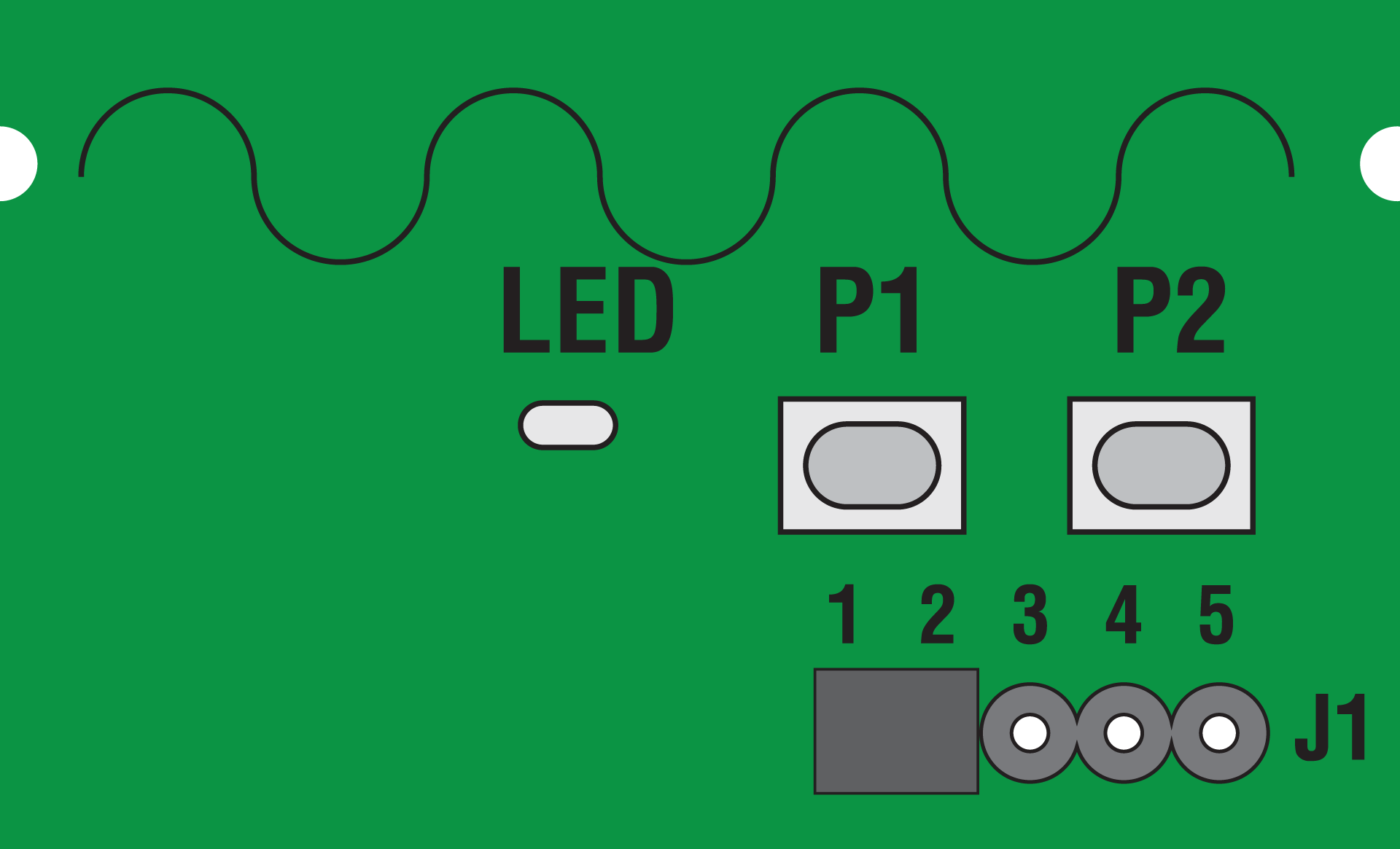
By briefly pressing (<1.6 seconds) programming button P1 (for output 1) or P2 (for output 2), you will enter the programming process. The LED flashes.
Leaving programming mode
You can cancel the programming process by briefly pressing the P1 or P2 programming button again. The LED turns off.
Programming transmitters
-
Briefly press (<1.6 seconds) P1 (output 1) or P2 (output 2) to enter programming mode.
The LED flashes. -
Press and hold one of the transmitter buttons to be programmed.
When the code has been saved, the LED lights up for 4 seconds and then flashes again. -
Release the transmitter button.
-
Repeat step 3 and 4 with other transmitters, if needed.
-
Briefly press P1 or P2 again to leave programming mode.
The LED turns off.
Deleting transmitters
In the delete mode, you can delete specific transmission codes programmed into the receiver.
-
Long press (> 2 seconds) P1 or P2.
Delete mode is activated and the LED flashes rapidly. -
Press the selected transmitter button you want to delete.
The LED lights up for 4 seconds and then flashes rapidly. The code has been deleted.
In the operation modes MOTOR CONTROL and ON/OFF, the code of the corresponding transmitter button will also be deleted.
-
Repeat the previous step with another transmitter if needed.
-
Briefly press P1 or P2 to return to operation mode.
The LED turns off.
Resetting the receiver
Set the receiver back to the factory settings by doing a reset. All programmed transmitter codes are deleted.
-
Long press (> 2 seconds) P1 or P2.
Delete mode is activated and the LED flashes rapidly. -
Long press P1 or P2 again.
The LED lights up for 4 seconds and then flashes. The memory has been deleted. -
Briefly press P1 or P2 to return to operation mode.
Troubleshooting
New installations
If the Easywave system does not work after being programmed, perform the following checks:
-
Check whether the shield between the battery and the contacts in the push button or hand-held transmitter has been removed.
-
Check whether there is good contact integrity between the battery and the battery contacts.
-
Check the operation of the connected receiver. Press the programming button (P) on the front of the receiver. If the status LED does not flash, the receiver is defective.
-
Check the operation of the push button. Take the hand-held transmitter and walk toward the receiver:
-
If the Easywave system works with the hand-held transmitter but not with the push button, it is possible that moisture or metal is present in the wall. Move the push button, or use a wireless Easywave repeater (05-535) to increase the range.
-
If the Easywave system works only at a short distance, the push button has been moved beyond the transmission range or there is a problem due to interference. Place the push button closer or outside of the range of the interference, or use a wireless Easywave repeater (05-535) to increase the range.
-
If the Easywave system does not work at all, even when you bring the hand-held transmitter close to the receiver, check the programming and/or the batteries of the hand-held transmitter.
-
Existing installations
In case of problems in an existing installation, check whether the surroundings of the Easywave system have changed, possibly causing interference (metal electricity cabinet, walls, moved furniture, etc.) Restore the original arrangement, if possible.
|
Problem |
Possible cause |
Proposed solution |
|---|---|---|
|
Lighting switches on automatically |
The Easywave system is switched on, because another push button or hand-held transmitter is programmed within the reception range |
Reset the receiver and reprogram |
|
Lighting switches off automatically |
The Easywave system is switched off, because another push button or hand-held transmitter is programmed within the reception range |
Reset the receiver and reprogram |
|
The Easywave system is switched off, due to a (brief) interruption in the power supply |
Switch the light back on using the programmed transmitter for this receiver |
|
|
Receiver does not respond to pressed buttons |
The battery of your wireless push button might be depleted after several years of use |
Check the battery of the wireless push button |
Wireless network
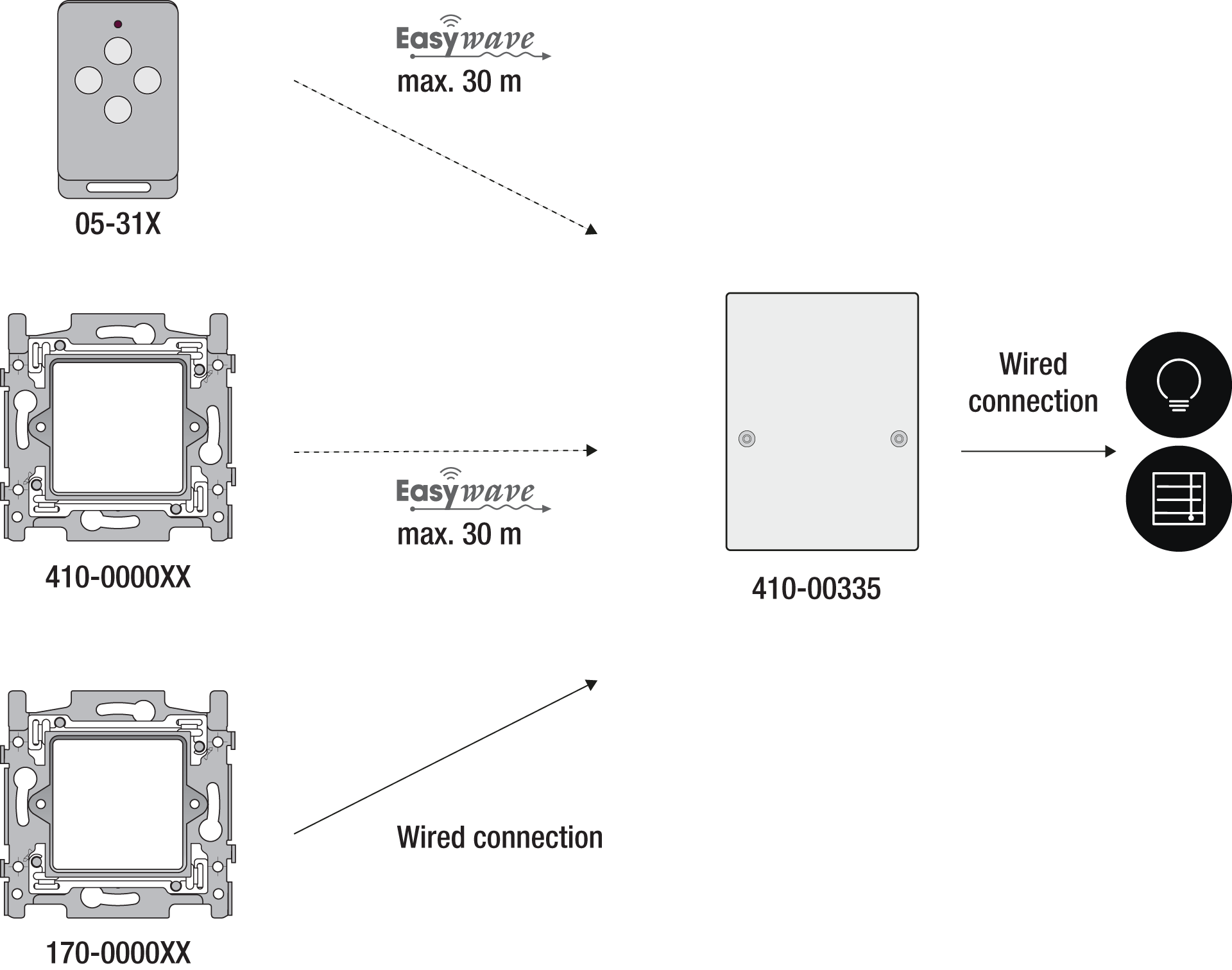
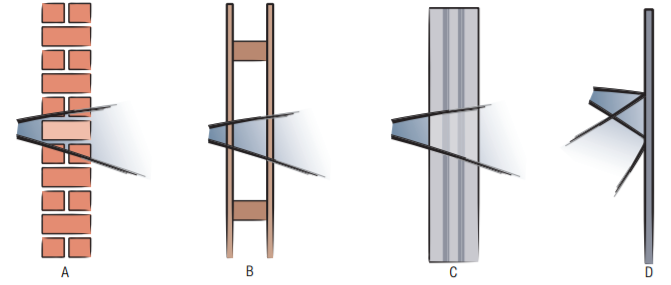
The operation of devices with a remote control, such as a TV or video and audio devices, is not disrupted by an Easywave hand-held transmitter. The hand-held transmitter does not have to be aimed towards the wireless Easywave receiver. The indoor range is ± 30 m. In open spaces the range reaches 100 m. The range of the hand-held transmitter depends on the materials used in the residence.
|
A |
Brick, concrete |
Loss of 20 to 40% |
|
B |
wood, plaster walls |
Loss of 5 to 20% |
|
C |
reinforced concrete |
Loss of 40 to 90% |
|
D |
confined metal space |
Loss of 90 to 100% |
A diagnostic device (05-370) can be used to determine the wireless signal strength in an environment. The appliance recognizes all 868.3 Mhz signals. The nine LEDs on the device will indicate the quality of the signals received or the strength of any interrupting signals. This allows you to determine whether or not the signal range of the hand-held transmitter will meet your needs.
Product information
This link takes you to the product page. There, you will find detailed specifications, all compatible articles, certificates of CE-marking, etc.
This online manual is applicable to the following product(s):
-
410-00335 | RF receiver for low-voltage devices, potential free (SELV), 2 changeover contacts, surface mounting
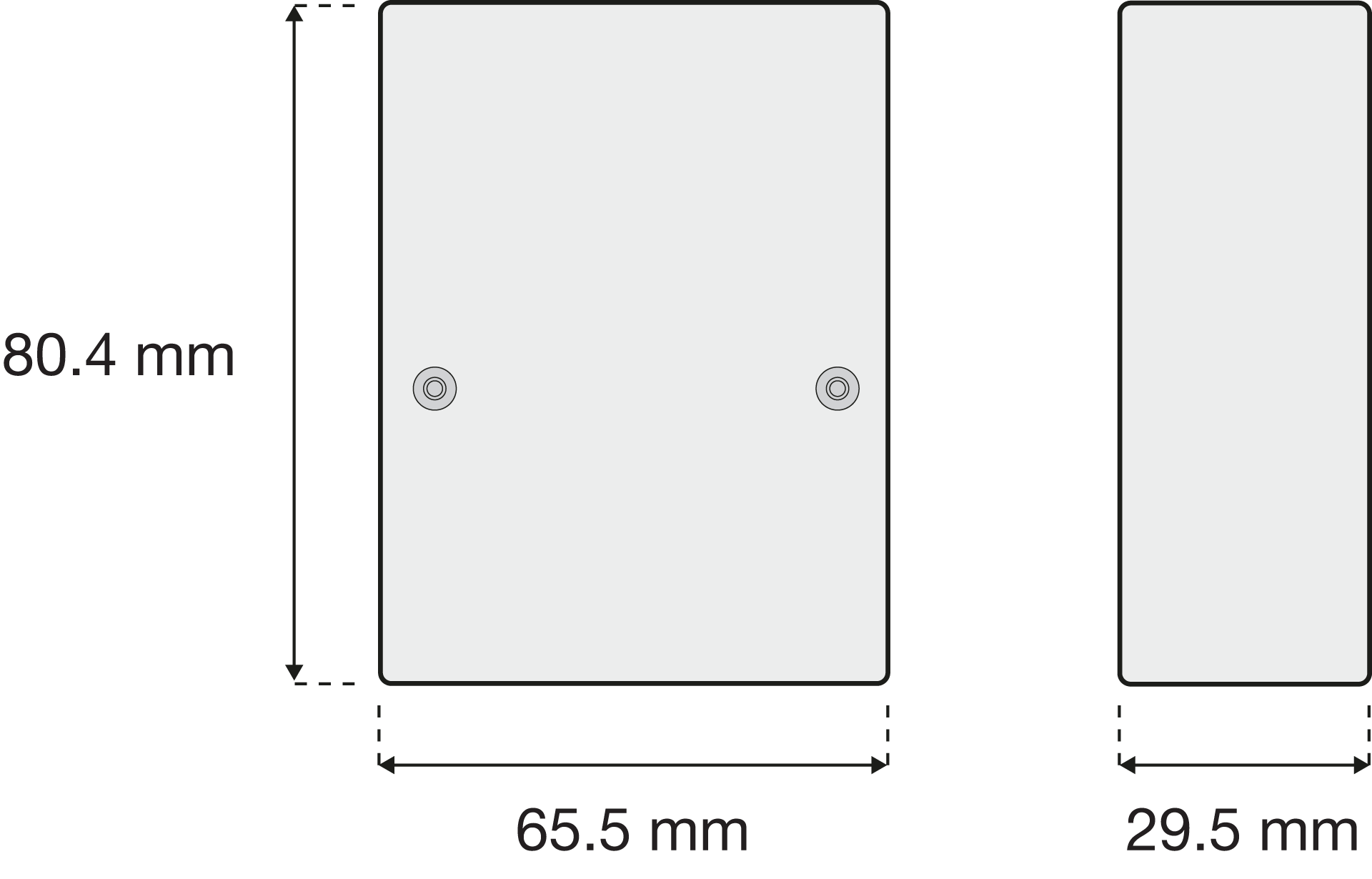
Dimensions
Disclaimer
Read the manual completely before installing and activating the system.
Niko prepares its manuals with the greatest care and strives to make them as complete, correct and up to date as possible. Nevertheless, some deficiencies may subsist. Niko cannot be held responsible for this, other than within the legal limits. Please inform us of any deficiencies in the manuals by contacting Niko customer services at support@niko.eu.
Legal information
Support & Contact
nv Niko sa
Industriepark West 40
9100 Sint-Niklaas, Belgium
+32 3 778 90 80
support@niko.eu
Warnings regarding installation
|
The installation of products that will permanently be part of the electrical installation and which include dangerous voltages, should be carried out by a qualified installer and in accordance with the applicable regulations. This user manual must be presented to the user. It should be included in the electrical installation file and it should be passed on to any new owners. Additional copies are available on the Niko website or via Niko customer services. |
CE marking

|
This product complies with all of the relevant European guidelines and regulations. For radio equipment Niko llc declares that the radio equipment in this manual conforms with the 2014/53/EU directive. The full text of the EU declaration of conformity is available at https://www.niko.eu under the product reference, if applicable. |
Environment
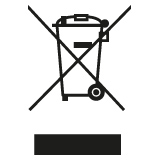
|
This product and/or the batteries provided cannot be disposed of in non-recyclable waste. Take your discarded product to a recognised collection point. Just like producers and importers, you too play an important role in the promotion of sorting, recycling and reuse of discarded electrical and electronic equipment. To finance the rubbish collection and waste treatment, the government levies recycling charges in certain cases (included in the price of this product). |