
Replacing a blown fuse link
When the fuse link is blown, it is recommended to replace the whole fuse plug with a spare one to avoid touching the hot fuse link. Spare fuse plugs are readily available if you have installed a cassette with fuse plugs on the DIN rail.
BURN HAZARD: A blown fuse link can have a temperature above 100°C. Never touch it directly with your fingers.
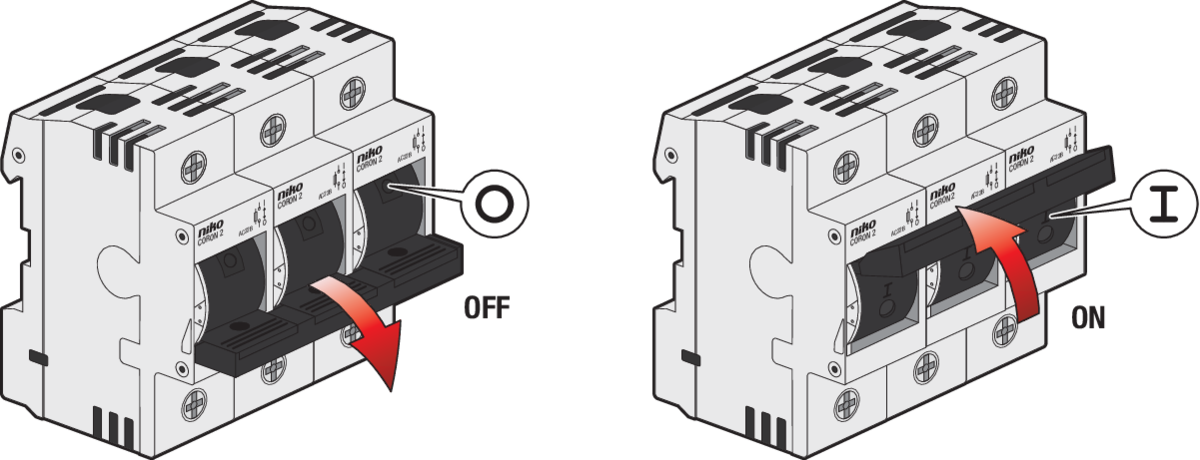
Step 1
Switch OFF.
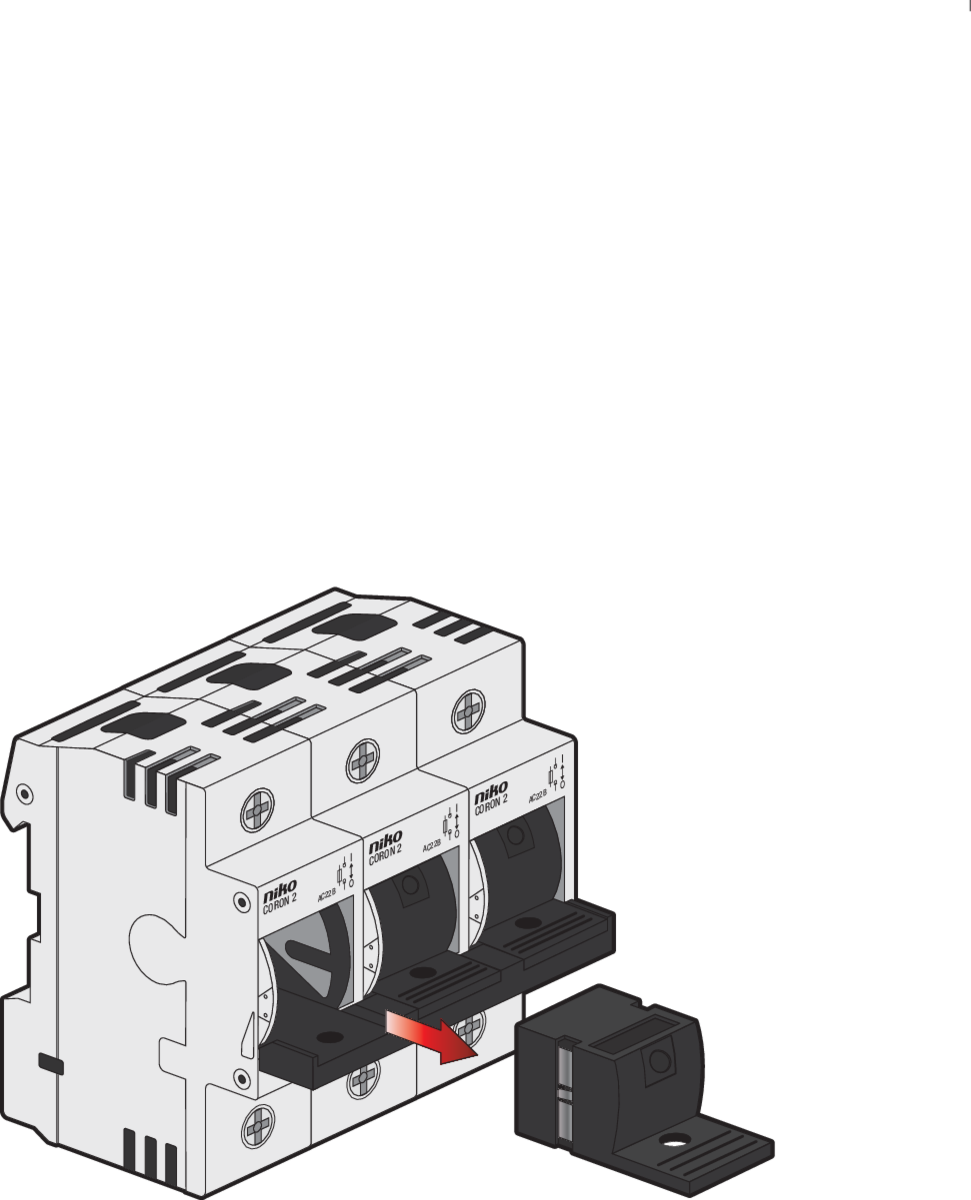
Step 2
Pull out the fuse plug.
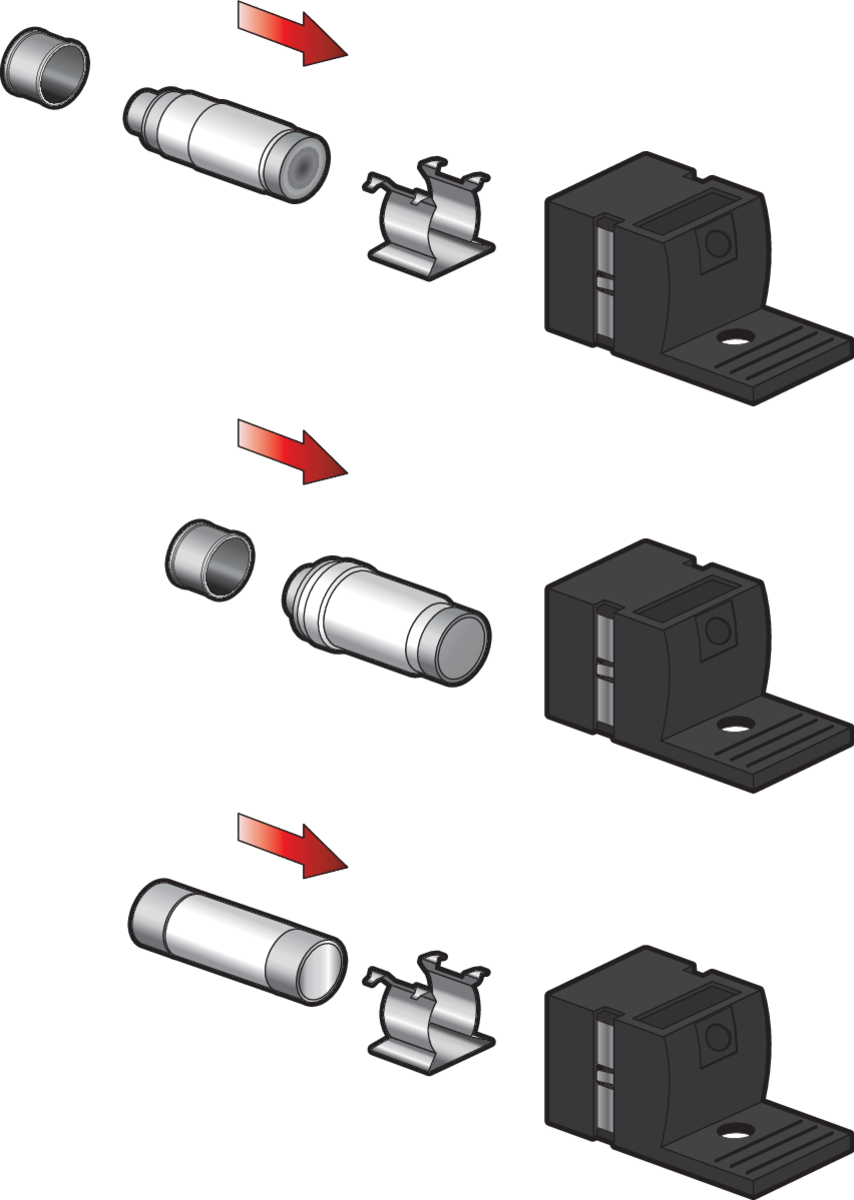
Step 3
Insert the new fuse link.
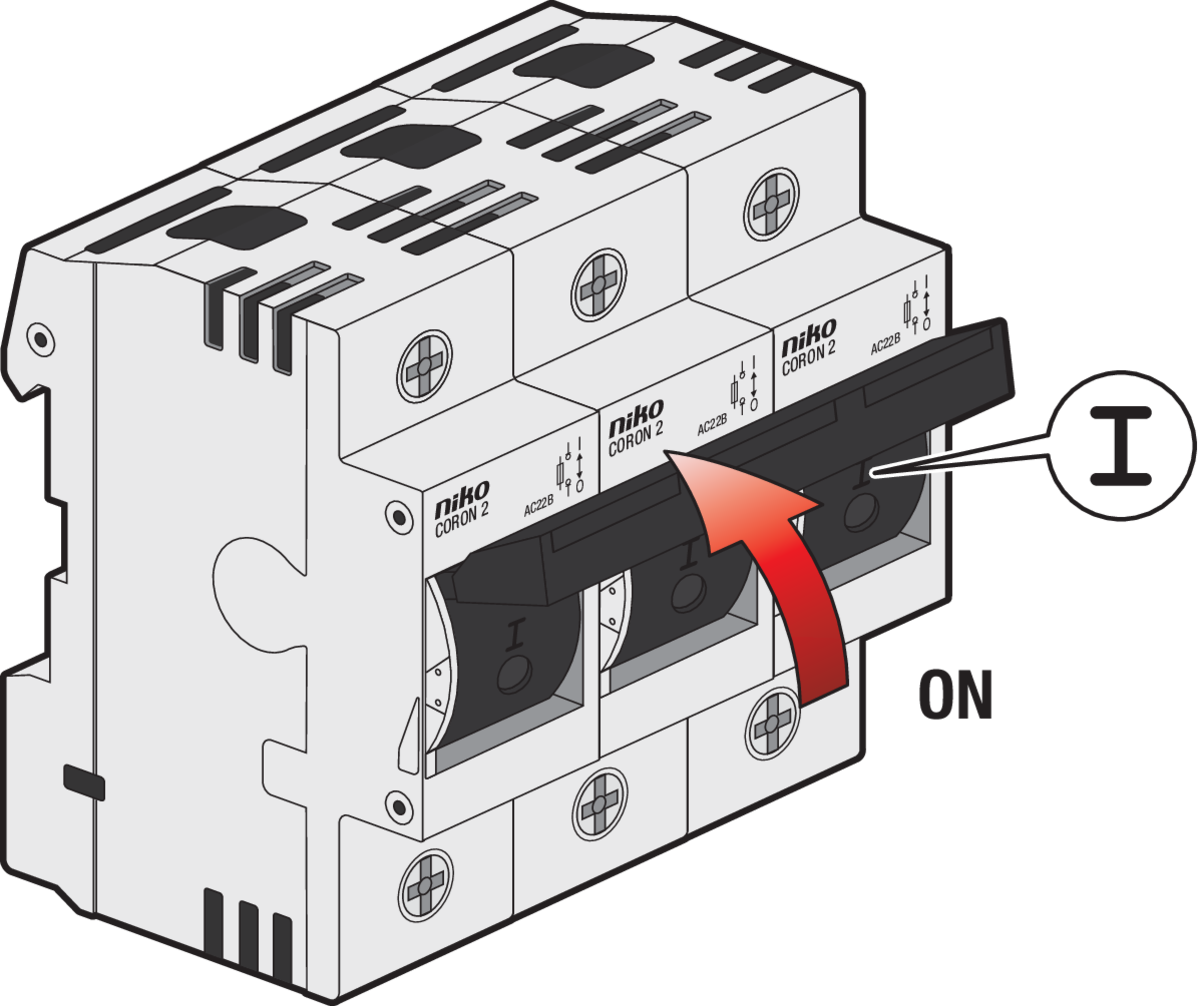
Step 4
Switch on.
Lockout procedure
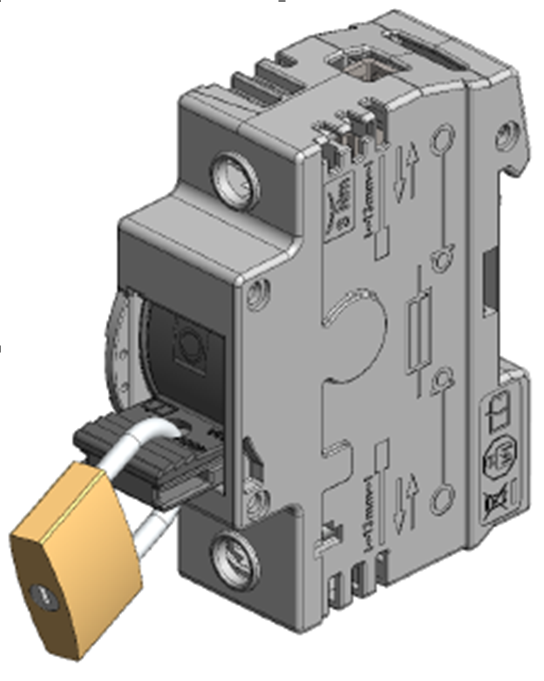
To prevent accidental energisation during installation or maintenance, the fuse switch disconnector can be locked in the OFF position using a padlock.
Step 1
Switch OFF the CORON® 2 fuse switch disconnector.
Step 2
Pull out the fuse plug until the locking holes are aligned.
Step 3
Insert the padlock through the locking holes.
Step 4
Verify that the fuse switch disconnector is securely locked in the OFF position before starting any work on the installation.
Only authorised personnel may remove the padlock and restore power after the work has been completed!