
User types
There are two types of users:
|
User type |
Description |
|---|---|
|
Admin |
When you register an installation, you automatically become the sole Admin of that installation. As an Admin, you can:
However, you cannot:
|
|
User |
As a user, you can:
|
User management
As an Admin, you have access to the user management tab on the MyNHC app:
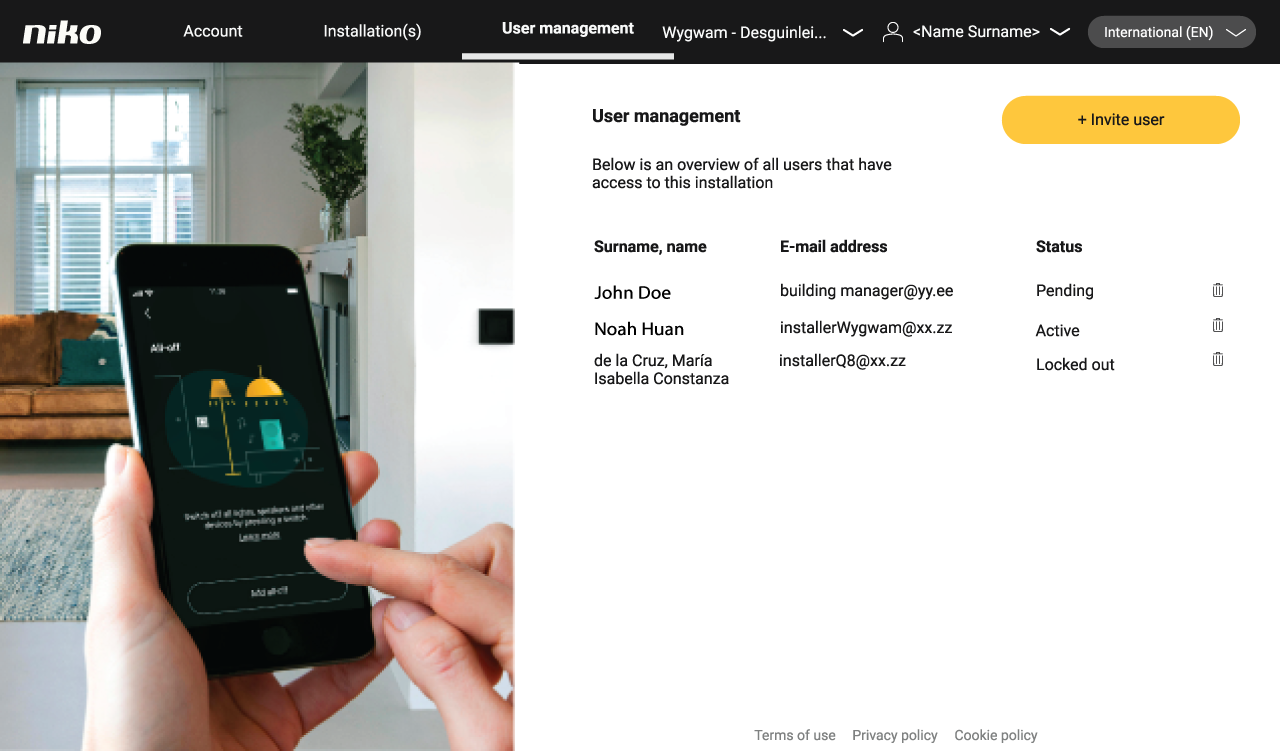
A user can have the following status:
-
Pending: an invitation has been sent, but the user has not accepted it
-
Active: the user is active
-
Lockout: the user has been locked out due to five consecutive filed logins. This status resolves to active after the lockout delay.
Inviting a user
Click +invite a user, fill in the user’s e-mail address and confirm. The user will now receive an e-mail to confirm his account.
Deleting a user
As an admin, you can delete a user without the user’s consent. Click the bin icon to the right of the user’s status and confirm to delete the user.
More information
For more information on how to use the software, refer to the Software Manual.