Installation video
Installation instructions
230 V – OFF
|
|
|
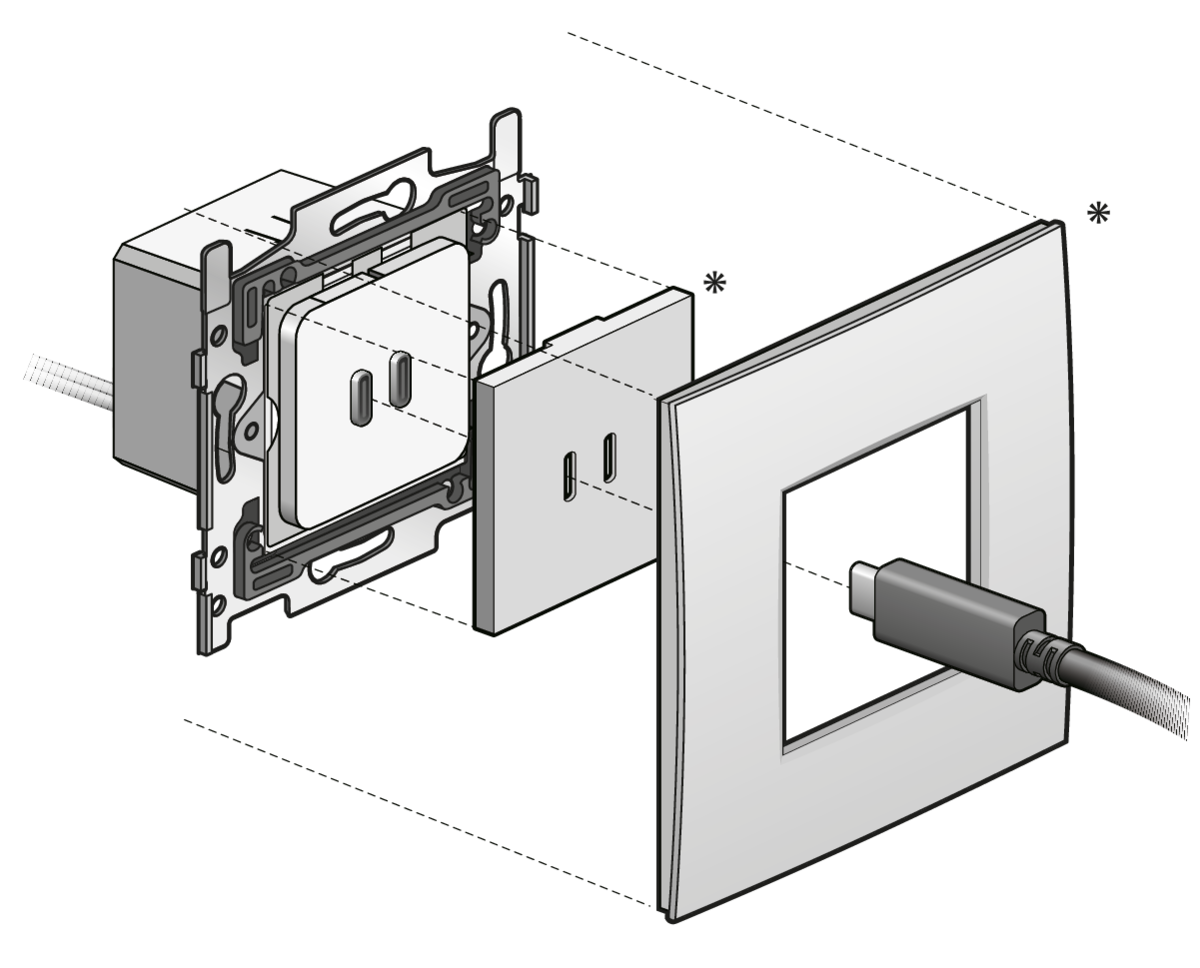
Niko Pure, Niko Intense & Niko Original |
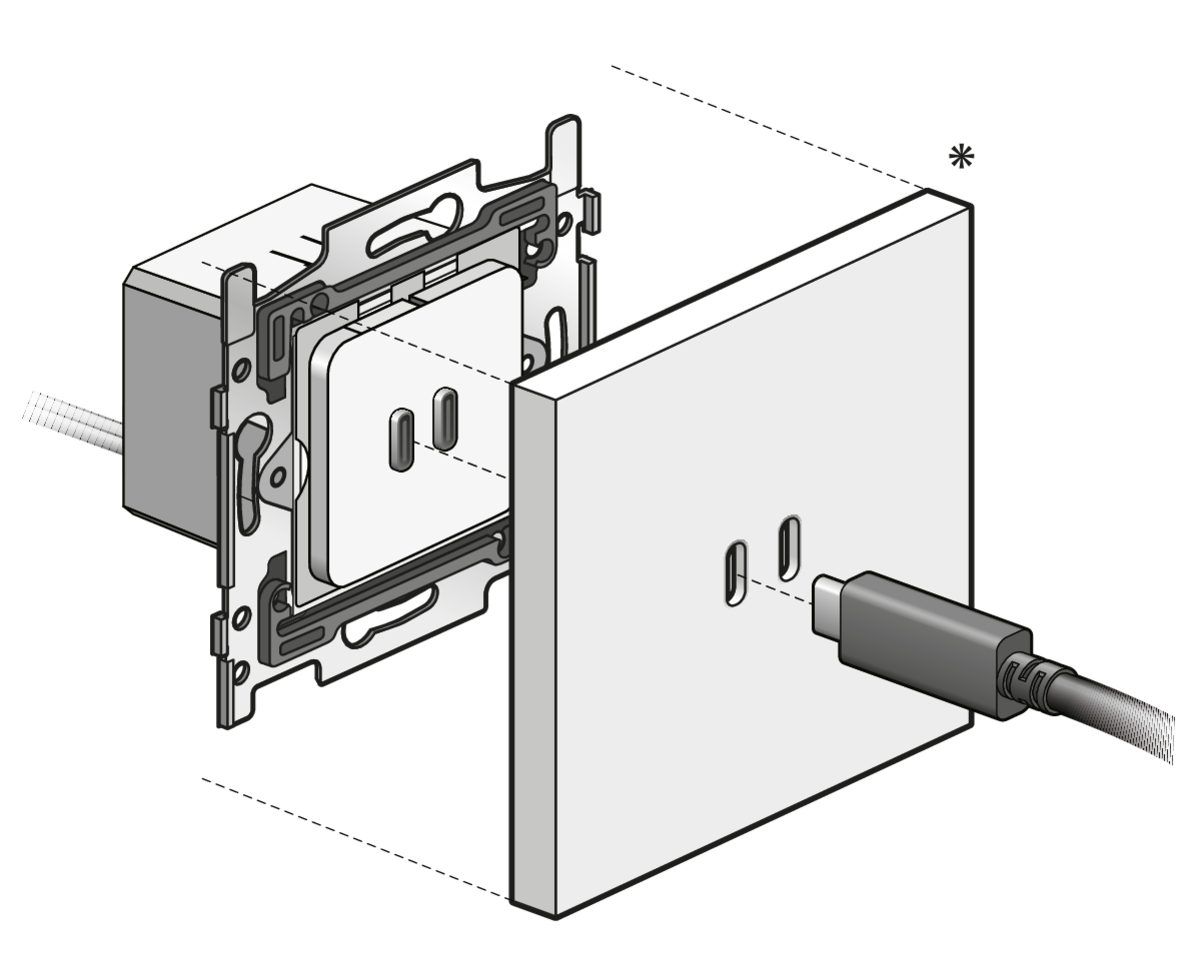
Niko Rocker & Niko Toggle |
Wiring
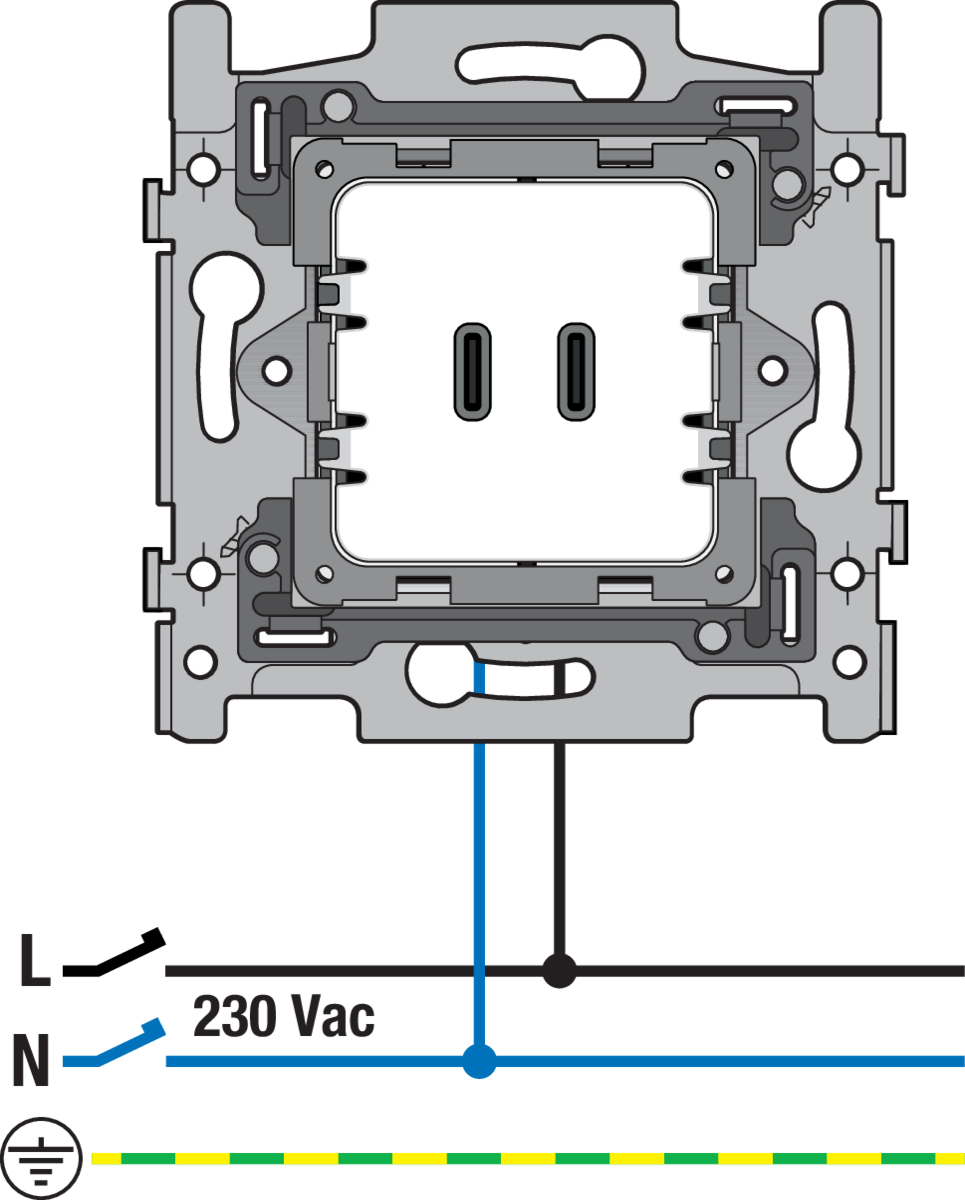
This product must be secured with a miniature circuit breaker (MCB) of max. 20 A in the electrical cabinet. The MCB rating is limited by national installation rules.
Product information
This online manual applies to the product(s) listed below.
Look up the article numbers on products.niko.eu to find detailed specifications, compatible articles, certificates, CE-marking, availability information, etc.
Please note that some of the products may not be available in your region.
Load balancing
The USB charger dynamically distributes power to connected devices, with a maximum total output of 65 W peak.
First device connected
-
The first connected device (Load 1) is given full priority.
-
It can draw up to 65 W peak when no other device is connected.
Second device connected
-
As soon as a second device (Load 2) is connected, the charger applies an initial power distribution:
-
Load 1 is limited to 50 W.
-
Load 2 receives 15 W to enable start-up.
-
-
After 30 seconds, the charger automatically renegotiates the power distribution:
-
Load 1 determines its required power.
-
Load 2 receives the remaining available power, with a minimum of 15 W.
-
Power values are rounded to the nearest 5 W increment.
-
-
Example:
-
If Load 1 requests 37 W:
-
Load 1 is assigned 40 W.
-
Load 2 receives up to 25 W.
-
-
-
The charger reassesses and updates the power distribution every 30 seconds.
-
Load 1 remains the priority device in each cycle.
-
Temperature protection
-
If the internal temperature rises, the charger reduces the total available power from 65 W to 45 W. The load balancing behaviour remains unchanged. Load 2 continues to receive a minimum of 15 W.
-
If the internal temperature rises even more (above 90°), the charger stops charging. It will resume charging when a normal internal temperature has been reached.
User recommendations
-
Connect high-power devices (such as laptops) first to ensure they receive priority and sufficient power.
-
Connect lower-power devices (such as smartphones or accessories) as the second device.
-
Avoid connecting two high-power devices at the same time if optimal charging speed is required.
-
Allow up to 30 seconds for the charger to optimise power distribution after connecting a second device.
-
Be aware that charging performance may be reduced in high ambient temperatures due to thermal protection.
-
Avoid leaving a cable attached without a connected device.
Cable requirements
The performance of the USB charger depends directly on the cable used.
Recommended cable types
Standard use
-
Use a USB-C to USB-C cable that:
-
Supports Power Delivery (PD)
-
Supports at least 3 A (60 W)
-
-
This is sufficient for:
-
Smartphones
-
Tablets
-
Most laptops
-
Optimal performance
-
For best and future-proof performance, use a USB-C to USB-C cable that:
-
Supports 5 A (100 W)
-
Includes an E-marker chip. An E-marker (Electronically Marked) chip is a protocol controller embedded in the cabl that communicates the cable’s capabilities (power supply, receiving and transmission) and that ensures correct negotiation between charger and device.
-
-
Benefits:
-
More stable charging performance
-
Reduced voltage loss
-
Safe and accurate power negotiation
-
Optimal power delivery for high-power devices, such as laptops
-
Enables full utilisation of the charger capacity (up to 65 W)
-
Better performance when using multiple ports simultaneously
-
Cable types to avoid
-
USB-A to USB-C cables:
-
These do not support Power Delivery
-
Charging power will be significantly limited
-
-
Low-quality or unspecified cables:
-
May result in slower charging
-
May cause unstable performance
-
Example of suitable cables
Standard use
Standard cables from major brands (such as Apple and Samsung) are generally compatible:
-
Typically support Power Delivery up to approximately 60 W
-
Suitable for smartphones, tablets and most laptops
Optimal performance
Examples:
-
Anker USB-C to USB-C cable (100 W)
-
UGREEN USB-C to USB-C cable (100 W, with E-marker)
-
Belkin USB-C Power Delivery cables
-
Baseus USB-C cables (100 W)
Troubleshooting
|
Problem |
Possible cause |
Proposed solution |
|---|---|---|
|
High-power device (e.g. laptop) shows a “not enough power”/ “slow charging” notification while charging |
A second device is connected and temporarily limits available power due to load balancing |
|
|
|
The high-power device is rebooting, causing a temporary power peak |
Disconnect the second device during reboot. Reconnect it once the high-power device has started |
|
|
An unused cable is connected to the second port |
Remove any unused cables from the charger |
|
|
The charging cable is not suitable for charging high-power devices |
Use a suitable cable type. See (v1-en) Dual smart USB-C charger |
|
High-power device (e.g. laptop) is plugged in but not charging |
The charging cable is not suitable for charging high-power devices |
Use a suitable cable type. See (v1-en) Dual smart USB-C charger |
|
|
A second device is connected first and has priority |
Disconnect both devices. Connect the high-power device first, then connect the second device |
|
|
The high-power device does not receive the minimum power required to initiate charging |
Disconnect the second device or unused cable and reconnect it after the high-power device has started charging |
|
|
The internal charger temperature is too high |
Wait until the charger has cooled down. It will automatically resume charging when the internal temperature has dropped. |
|
High-power device (e.g. laptop) shows a “not enough power” notification while booting up on an empty battery |
No cause |
Continue charging the device. It will boot up normally |
Legal information
nv Niko sa
Industriepark West 40
9100 Sint-Niklaas, Belgium
+32 3 778 90 80
support@niko.eu
The installation of products that will permanently be part of the electrical installation and which include dangerous voltages, should be carried out by a qualified installer and in accordance with the applicable regulations. This user manual must be presented to the user. It should be included in the electrical installation file and it should be passed on to any new owners. Additional copies are available on the Niko website or via Niko customer services.
This product complies with all of the relevant European guidelines and regulations. For radio equipment Niko llc declares that the radio equipment in this manual conforms with the 2014/53/EU directive. The full text of the EU declaration of conformity is available at https://www.niko.eu under the product reference, if applicable.
This product and/or the batteries provided cannot be disposed of in non-recyclable waste. Take your discarded product to a recognised collection point. Just like producers and importers, you too play an important role in the promotion of sorting, recycling and reuse of discarded electrical and electronic equipment. To finance the rubbish collection and waste treatment, the government levies recycling charges in certain cases (included in the price of this product).