
Use case
Your customer would like to adjust the luminosity of a lamp according to a fixed time schedule. The lamp is activated by the movement detection of an indoor motion detector.
|
From ... |
the luminosity of the lamp is set to ... |
|---|---|
|
sunrise until sunset |
30%. |
|
sunset until sunrise |
100%. |
Procedure
Creating the controls, the device and the time schedule
-
Create an indoor motion detector (DET1).
-
Create a dimmable lamp (LAMP1).
-
Create a virtual device (VIRT1).
-
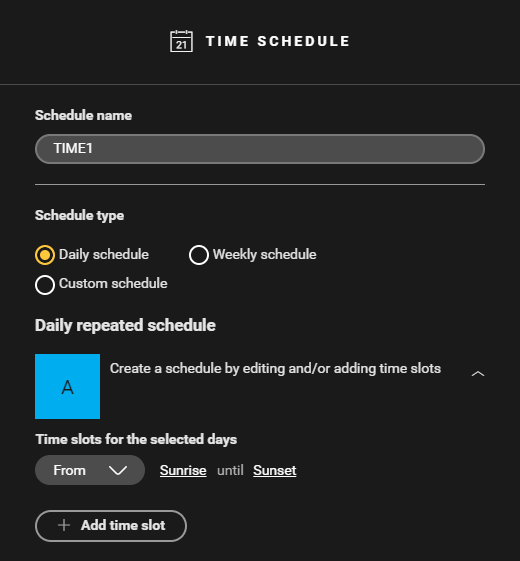
Create a daily time schedule (TIME1) from sunrise until sunset.

Creating the routine
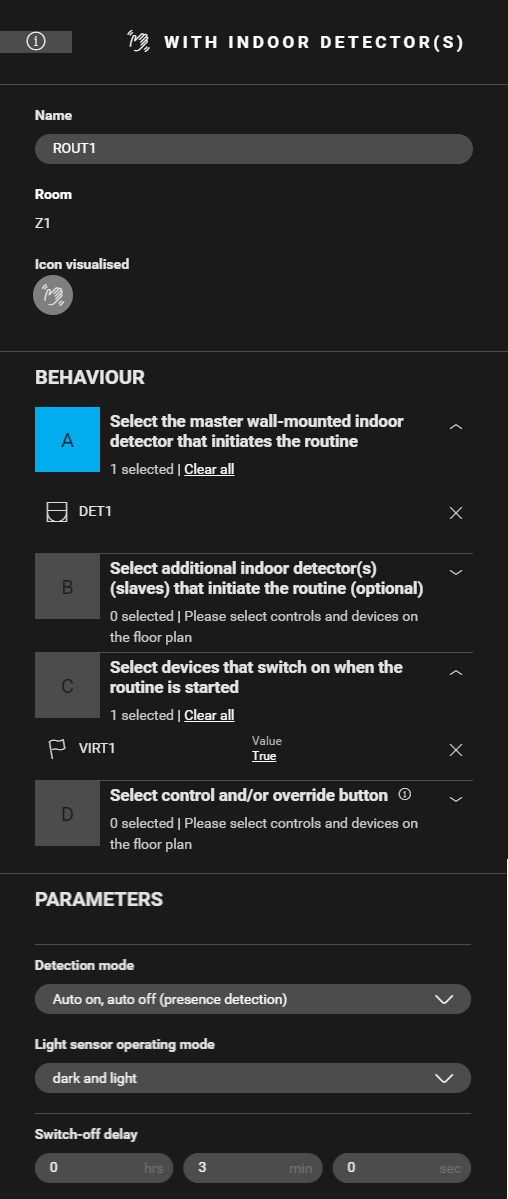
Create a routine Motion detection with indoor detector(s) (ROUT1).
-
Configure the following behaviour:
-
master detector that initiates the routine: indoor motion detector (DET1)
-
device that is switched on when the routine is started: VIRT1: Value = true
-
-
Set the parameter switch-off delay

The routine Motion detection with indoor detector(s) needs a device to switch on. For that purpose, the virtual device (VIRT1) is used.
Creating the conditions
-
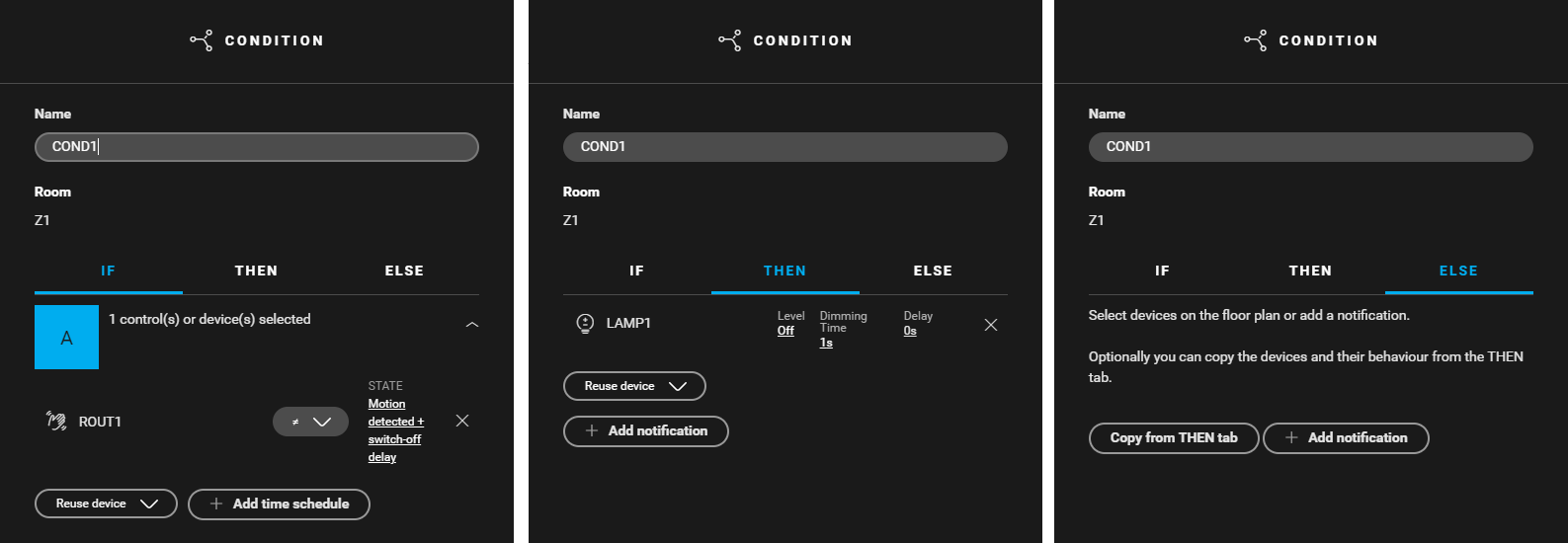
Create a condition (COND1) for deactivating the lamp when no movement is detected within the switch-off delay set in the detector's parameters. Use the following logic:
-
IF ROUT1: State ≠ motion detected + switch-off delay
-
THEN LAMP1: Level = off
-
ELSE leave empty
-
-
Create a condition (COND2) to set the lamp luminosity to 100% from sunset until sunrise. Use the following logic:
-
IF (TIME1: On/off = false) and (ROUT1: State = motion detected + switch-off delay)
-
THEN LAMP1: Level = on
-
ELSE leave empty
-
-
Create a condition (COND3) to set the lamp luminosity to 30% from sunrise until sunset. Use the following logic:
-
IF (TIME1: On/off = true) and (ROUT1: State = motion detected + switch-off delay)
-
THEN LAMP1: Level = 30%
-
ELSE leave empty
-
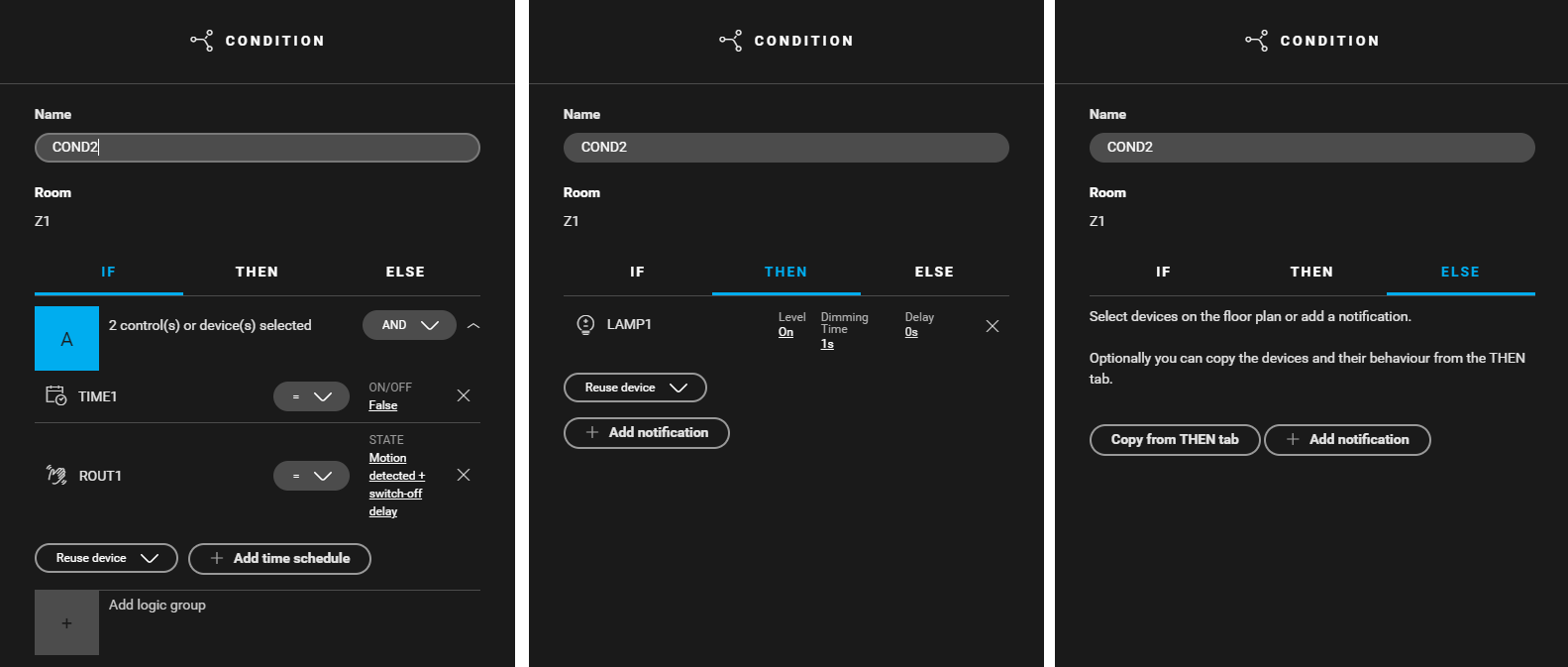
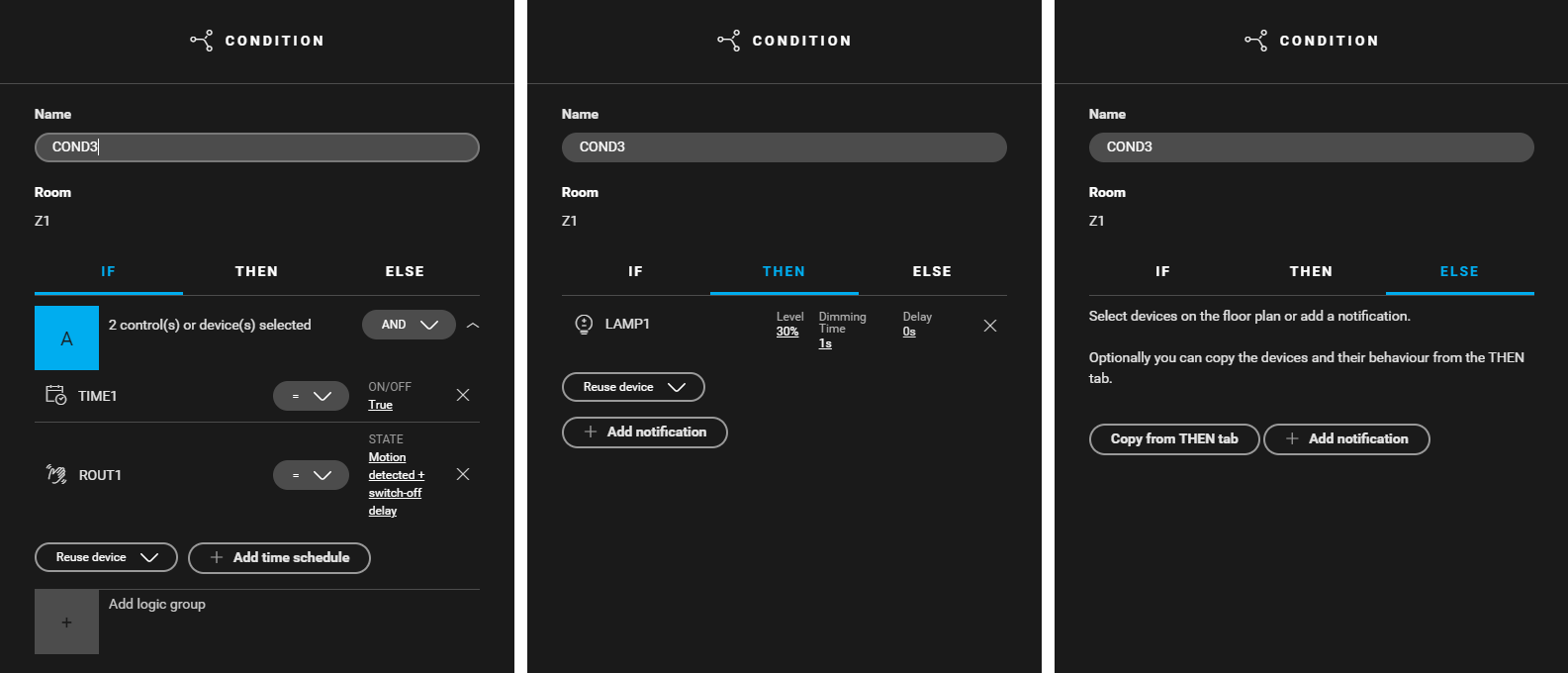

You cannot create this use case with only 2 conditions.
Filling the cabinet and addressing the device
|
Fill the cabinet with ... |
and address the following device ... |
|---|---|
|
a universal dimming module 4U (MOD1) |
the lamp LAMP1. |
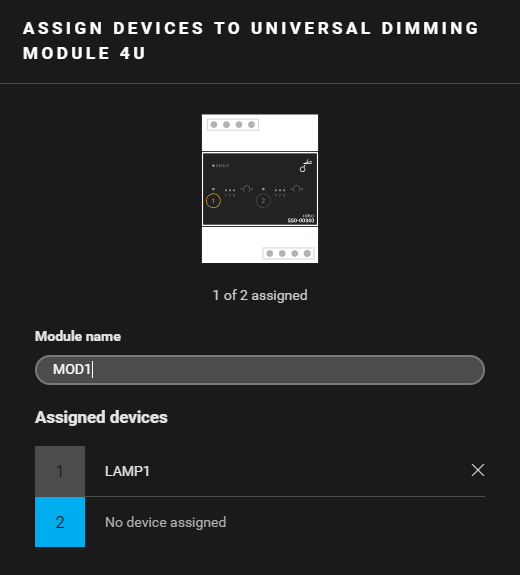
Example
Click here to download the programming example (nhc2 file).