
The wireless smart hub is compatible with the following smart/digital meters:
-
Dutch smart meter (DSMR 2.2, 3,4 and 5)
-
Belgian digital meter (Fluvius, Ores, Sibelga, Resa)
P1 cable requirements
Depending on the distance between the smart hub and the smart/digital meter, you can use one of the following solutions:
|
Distance |
Solution |
|---|---|
|
< 2 m |
Use the included P1 cable. |
|
2 - 15 m |
Assemble a longer cable:
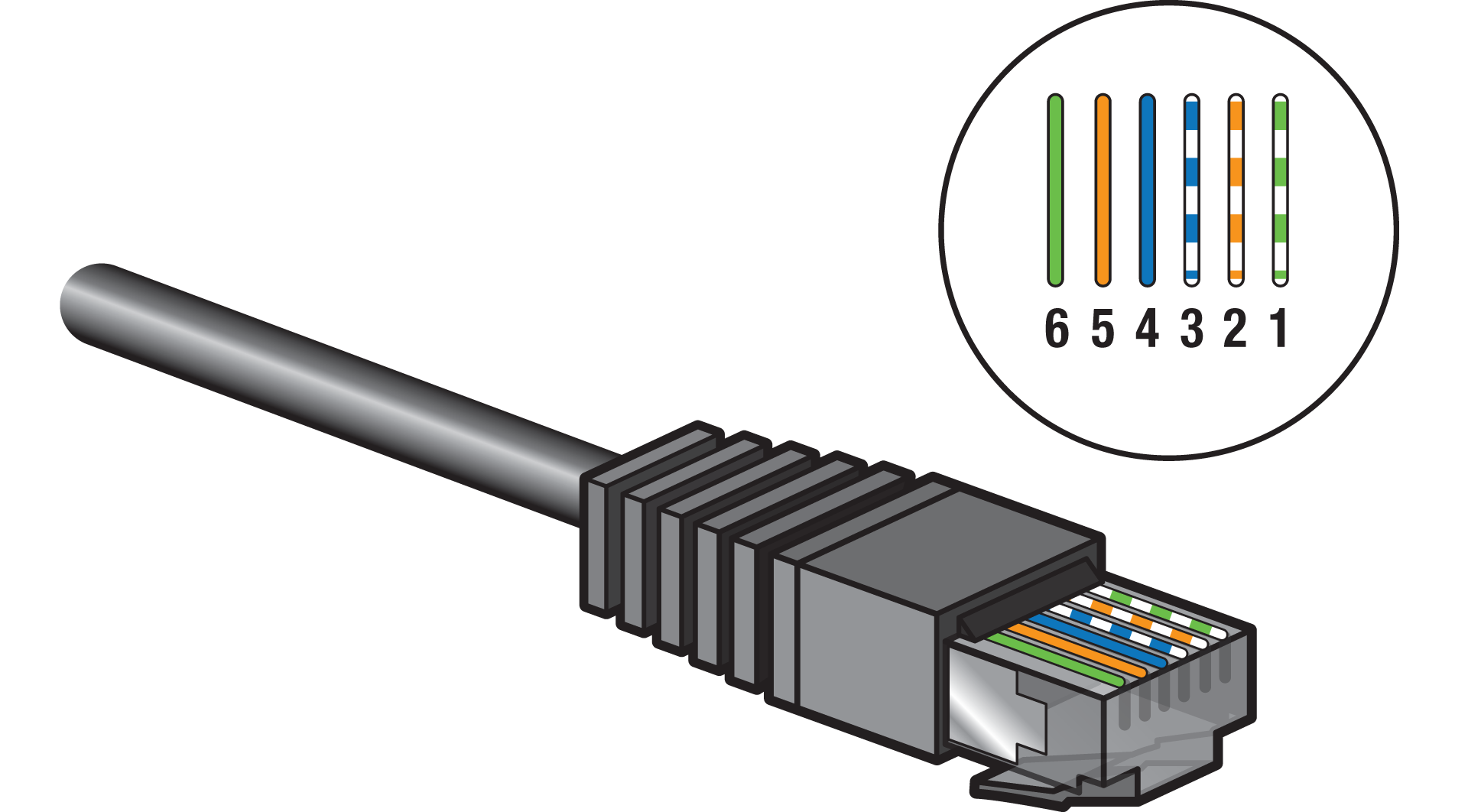
|
|
> 15 m |
Create a P1 cable extension, see https://guide.niko.eu/en/connhc2/lv/general-solution-p1-cable-extension-digital-meter |
Avoid electrical equipment with high bursts (e.g. high-power devices, motorised devices) in the proximity of the cable.
Instructions
-
Connect the P1 cable to the wireless smart hub's SMR port.
-
Connect the P1 cable to the P1 port of the smart/digital meter.
-
(optional) Contact your distribution company to activate the P1 port of the smart/digital meter.

